

A preset is a ready-made profile with typical values for one kind of work. The five presets are built in: you can run any of them as they are, or start a team profile from one and change what you need (see Preflight profiles). The Built-in presets list on the Preflight page opens each one to read its settings; Customise starts a profile from it.
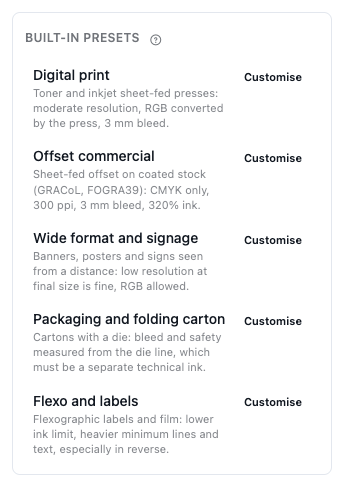
| Preset | For | Checks it runs |
|---|---|---|
| Digital print | Toner and inkjet sheet-fed presses: moderate resolution, RGB converted by the press, 3 mm bleed. | 18 of 23 |
| Offset commercial | Sheet-fed offset on coated stock (GRACoL, FOGRA39): CMYK only, 300 ppi, 3 mm bleed, 320% ink. | 20 of 23 |
| Wide format and signage | Banners, posters and signs seen from a distance: low resolution at final size is fine, RGB allowed. | 16 of 23 |
| Packaging and folding carton | Cartons with a die: bleed and safety measured from the die line, which must be a separate technical ink. | 20 of 23 |
| Flexo and labels | Flexographic labels and film: lower ink limit, heavier minimum lines and text, especially in reverse. | 21 of 23 |
The values of every check in every preset are in the tables of Image, text and line checks, Colour and ink checks and Trim, bleed and document checks.
What every preset checks#
Every preset makes missing fonts, JavaScript, encryption and white objects that overprint errors; comments and form fields and registration colour in the artwork warnings; and lists the PDF version, overprint and transparency as notes. With a die, every preset measures bleed and the safety margin from the die outline.
None of them checks the page count, or the page size against an ordered size: Digital print and Offset commercial only note pages of mixed sizes. Set the size and page count in a profile for a job that has them.
Digital print#
Digital print suits toner and inkjet presses. Images warn below 200 ppi and fail below 150 ppi. RGB is only a note, because the press converts it. Ink coverage warns above 320 %, text below 5 pt and lines below 0.25 pt. Missing bleed of 9 pt (about 3 mm) is a warning, and a TrimBox isn't required.
Offset commercial#
Offset commercial suits sheet-fed offset on coated stock. RGB and Lab are errors, as in Packaging and Flexo. Images warn below 300 ppi, fail below 225 ppi and are noted above 900 ppi (Downsample images can then reduce them). Ink coverage warns above 320 %, text below 6 pt, rich black text up to 12 pt and lines below 0.25 pt. Missing bleed of 9 pt and a missing TrimBox are errors. Black text and thin black lines that knock out are noted.
This is the preset used for approval versions and uploaded PDFs when your team has no default profile.
Wide format and signage#
Wide format and signage suits banners, posters and signs seen from a distance. Images only warn below 100 ppi, with no error level (1-bit images below 300 ppi). RGB is allowed: the colour space check is off. Ink coverage above 300 % is a note. Bleed and the safety margin are 18 pt (about 6 mm), text warns below 12 pt and lines below 1 pt.
Packaging and folding carton#
Packaging and folding carton suits cartons with a die, and the file must have a die or cut ink. Die and crease lines that knock out are errors, and so are RGB and Lab. Images warn below 300 ppi and fail below 225 ppi; ink coverage warns above 320 %, text below 6 pt, rich black text up to 12 pt and lines below 0.25 pt. Missing bleed of 9 pt is an error. Black text and lines that knock out are warnings.
This is the preset used for an imposition artwork with a die when your team has no default profile.
Flexo and labels#
Flexo and labels suits flexographic labels and film, which hold less ink and less detail. Ink coverage warns above 270 %. Text warns below 5 pt and reverse text below 7 pt; lines below 0.3 pt and reverse lines below 0.5 pt. Tints lighter than 3 % are warnings, because the smallest dot drops out. The safety margin is 6 pt (about 2 mm). Like packaging, it requires a die or cut ink and makes knocked-out technical lines, RGB and Lab errors, with images warning below 300 ppi and failing below 200 ppi.
Presets improve over time#
Presets are part of the app. When a preset's values are improved, every team profile built on it gets the new values for the settings it hasn't changed. A report keeps the settings it ran with: run it again to check a file with the new values.