

Varnish, foil, embossing and white are usually drawn in a PDF as spot plates of their own. In 2D they look like any other colour. The Finishes section of the 3D tab turns such a plate into what it really is: it is taken out of the print and shown as a finish that shines, catches the light or is raised out of the board.
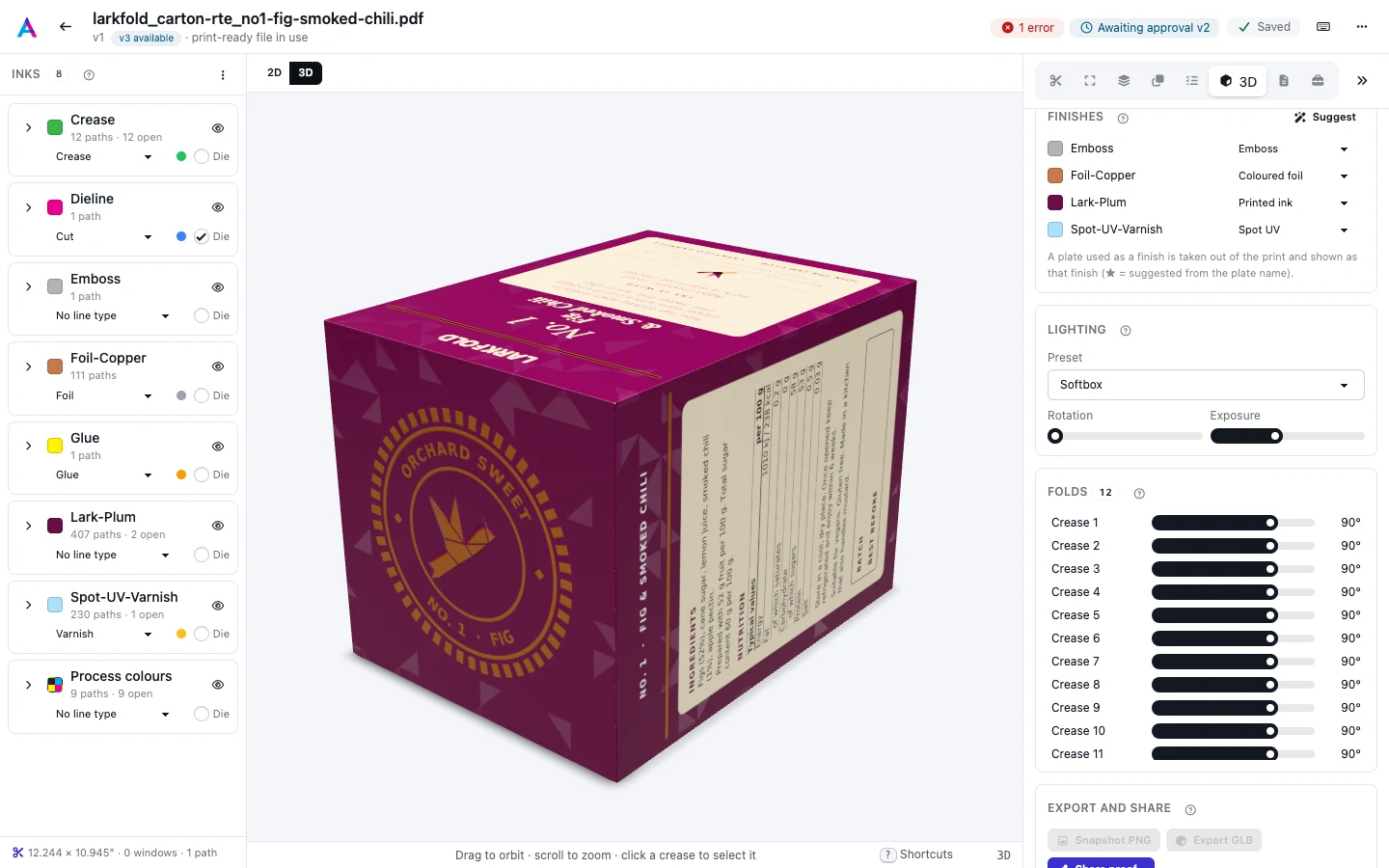
Pick a finish for a plate#
Every printing spot plate of the page is listed (technical plates such as the die are not). Plates without a finish show as Printed ink; choose a finish from a plate's menu to show it as that finish. A plate can have one finish.
The page's plates are also shown with their finish outlines in 2D: switch Finishes on in the toolbar, or press F, or hover an ink's card in the Line types tab.
Suggestions#
The finish that fits a plate's name is marked with a ★ in its menu. Suggest replaces the finishes with the suggestions: plates without one go back to Printed ink. Names are read word by word, so "Spot UV", "SpotUV" and "UV Lack" are all Spot UV:
- varnish, lacquer or coating words give Spot UV, or Gloss varnish, Matte varnish or Soft-touch when the name says so;
- foil, stamping or hot-foil words give Gold foil, or Silver foil, Holographic foil, or Coloured foil for copper, bronze, rose, red, blue or green foil;
- emboss, blind or braille give Emboss, and deboss gives Deboss;
- white, opaque or underlay give White ink.
Names that are cut, crease, glue or other technical words are never suggested a finish. An ink you mapped to the Foil or Varnish line type gets a finish even when its name says nothing: its suggestion, else Gold foil or Spot UV.
A new artwork starts with its suggested finishes already set, so its varnish and foil show as finishes the first time you open 3D.
Warning: Coloured foil colour
The finishes a new artwork starts with keep the foil colour its name says (a blue foil is blue). Choosing Coloured foil from the menu, or pressing Suggest, gives it the default copper colour instead.
Finish types#
| Finish | What it shows | Settings (defaults) |
|---|---|---|
| Gloss varnish | A clear, shiny coat over the plate's area. | strength 1, gloss 0.85 |
| Matte varnish | A clear coat that takes the shine off the plate's area. | strength 1 |
| Soft-touch | A velvety matte coat. | strength 1 |
| Spot UV | A thick, raised gloss coat that catches the light. | strength 1, raise (µm) 30 |
| Gold foil | Gold hot foil, pressed slightly into the board. | strength 1, colour #f0c46c, roughness 0.2, press-in depth (µm) 20 |
| Silver foil | Silver foil, pressed slightly into the board. | strength 1, colour #e2e5e9, roughness 0.17, press-in depth (µm) 20 |
| Holographic foil | Rainbow holographic foil. | strength 1, colour #e6e8ec, roughness 0.14, press-in depth (µm) 20 |
| Coloured foil | Foil in another colour, such as copper, red or blue; copper unless set otherwise. | strength 1, colour #ec9f6f, roughness 0.22, press-in depth (µm) 20 |
| Emboss | The plate's area raised out of the board. | strength 1, height (mm) 0.3, bevel (mm) 0.45 |
| Deboss | The plate's area pressed into the board. | strength 1, height (mm) 0.25, bevel (mm) 0.4 |
| White ink | Opaque white laid under the other inks, as on clear or metallic stock. | strength 1 |
Strength sets how much of the effect shows, from 0 to 1. The settings of each finish, such as a foil's colour or an emboss's height, can be set through the API (see Prepress API); the editor uses the defaults above.
What a finish changes elsewhere#
- Trapping. A varnish, spot UV, soft-touch, emboss or deboss finish makes its ink Transparent for trapping, and a foil or white ink finish makes it Opaque (see Trapping settings and inks).
- Nothing in the print file. A finish is how the plate is shown in 3D and on the 3D proof; the plate stays in the PDF as it was.