

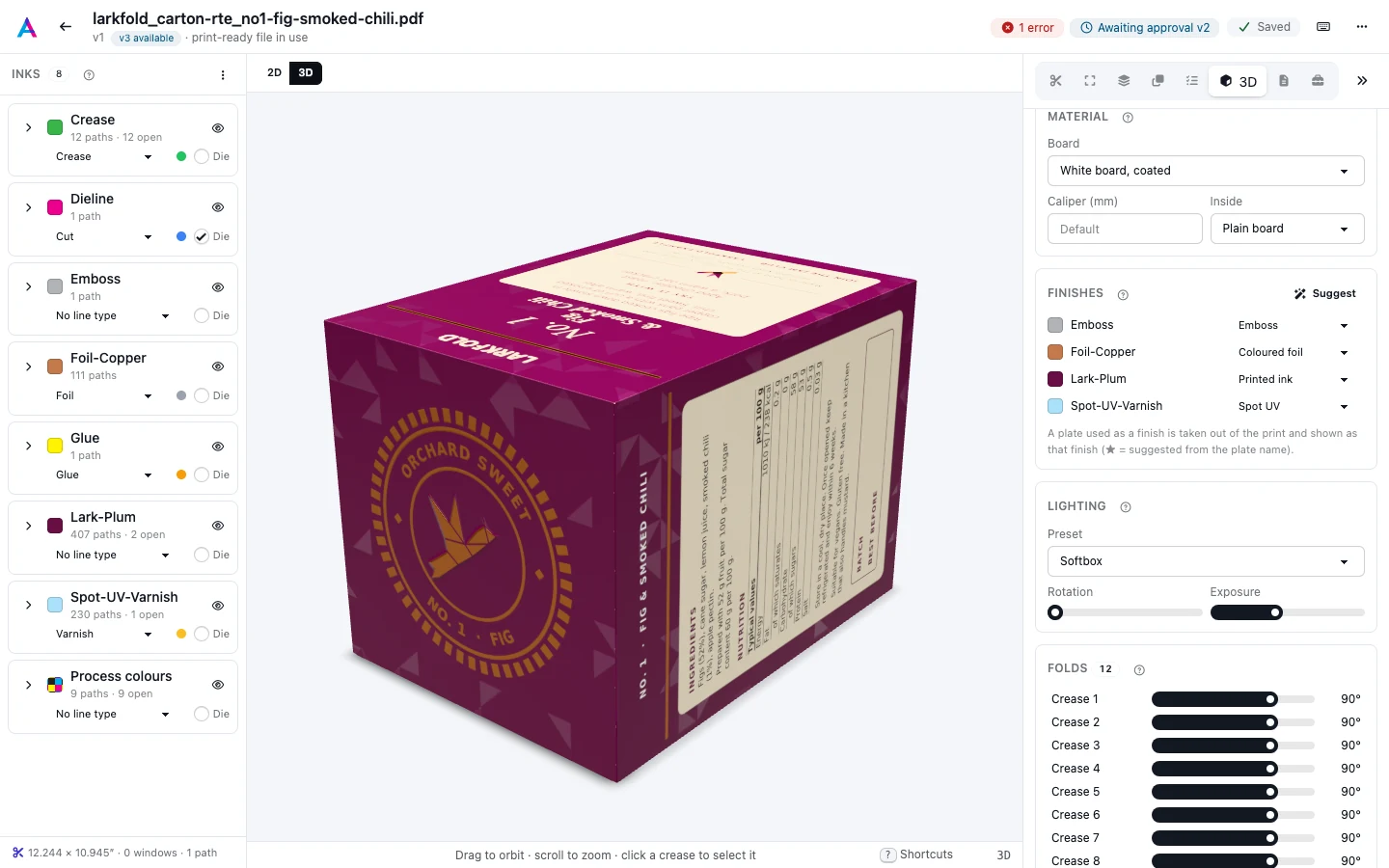
The Material section of the 3D tab sets what the carton is made of. The board changes how the print looks (white, brown, metallic, see-through), how it catches the light, how the cut edges look, and how thick the panels are when they fold.
Board#
Pick a Board. A new carton starts on White board, coated.
| Board | Caliper | What it looks like |
|---|---|---|
| White board, coated | 0.46 mm | Bright white folding board with a coated, slightly glossy print side and a matte inside. |
| White board, uncoated | 0.45 mm | White folding board with a soft, uncoated surface on both sides. |
| Kraft | 0.5 mm | Brown unbleached board with visible fibres; inks print darker on it. |
| Corrugated E-flute | 1.6 mm | Fine-flute corrugated board with a white liner outside and a brown inside; flutes show on edges. |
| Corrugated B-flute | 3 mm | Coarser, thicker corrugated board; the flutes show on the cut edges. |
| Corrugated C-flute | 4 mm | The common shipping-box flute: thicker than B-flute, with larger flutes on the edges. |
| Corrugated BC double wall | 6.4 mm | Double-wall board (a B and a C flute): heavy shipping cases, with two flutes on the edges. |
| Metallised board | 0.4 mm | Board with a mirror-like metallic surface under the print. |
| Clear PET | 0.3 mm | Clear plastic: you see through the unprinted areas. |
| Frosted PET | 0.3 mm | Frosted plastic: translucent, with a soft matte surface. |
| Holographic board | 0.4 mm | Metallic board whose surface shifts colour with the viewing angle. |
| White label stock | 0.09 mm | Thin white label face with a glossy finish. |
| Clear label stock | 0.07 mm | Thin clear label face. |
The corrugated boards show their flutes on the cut edges: one flute for E, B and C, two for the BC double wall.
On clear and frosted PET, unprinted areas let the light through. On metallised and holographic board the print sits on the metallic surface and the metal shines through it. Where a white plate is shown as White ink, the board turns white under the print, as a white underprint does on press: the metal stops shining there, clear film stops letting light through, and kraft looks lighter (see Finishes).
Caliper#
Caliper (mm) is the board's thickness. It starts at the preset's own caliper, in the table above; type another from 0.03 to 10 mm (0.001 to 0.39 in) to match your stock. The caliper decides how far panels that fold over each other sit apart, and how thick the cut edges look.
Choosing another board resets the caliper to that board's own.
A board from the dieline#
A dieline that carries fold data (see The 3D carton) can also name the board it was drawn for and its caliper. The first time you open 3D, the scene takes them, as long as the board is still the default (White board, coated with no caliper of its own):
- The Board becomes the preset that looks like it: white board for SBS, FBB and CRB, Kraft for CUK, and the corrugated preset of the flute (Corrugated E-flute for E and F, B-flute for B and EB, C-flute for C, BC double wall for BC). A board the app doesn't know keeps White board, coated.
- A corrugated board with kraft liners is brown outside, not white: the print sits on the kraft liner.
- Caliper (mm) becomes the dieline's caliper.
A board or caliper you set yourself is never replaced. Choosing another board resets the caliper, as always.
Dielines drawn in the Box designer carry their board this way, a board of the board catalogue.
Inside#
Inside is what shows on the unprinted side of the board:
- Plain board: the back of the board, such as the brown inside of corrugated.
- Page 2 of the file: the file's second page is printed inside, for cartons printed on both sides. It needs a file with two or more pages.
The API can also set the board's colour, the catalogue board it stands for, and the direction corrugated flutes run in the sheet, which decides on which cut edges the flutes show (see Prepress API).