

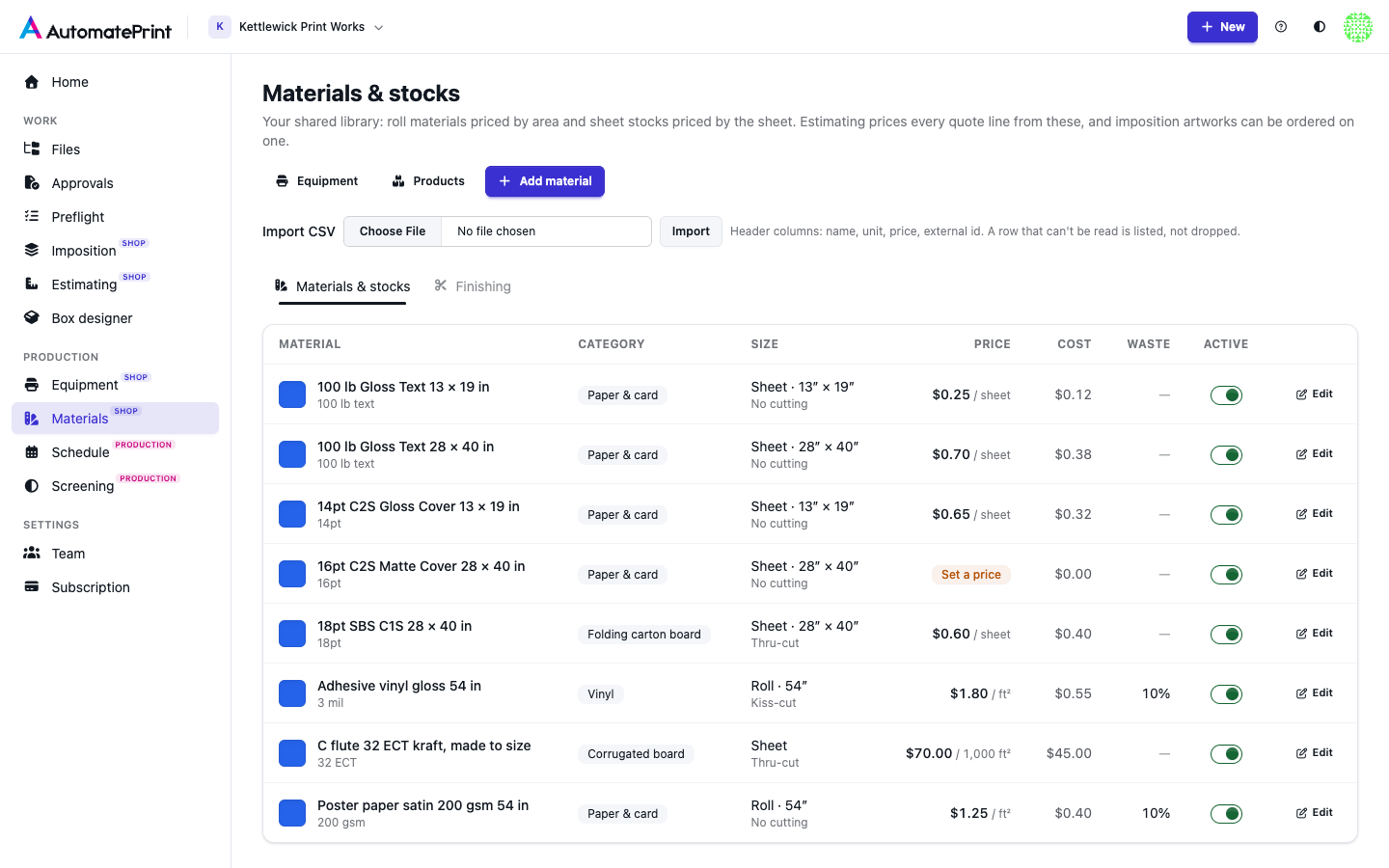
Materials is the team's library of what you print on and what you do to it afterwards. Every part of the app uses
the same records: Estimating prices quote lines from them, and Imposition can order an artwork on one of the materials.
Open it with Materials in the sidebar, under Production, next to Equipment (Open Materials), or
press g then t.
The library has two tabs:
| Tab | What it holds |
|---|---|
| Materials & stocks | Roll materials (films, vinyl, banner, laminates) priced by area, and sheet stocks (paper and card, board, corrugated, label stock) priced per sheet, per 1,000 sheets or by area, with their size, category, cutting settings, price and cost. See Materials and stocks. |
| Finishing | Coating, laminating, cutting, folding, hardware, packing and fees, each with its own unit, setup and minimum. See Finishing operations. |
Equipment and Products at the top of the library lead to the machines that run these stocks and to estimating's product templates, which are built from them.
Who uses it#
- Estimating. Price book on the Estimating page opens this library. A quote line names a material or stock, and its price, roll or sheet, cutting and printing come from it. Saving or archiving a material or a finishing operation re-prices every estimate that uses it. See Reading the quote.
- Imposition. An artwork can name the material it's ordered on. Items on the same material are nested together, items on different materials never share a sheet, and the material's sheet or roll size and cost are used. Leave it empty to choose the media when you run, as before. See Item properties.
Moving from the price book#
Materials, stocks and finishing used to be tabs of Estimating's price book. They are the same records: nothing was copied, and old links to the price book pages open the Materials section. The REST API is unchanged: materials and finishing operations are still read and written through the estimating endpoints (see Estimating API).