

Output in the booklet editor's header opens the output dialog: choose what to download, how to split it and what to call the files. The choices are saved with the booklet, so the next download (and the API) gives the same files.
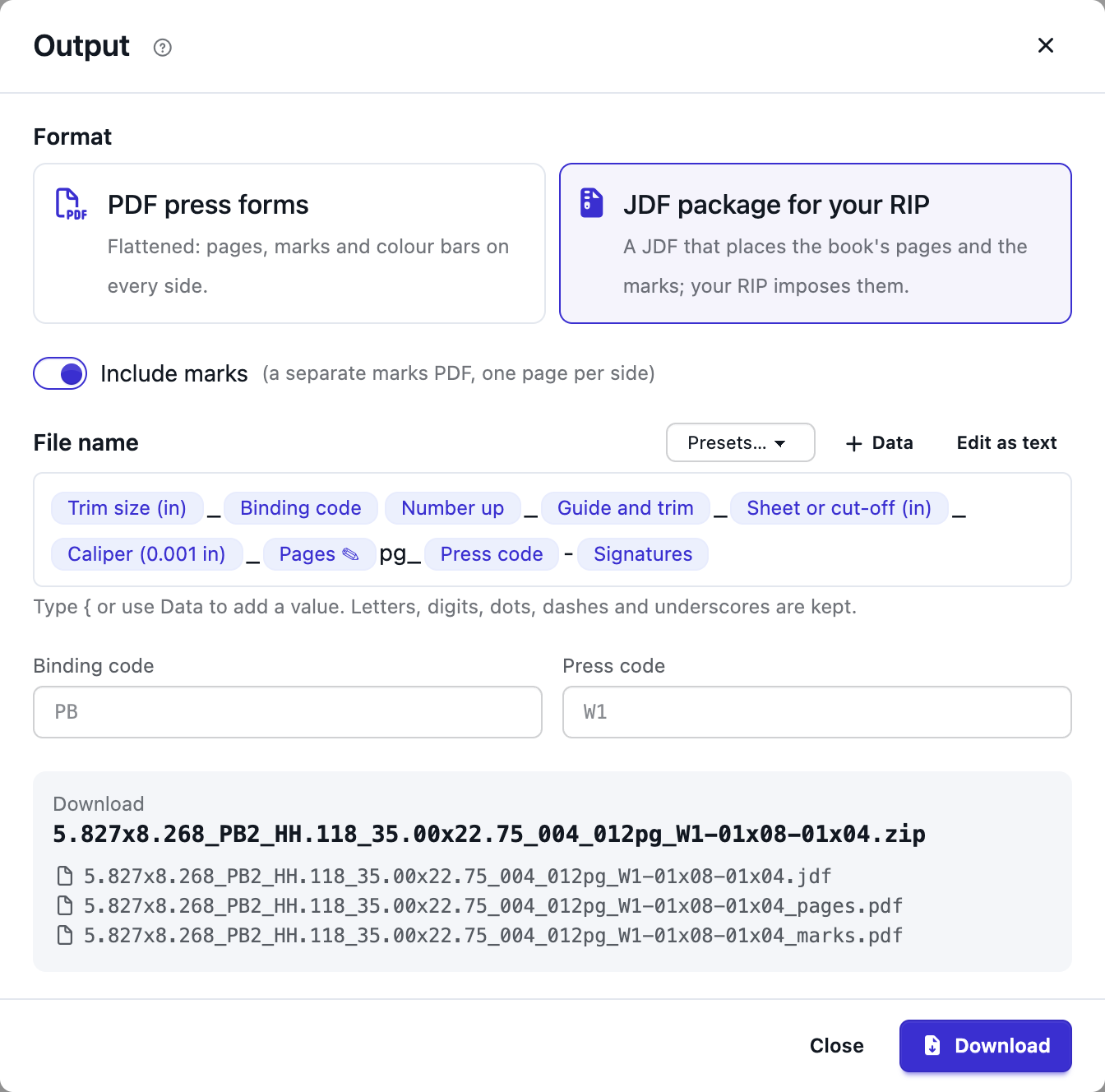
What you download#
- PDF press forms: the forms flattened, with the pages, the marks and the colour bars on every side, ready for any current RIP or printer (a compressed PDF 1.5+ file, each font and colour profile stored once, as the imposed PDF). Files chooses One PDF with every form, A PDF per form (its front, then its back) or A PDF per side. Several files download together as a zip.
- JDF package for your RIP: a zip with one folder, for a RIP that imposes the pages itself. It holds the JDF, the book's pages and the marks; see Booklet output: PDF and JDF.
Include marks leaves the marks out when it's off: no marks on the PDF forms, no marks file in the JDF package. The Checks still apply: a booklet with an error can't be downloaded.
Naming#
File name is a template: text plus values of the booklet, shown as chips. Type { or press Data to add a
value; Edit as text shows the template itself, where filters work as in marks
({{ booklet.pages | pad: 3 }}). Presets fills in a ready-made name. The dialog shows the download's name and
the files in it as you type. Only letters, digits, dots, dashes and underscores are kept; anything else becomes a
dash. A value the booklet doesn't have yet (a press code, say) is left out and named under the preview.
When the output is split, each file adds its form: _F01, _F02… (_Cover for the cover form) and, per side,
_front or _back. To place them yourself, use Sheet number, Sheet label or Side in the template.
| Value | Example | What it is |
|---|---|---|
booklet.name |
Spring catalogue | The booklet's name. |
booklet.trim / booklet.trim_mm |
8.125x10.875 / 206x276 | Finished page width x height, in inches or millimetres. |
booklet.binding_code |
SS | The binding as two letters (below), or the Binding code you type. |
booklet.ups |
1 | How many books each press sheet of the main forms makes (2 on a work-and-turn form). |
booklet.guide / booklet.guide_trim |
HH / HH.125 | How the main signature's pages meet across the middle: HH heads together, FF feet together, HF head to foot; then the head or foot trim there, in inches. A single row of pages gives the edge at the gripper (H or F). |
booklet.cutoff / booklet.cutoff_mm |
35.00x22.75 | The press sheet (or web width x cut-off), in inches with two decimals, or millimetres. |
booklet.caliper / booklet.caliper_mm |
003 | Paper thickness in thousandths of an inch (three digits), or in millimetres. |
booklet.pages |
156 | Finished pages, with blanks and the cover. |
booklet.press / booklet.press_code |
RO | The press's name, and its Short code (or the Press code you type). |
booklet.signatures |
08x16-01x04-01x08-01x16 | The signatures in book order: each run of one size as count x pages. |
booklet.signature_count, booklet.form_count, booklet.scheme |
11, 7, F16-7 | Signatures, press forms, and the main signature's folding scheme. |
Now, Today, Exported by and Team work too. Lengths such as booklet.trim_width print in the unit
the template asks for.
The production preset#
The preset Trim, binding, guide, cut-off, caliper, pages, press and signatures makes names such as
8.125x10.875_SS1_HH.125_35.00x22.75_003_156pg_RO-08x16-01x04-01x08-01x16:
{{ booklet.trim }}_{{ booklet.binding_code }}{{ booklet.ups }}_{{ booklet.guide_trim }}_{{ booklet.cutoff }}_{{ booklet.caliper }}_{{ booklet.pages | pad: 3 }}pg_{{ booklet.press_code }}-{{ booklet.signatures }}
Binding codes: SS saddle stitch, PB perfect bound and PUR, SW section sewn, CB case bound, ST side stitch,
LL loose leaf (Wire-O). Type another Binding code (such as SB for slot binding) to use it for this booklet.
Give each press a Short code in Equipment, or type a Press code here.
The JDF package#
The zip has one folder, named like the download, with three files:
<name>.jdf: a JDF 1.4 job (stripping and imposition) whose layout places every page on every form side: its page number in the pages file, where it goes and how it turns (CTM), its trim box and its clip (the trim plus the bleed that fits). It also lists the folding scheme of each signature (fold catalog id and page cells), the trims, grind-off, bleed and lip, the work style of each form and the paper size and thickness.<name>_pages.pdf: every page of the book in reading order, with an empty page wherever the book has a blank. The JDF refers to it by name, next to the JDF.<name>_marks.pdf: one sheet-sized page per form side with that side's marks: the Booklets marks, or the marks of an imported folding template, as the booklet's marks setting says.
Unzip the folder into your RIP's hot folder or job folder and open the JDF. A cover that fits no cover sheet has no press form, so it isn't in the JDF; the dialog says so. Booklets reads its own JDF back the way it reads JDF from other imposition programs (see Signature schemes and pagination).