- Decoded, with its type
Barcode reader
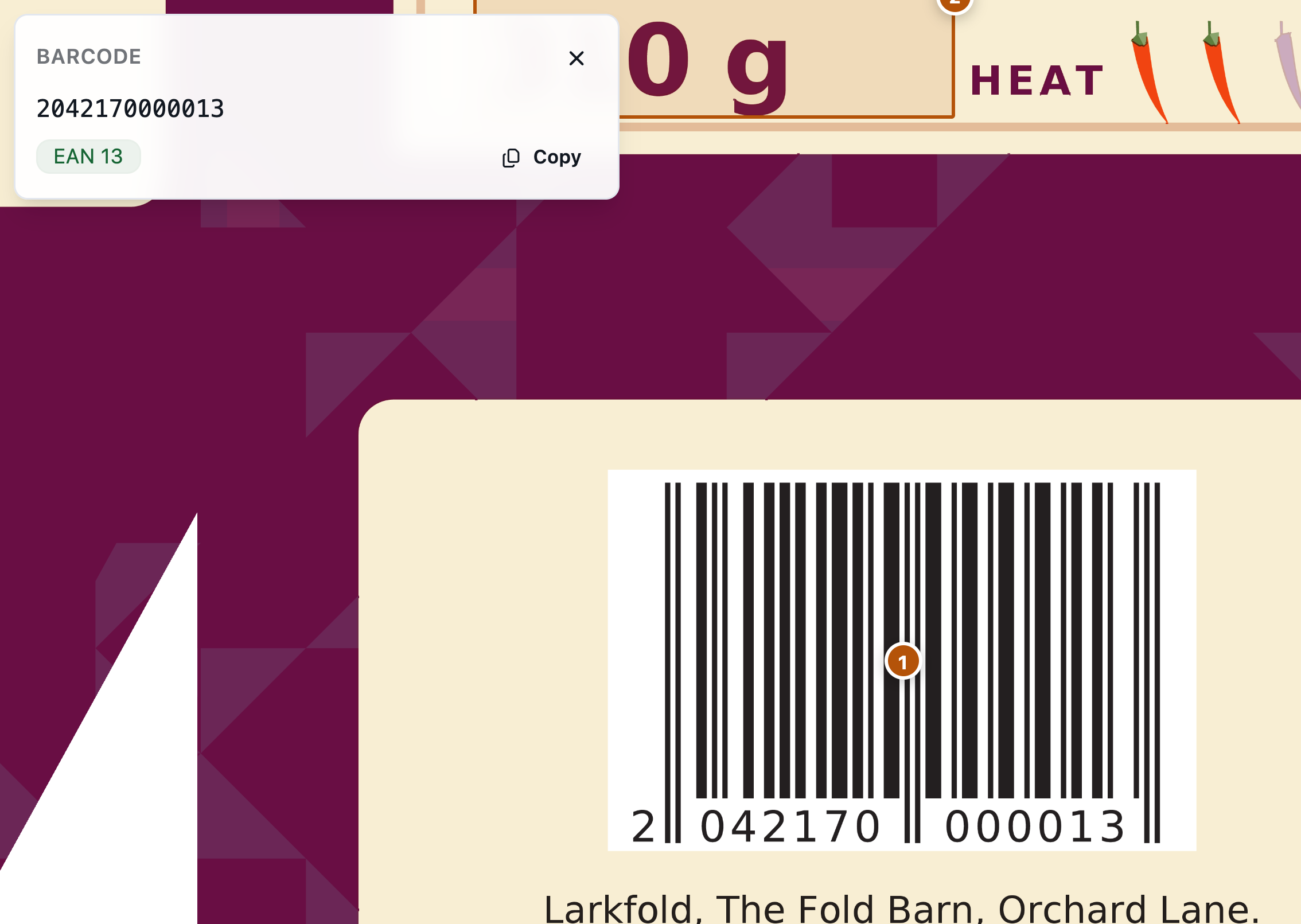
Draw a box around a code and it's decoded; on separations proofs each plate is tried alone too.
Proof & approve
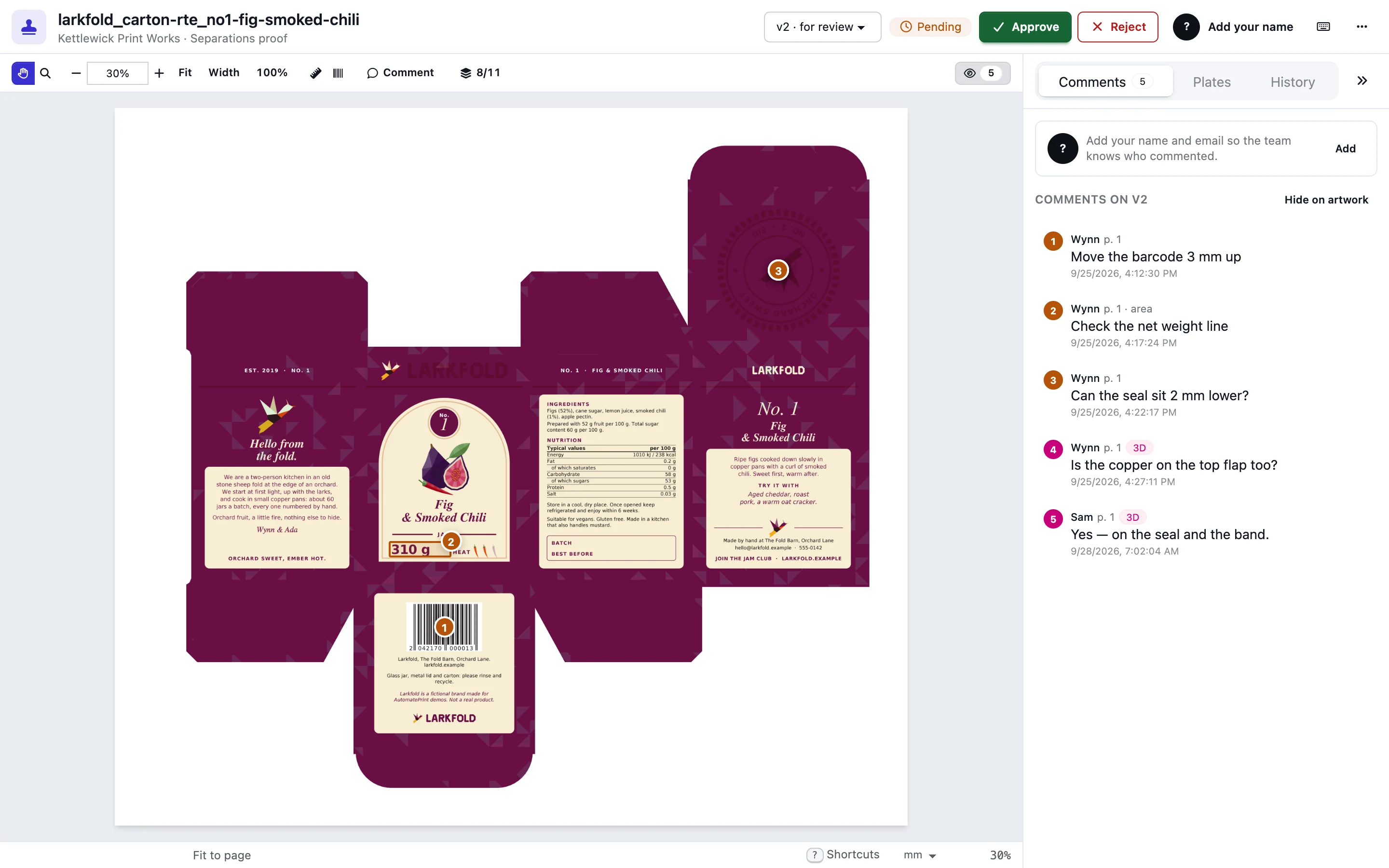
Send a private link — no account, no seat. Reviewers pin comments to the exact spot, check separations, barcodes and ink with the densitometer, or turn the folded carton in 3D, and approve the version you'll print. Every decision is recorded against the exact file.
On every plan
Today
With AutomatePrint
Today: Approvals arrive as “looks good!” in a text message.
With AutomatePrint: An approval records who, when, the exact file (SHA-256) and which views they opened.
Today: The customer approves v2 while you print v3.
With AutomatePrint: Approving closes every link of that version, and a newer version closes the old links.
Today: Nobody sees the white knockout or the overprinting varnish until press.
With AutomatePrint: Advanced links proof from the separations, up to 600 dpi, plate by plate.
Upload a version or choose it from Files and email a private Simple or Advanced link. Cartons are shared in 3D from the 1-up editor.
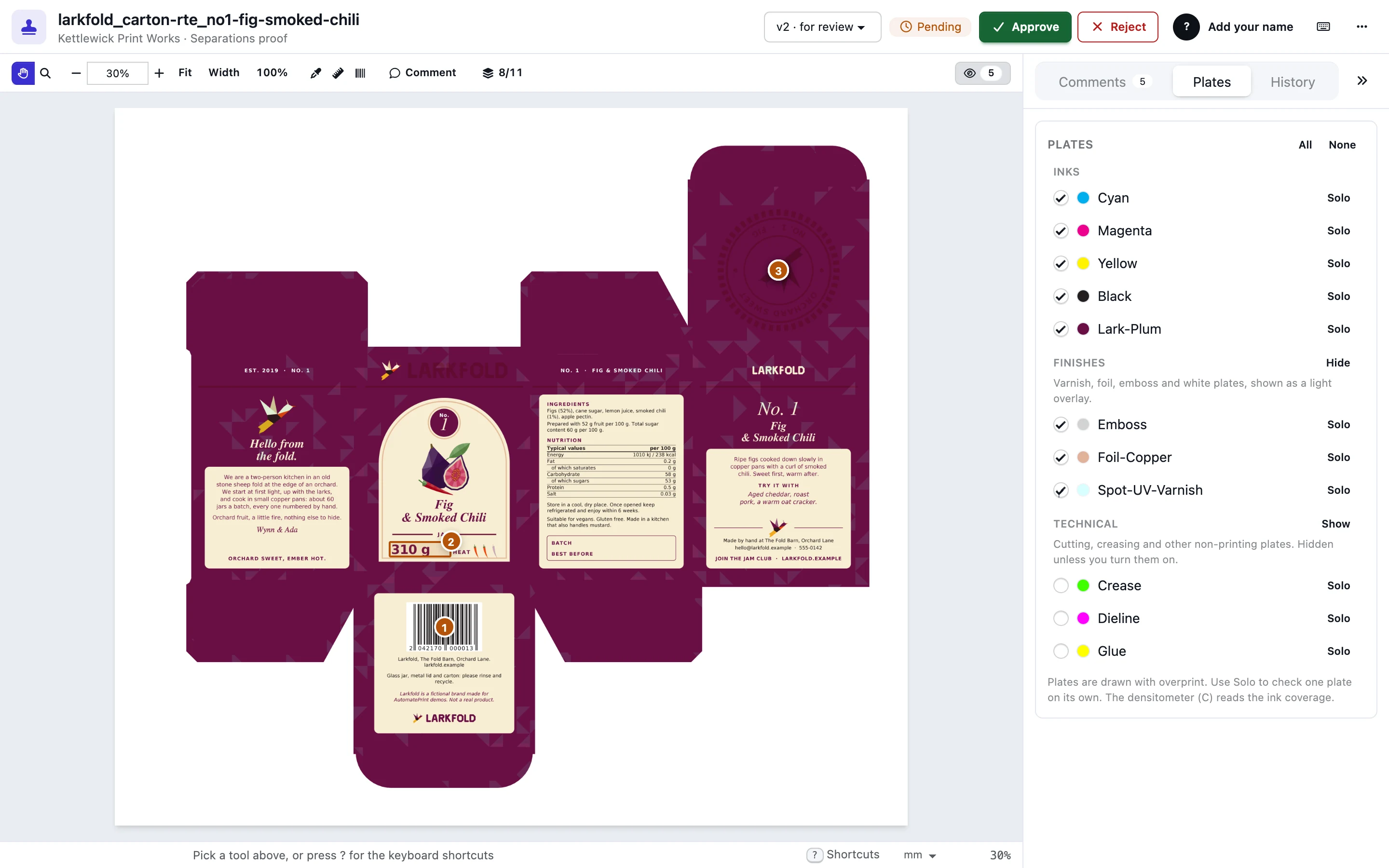
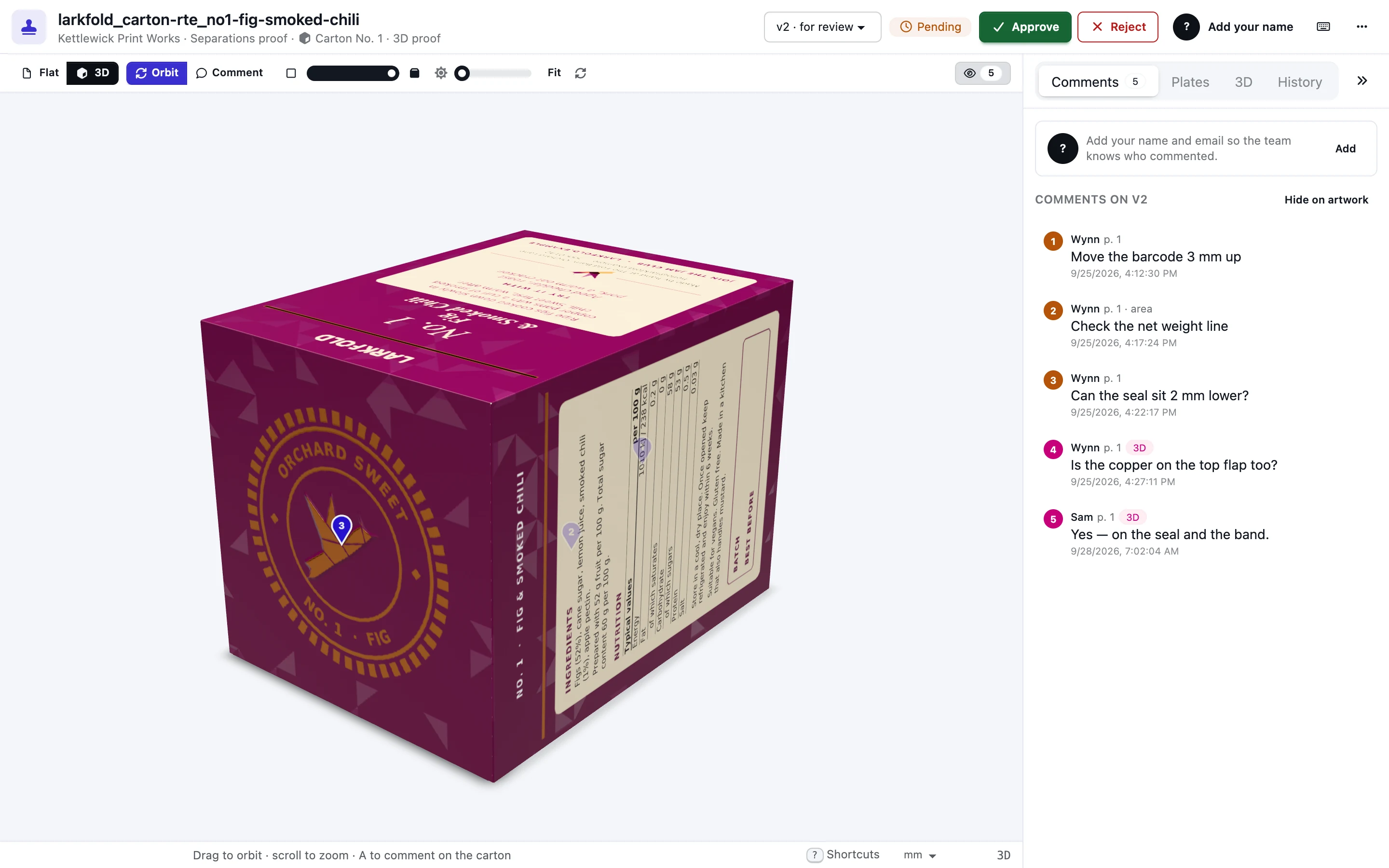
Pin comments, check plates, barcodes and ink, turn the carton in 3D. No account, no seat.
A ticked confirmation records the decision against the file's SHA-256, and every link of it closes.
Draw a box around a code and it's decoded; on separations proofs each plate is tried alone too.
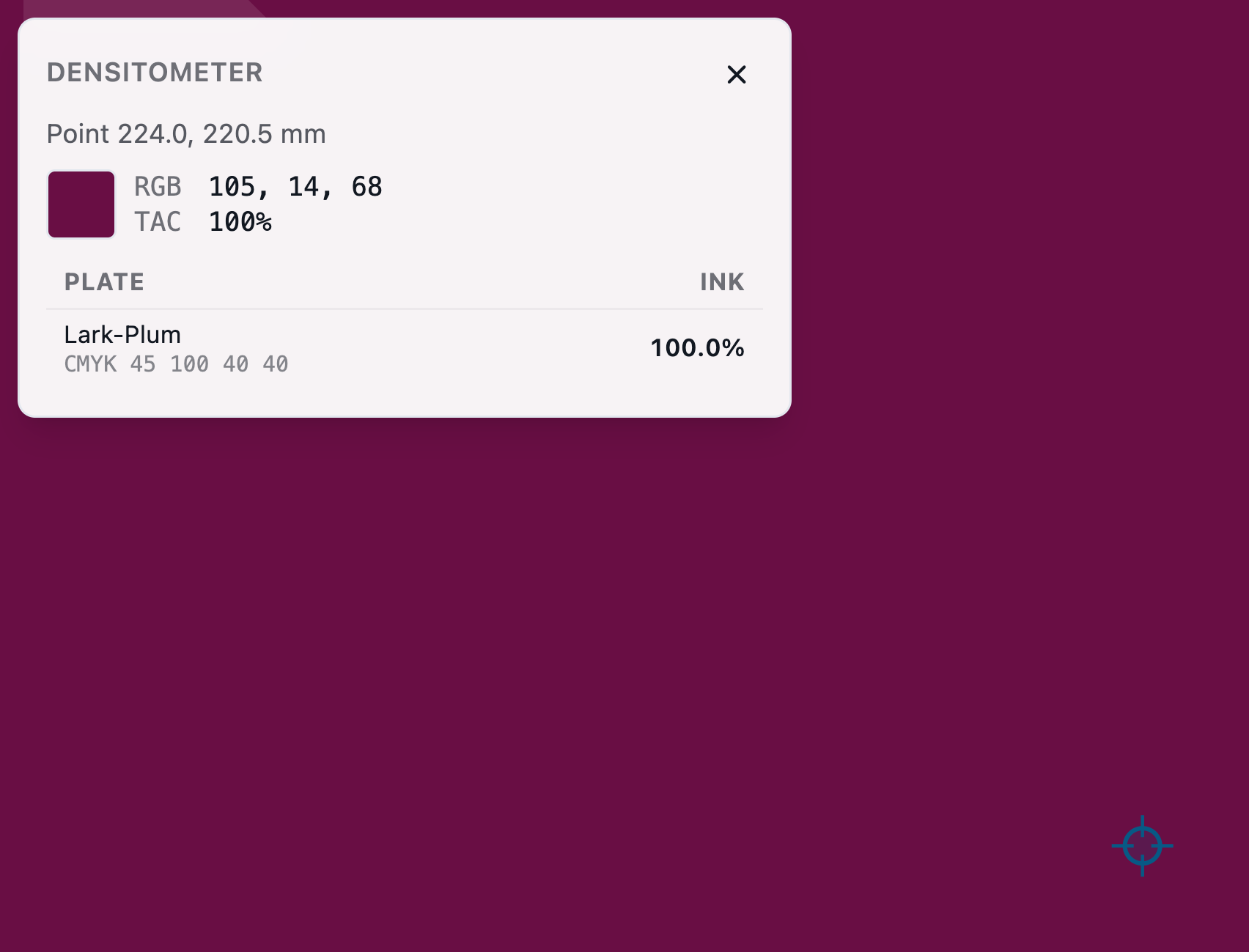
Point or area readings with total ink and the spot's defined build.
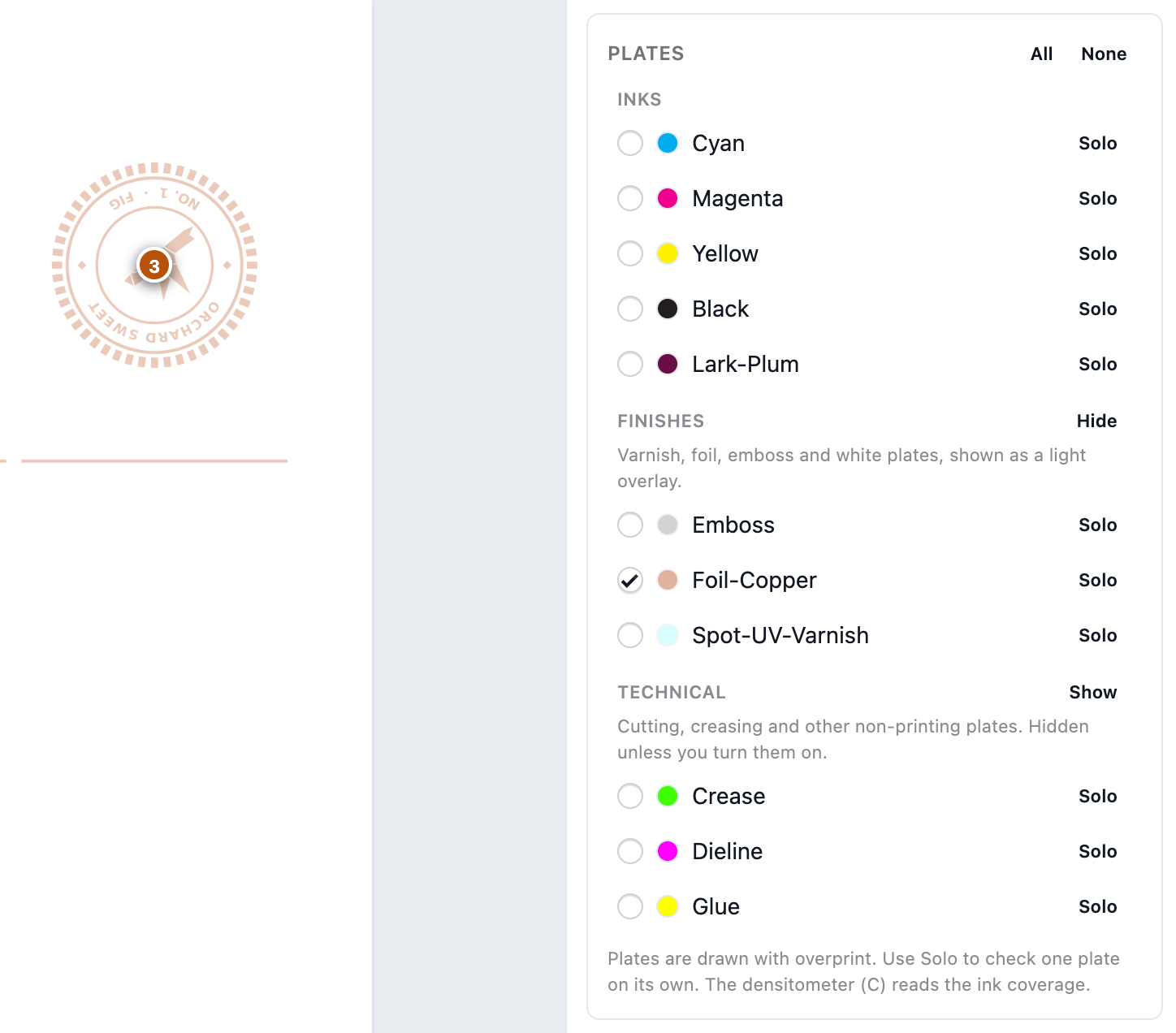
Inks, finishes and technical plates in their own groups; solo any one.
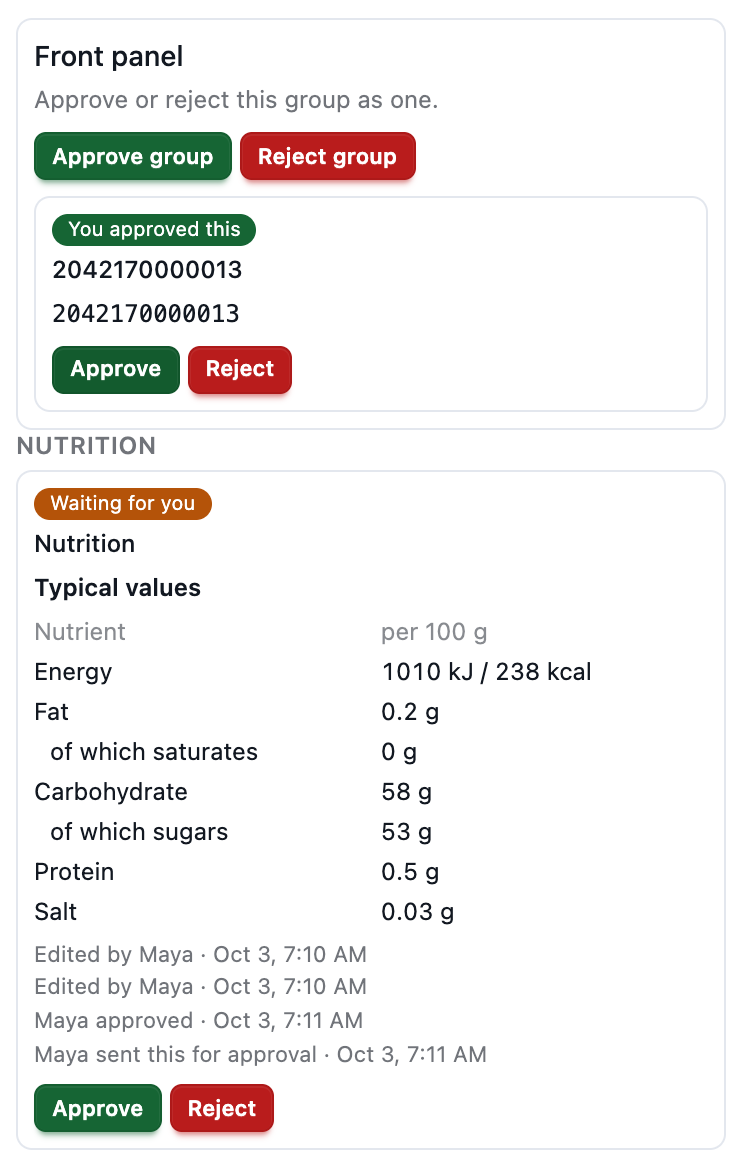
On Plant, scan the label, keep the copy you want and send it with this version. The customer approves a block or a group. Food, personal care and pharma use the same list.
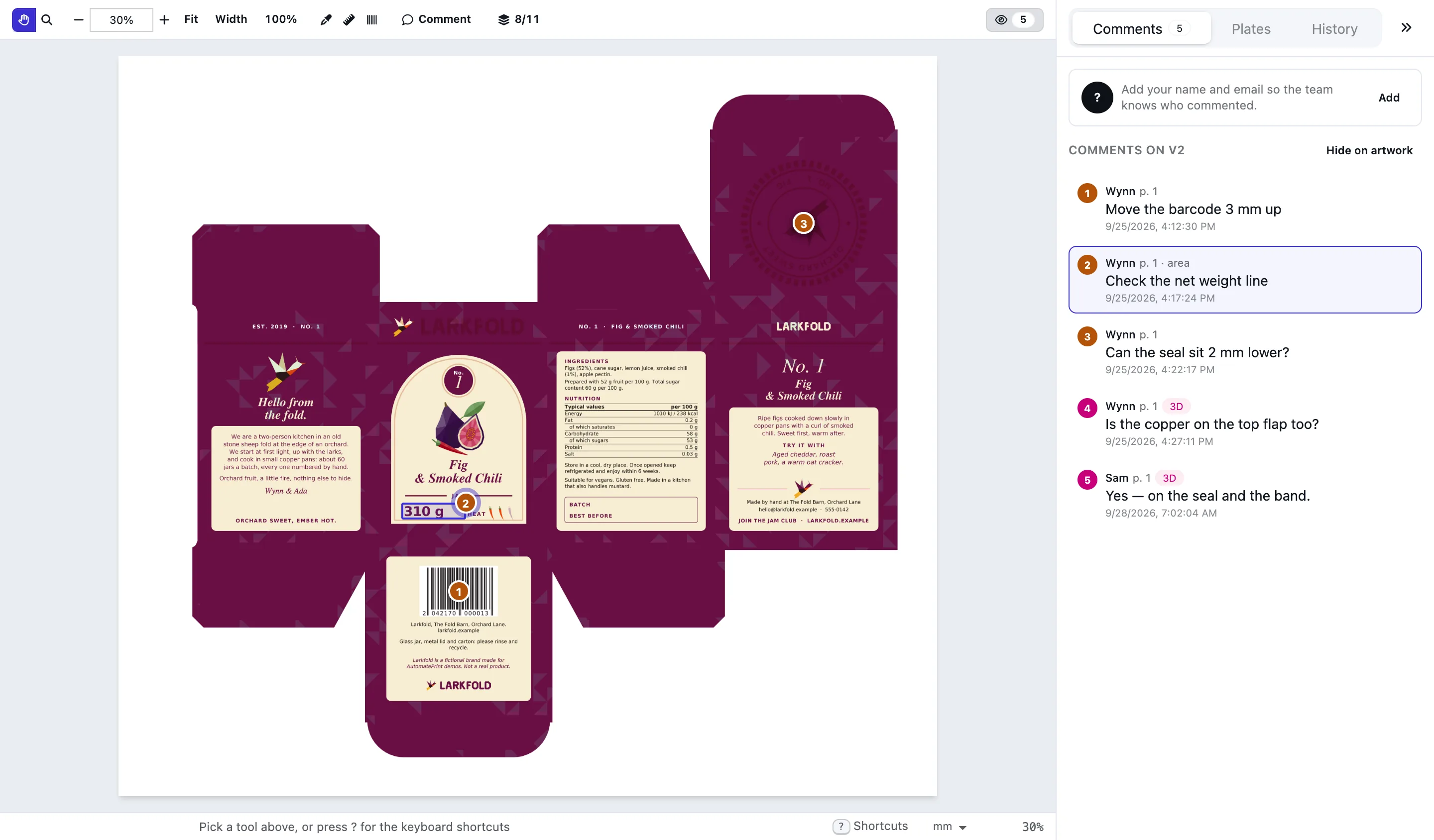
Point and area comments on the exact spot, per page and version. Reviewers edit, move or resize their own.
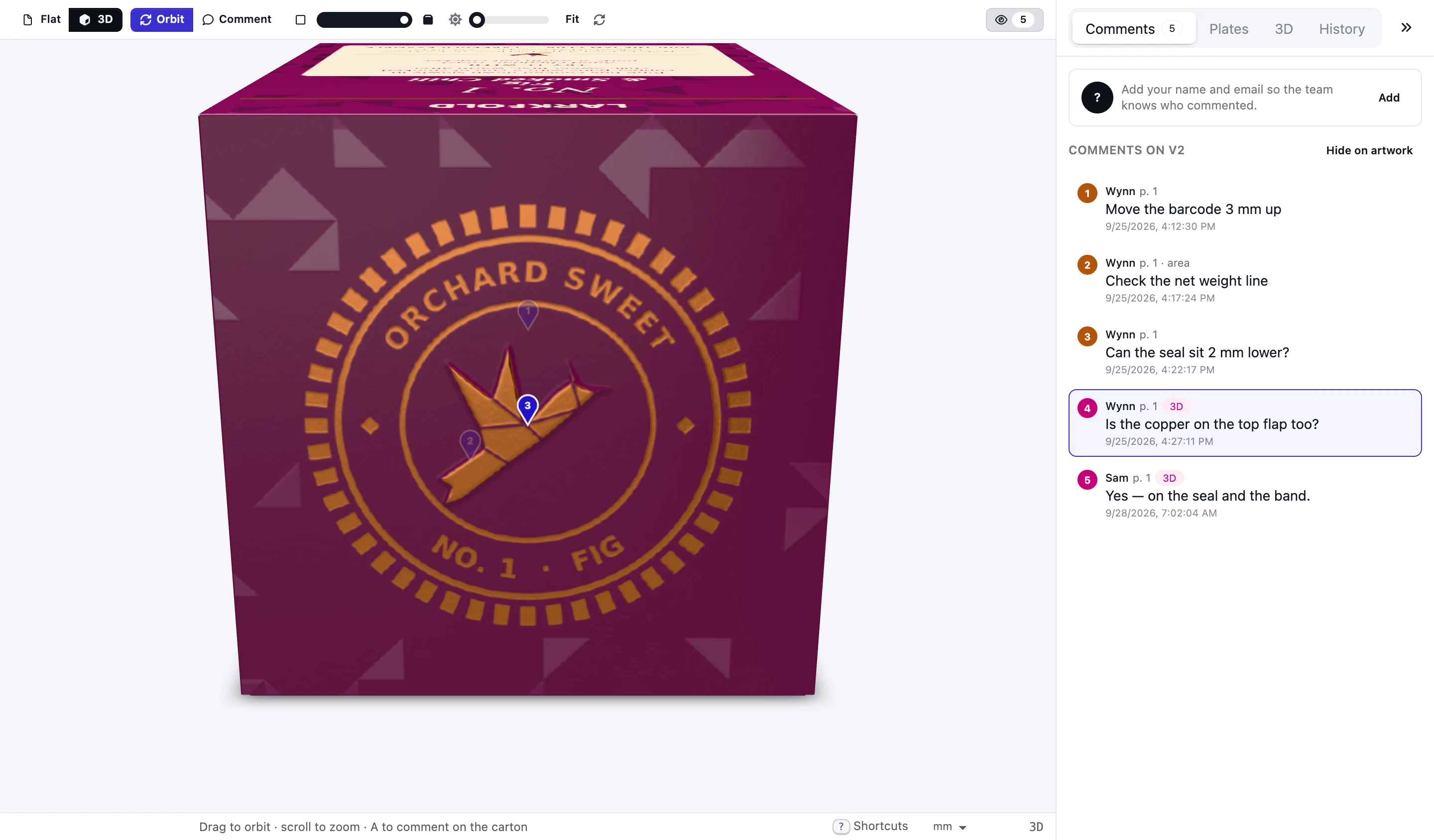
Share flat and 3D behind one link. Reviewers turn it, fold it and pin comments that stay on their panel as it folds.
Approving takes a ticked confirmation. The decision records who approved, whether their email was verified, the SHA-256 of the exact file, the link and the views they opened — 3D included — plus IP address and browser. The History dialog shows the decision; the whole record is in the API.
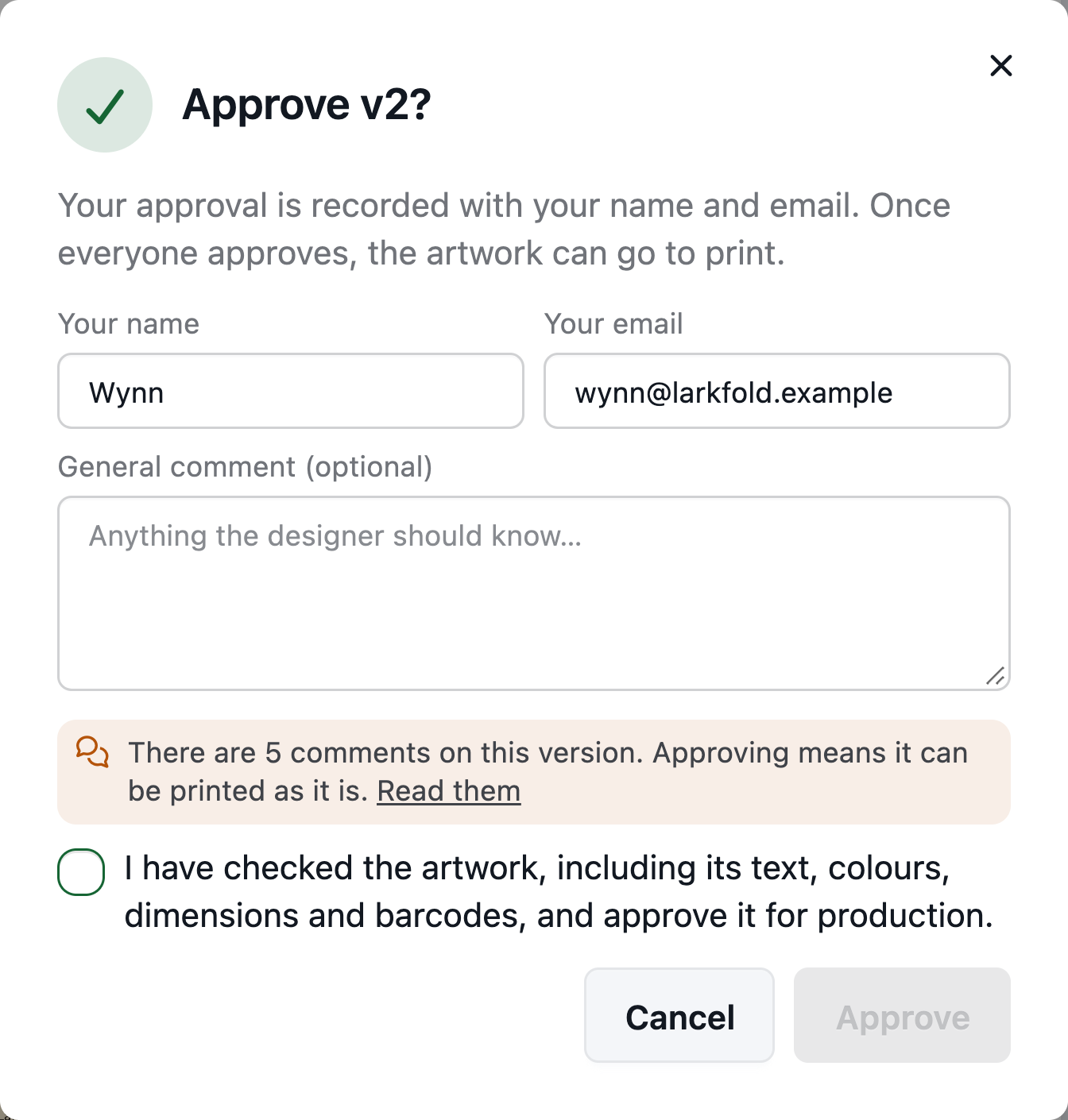
The reviewer ticks what they checked.
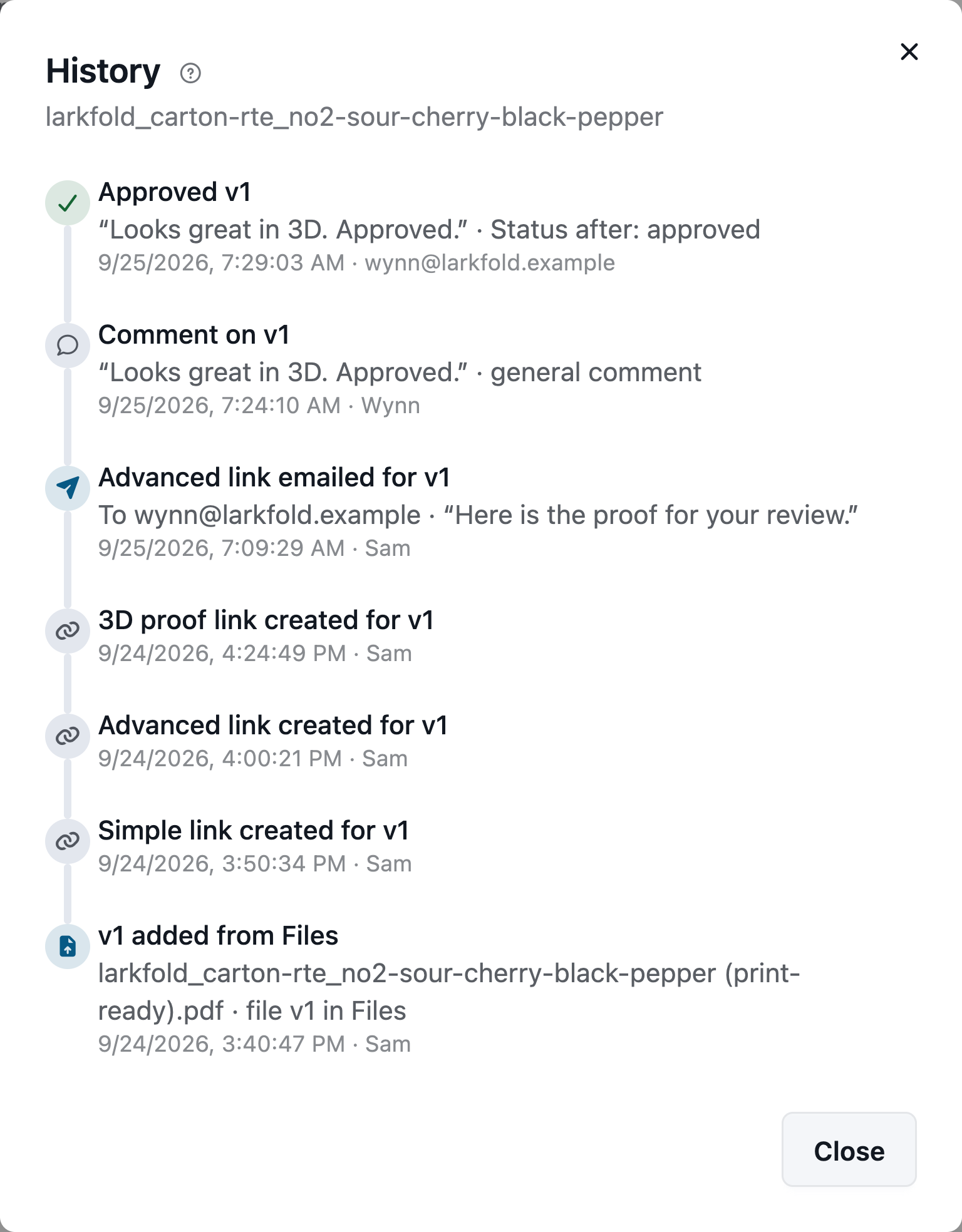
Every decision, its comment and the status after it.
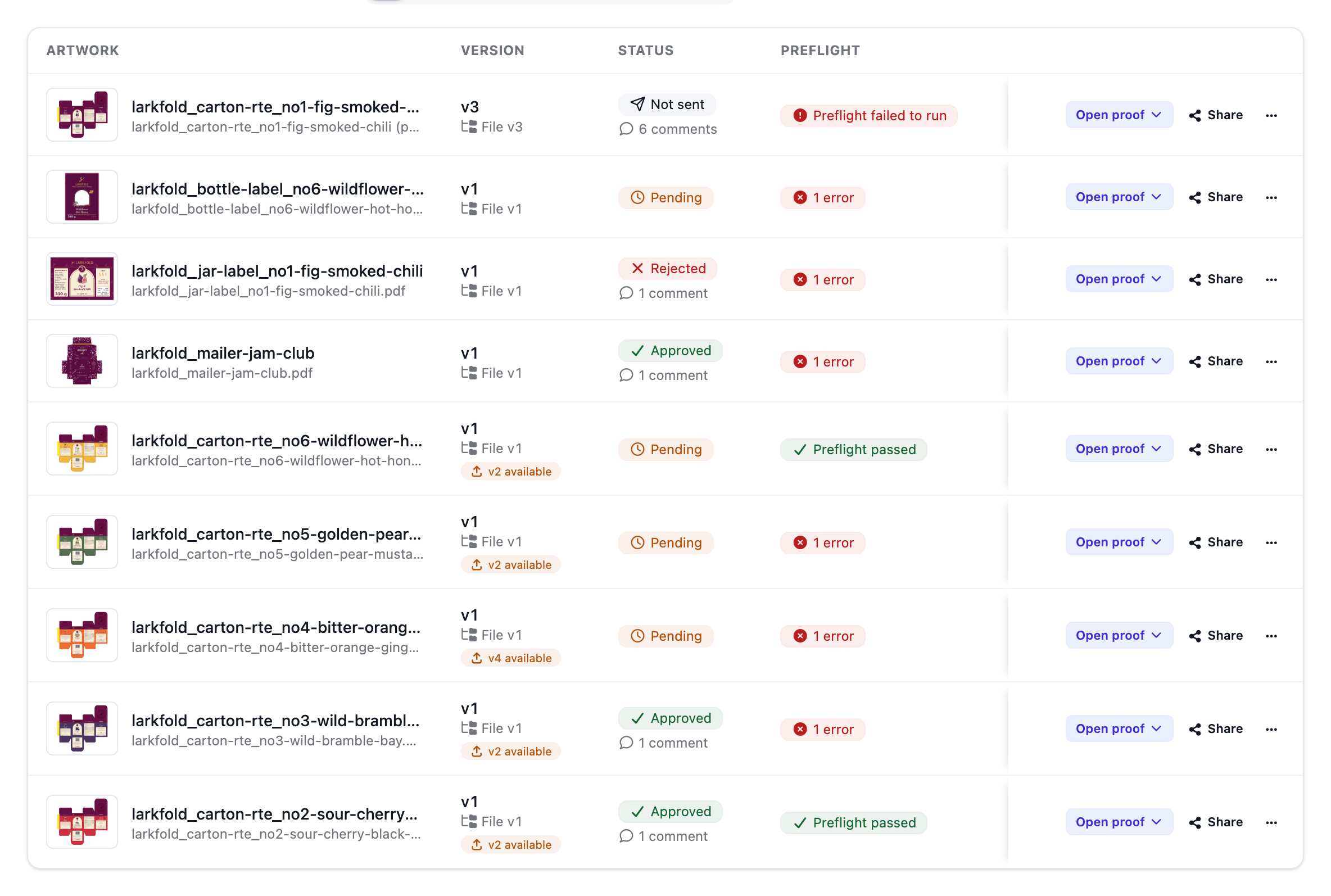
Status, preflight, comments and “v2 available” on one list — and Send to imposition when it's approved.
Read the docs: How approvals workReviewing a proofDecisions, locking and resetArtwork inspectionLabel copy by industry
| Capability | Free | Shop | Production | Plant |
|---|---|---|---|---|
| Proof links with pinned comments and e-approvals | Included | Included | Included | Included |
| Decision record: the exact file (SHA-256), views opened, IP and browser | Included | Included | Included | Included |
| Advanced links: separations to 600 dpi, densitometer, barcode reader, ruler | Not included | Included | Included | Included |
| 3D proofs customers can turn, fold and approve | Not included | Included | Included | Included |
| Label copy scanned from a PDF and approved with the proof | Not included | Not included | Not included | Included |
Customer reviewers are free on every plan; Advanced links and 3D proofs from Shop. Label copy sent with the proof is on Plant.
FAQ
Anything else? Email hello@automateprint.com and a person who knows print will answer.
No. They open a private link. Reviewers are unlimited on every plan.
Simple shows the PDF. Advanced proofs from the separations, with plates, the densitometer, the barcode reader and deep zoom. A file with overprint is always proofed from its separations.
Approval closes decisions on every link of that version, and a newer version closes the older links.
The reviewer's name and email (and whether it was verified), the SHA-256 of the exact file, the link and the views they opened, the confirmation text, the time, IP address and browser.
Yes, from Shop: comments pin to the carton and stay on their panel as it folds.
Previous and next step through versions. Compare wipes the previous file over this one, and Flip shows one version across the page. On Plant, scan the label, keep the copy you want and send it with the proof. The customer approves a block or a group. Food, personal care and pharma teams use the same tool. Approving the copy is separate from approving the artwork.
Start free, with 14 days of every Production feature. No card, and your customers review for free.
Allow Google Analytics cookies to measure visits to our public website? Your team workspace and private proofs are excluded. Essential cookies always stay on. Privacy policy