The whole JDF fold catalog
F4-1 to F64-2, plus your own templates: fold a grid by clicking, or number the pages by hand.
Learn more: The whole JDF fold catalogImpose, mark & cut
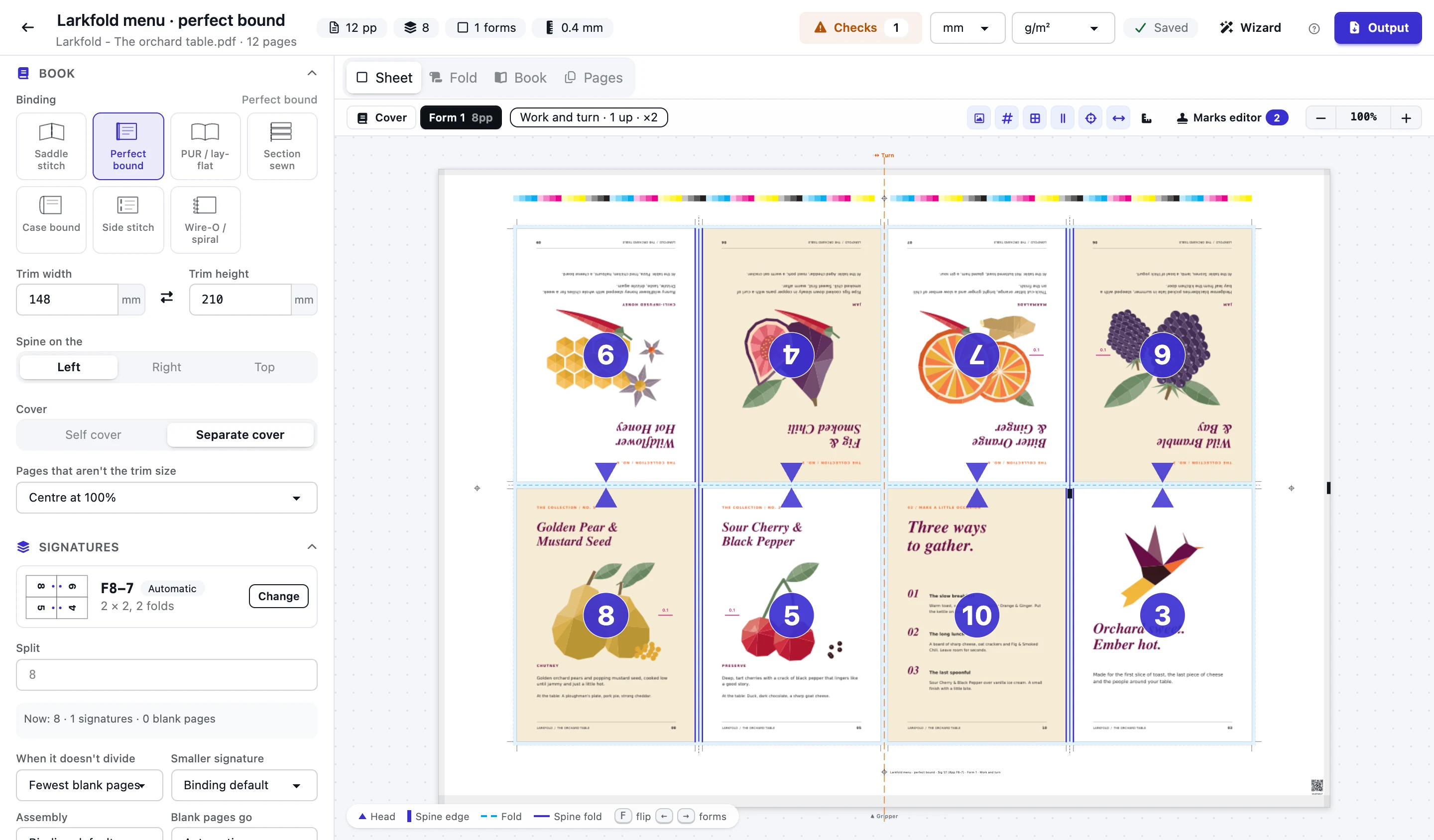
Drop in a book's PDF and get press forms for saddle stitching, perfect binding, PUR, sewn and case-bound books. Every JDF folding scheme is built in, creep and the lip are worked out for you, and the forms redraw as you change a trim.
From Shop
Today
With AutomatePrint
Today: A booklet template is rebuilt for every page count, and a 40-page job needs a new one.
With AutomatePrint: The page count is split into signatures for you, with the reasons, and re-planned when it changes.
Today: Creep is a number someone remembers, and nobody sees which pages moved.
With AutomatePrint: Creep comes from your paper, sheet by sheet, and every page shows how far it moved.
Today: A folding dummy is the only way to check a new fold.
With AutomatePrint: Every signature folds on screen, fold by fold, with your page numbers on it.
One PDF of the book in reading order, at its trimmed size with bleed.
Let the wizard rank the ways it could run on your presses, or set every trim, fold and mark in the Advanced editor.
Download the press forms, front and back, with the marks the bindery needs.
F4-1 to F64-2, plus your own templates: fold a grid by clicking, or number the pages by hand.
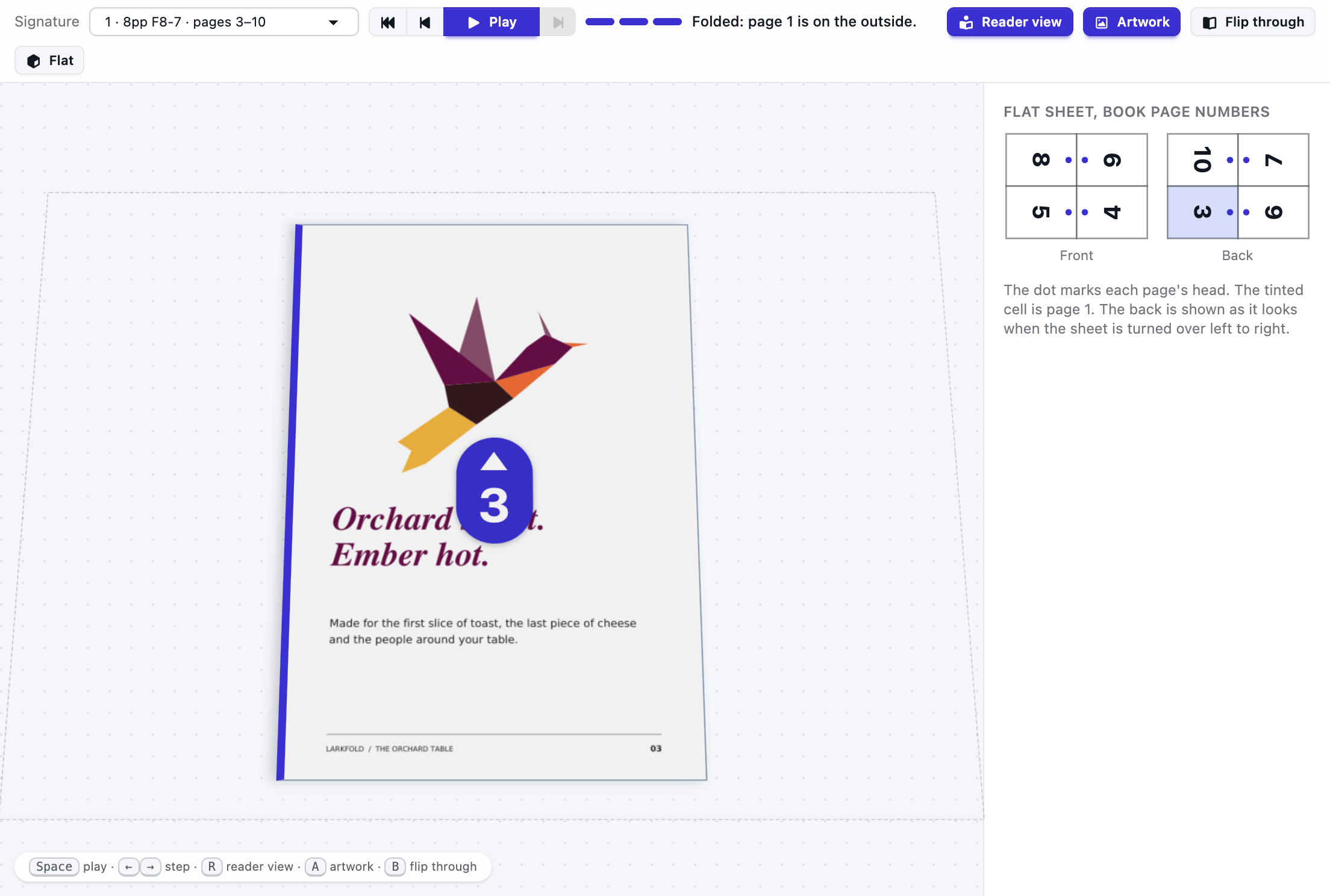
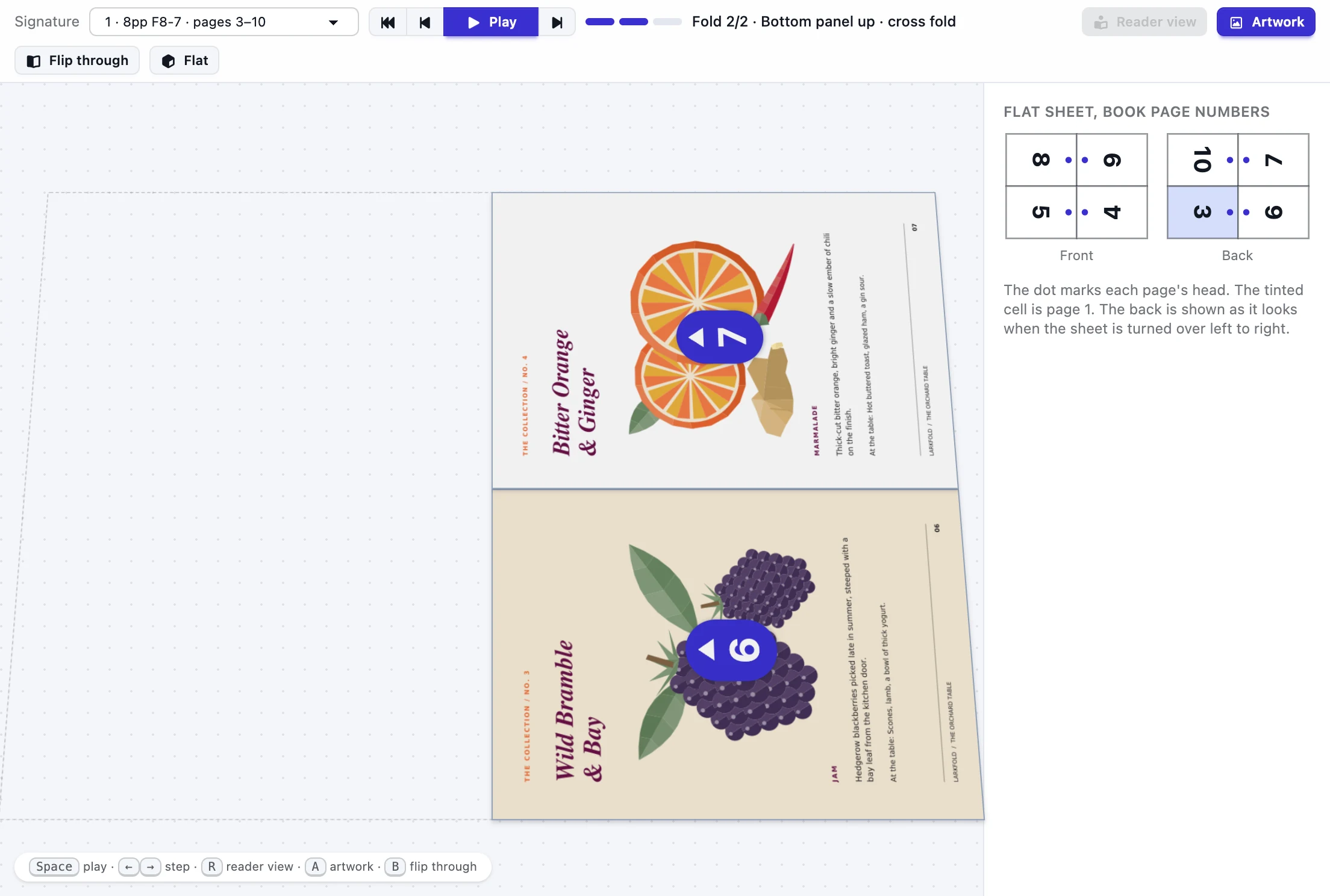
Learn more: The whole JDF fold catalogEach signature folds in 3D with your page numbers on every panel, then turns the way the reader holds it.
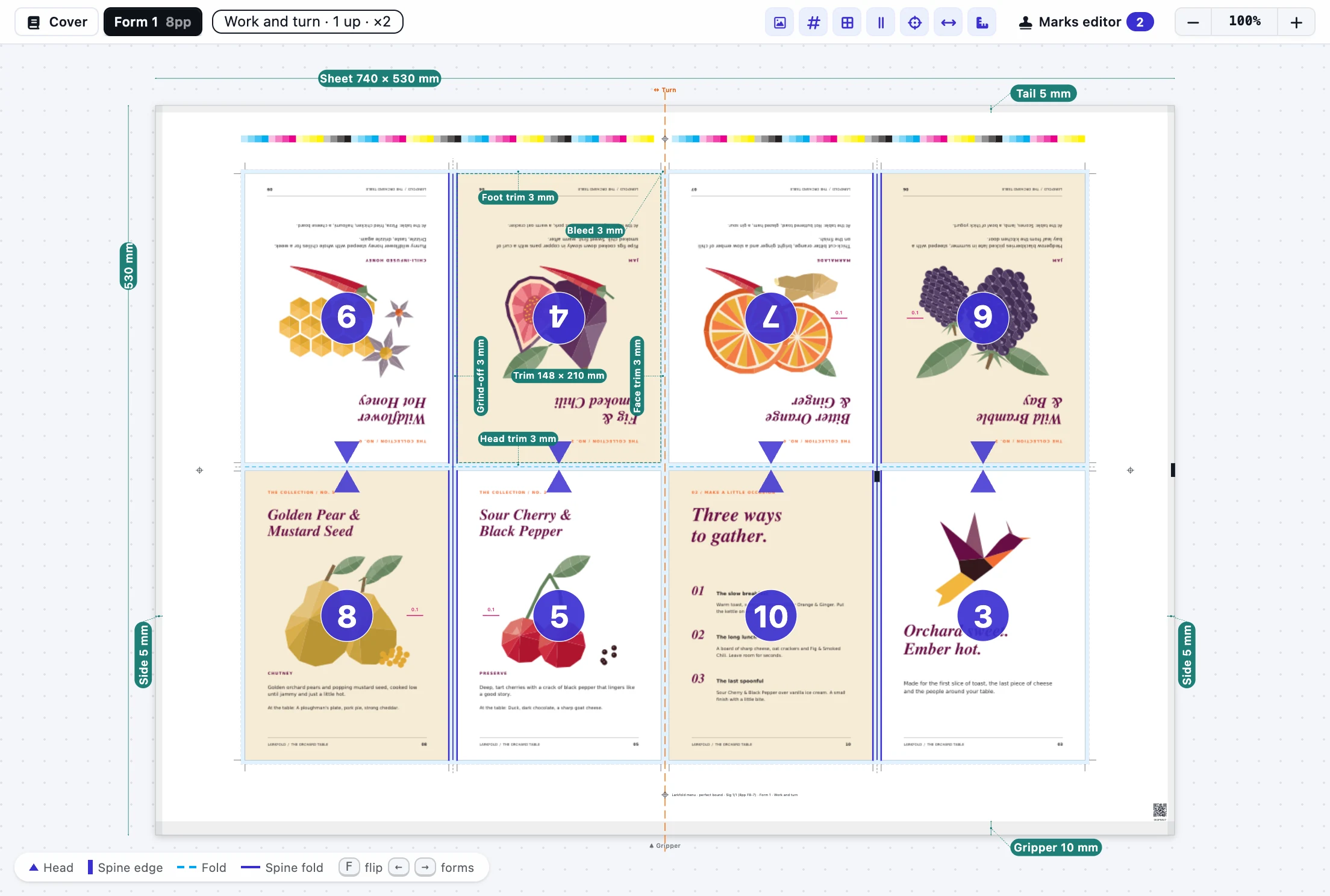
Learn more: Watch it foldHead, foot and face trims, grind-off and the lip are drawn on every page with their sizes, and change as you type.
Learn more: Trims you can seeSaddle-stitched nests, gathered sections and nested sections gathered, with the book's cross-section and its spine on screen.
Learn more: Nested, gathered or bothCrop and fold marks, collating marks that step down the spine, registration, a colour bar and a slug, in their own layer.
Learn more: Marks for the binderyDrag pages into any order, add blank pages where you want them, and see every signature's pages edged in its colour.
Learn more: Your own page orderBring your JDF imposition templates across: the folds are worked out from the page layout, and the marks file comes with them.
Learn more: Imports Signa and Preps templatesA separate cover gets its own press form, n-up on its own sheet and press, or ganged with other covers and flats in Imposition.
Learn more: Covers on their own stockChoose Make a booklet on any PDF in Files and the wizard opens with its pages.
Learn more: Straight from FilesPick the binding, paper and presses; it plans the book every way that fits and ranks the plans: fewest plate sets, then press sheets, then blank pages.
Learn more: A wizard that knows your shopEach page moves back toward the spine by the paper's thickness, inside multi-fold signatures too, and shows how far on hover.
Learn more: Creep, sheet by sheetSend a PDF and settings, get the press forms back, or keep jobs to change and plan later.
Learn more: Booklets by APITurn on Artwork and each signature folds in 3D with your book's own pages on its panels, the right way up. When it's folded, Reader view turns it the way a reader picks it up, so anyone can check the order before a sheet is printed.
Every booklet gets its bindery marks on its own. Anything else comes from your mark sets, the same ones Imposition uses: drop a mark on any press form, or attach it to every signature, spine, page, fold or cut line so it follows the layout. Presets add numbered collating marks, a signature ID code for the gatherer's camera and a slug on every spine in one click.
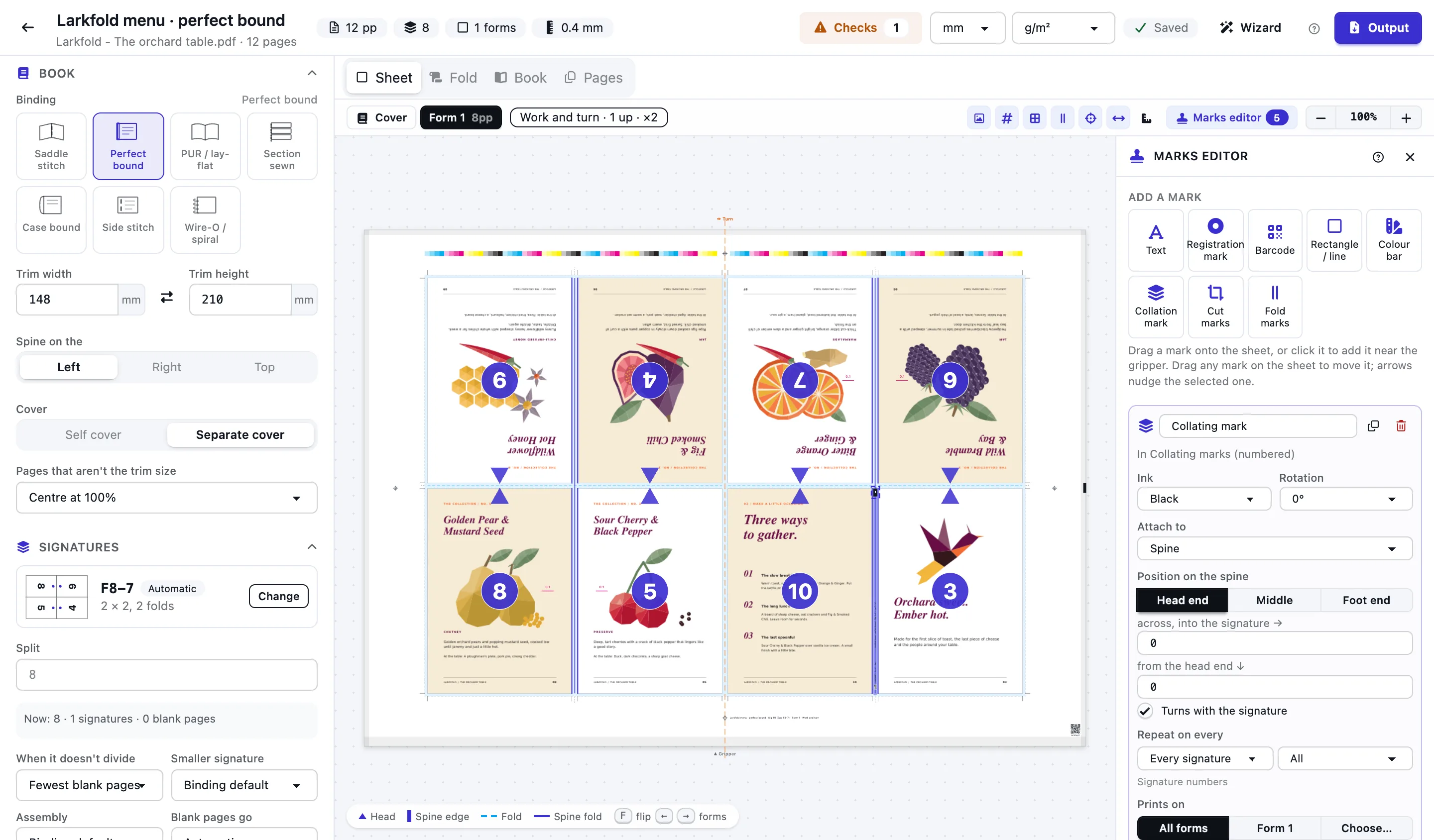
Plan a book for a web press: the roll width and cut-off instead of a sheet, the folder after the former, pages head to head or foot to foot, ribbons and the plate gap. Signatures follow what the web delivers per cut-off, and the checks know a web has no gripper.
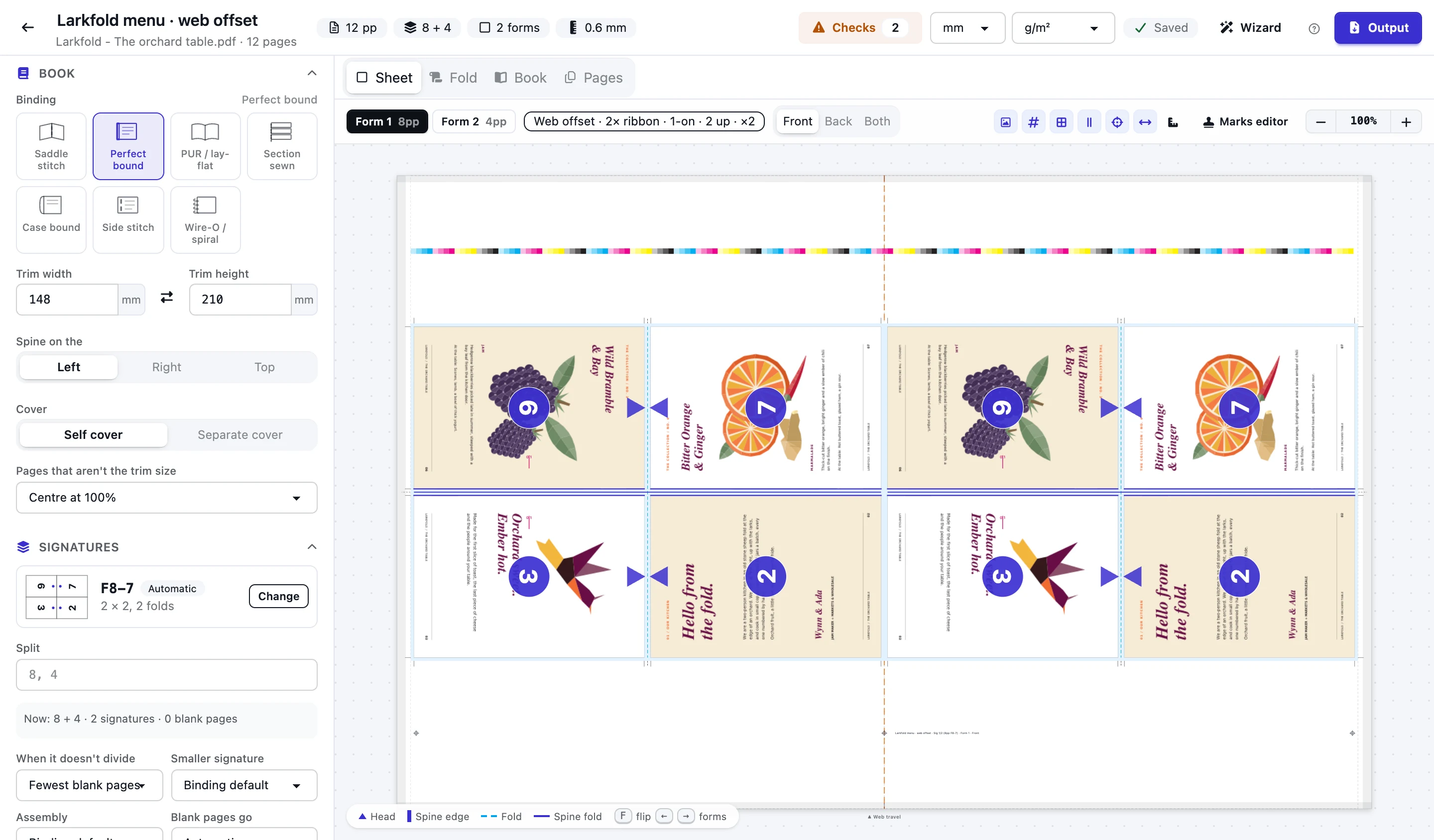
Bring your Signa or Preps templates in, and send RIP-ready output out, named the way your shop names jobs.
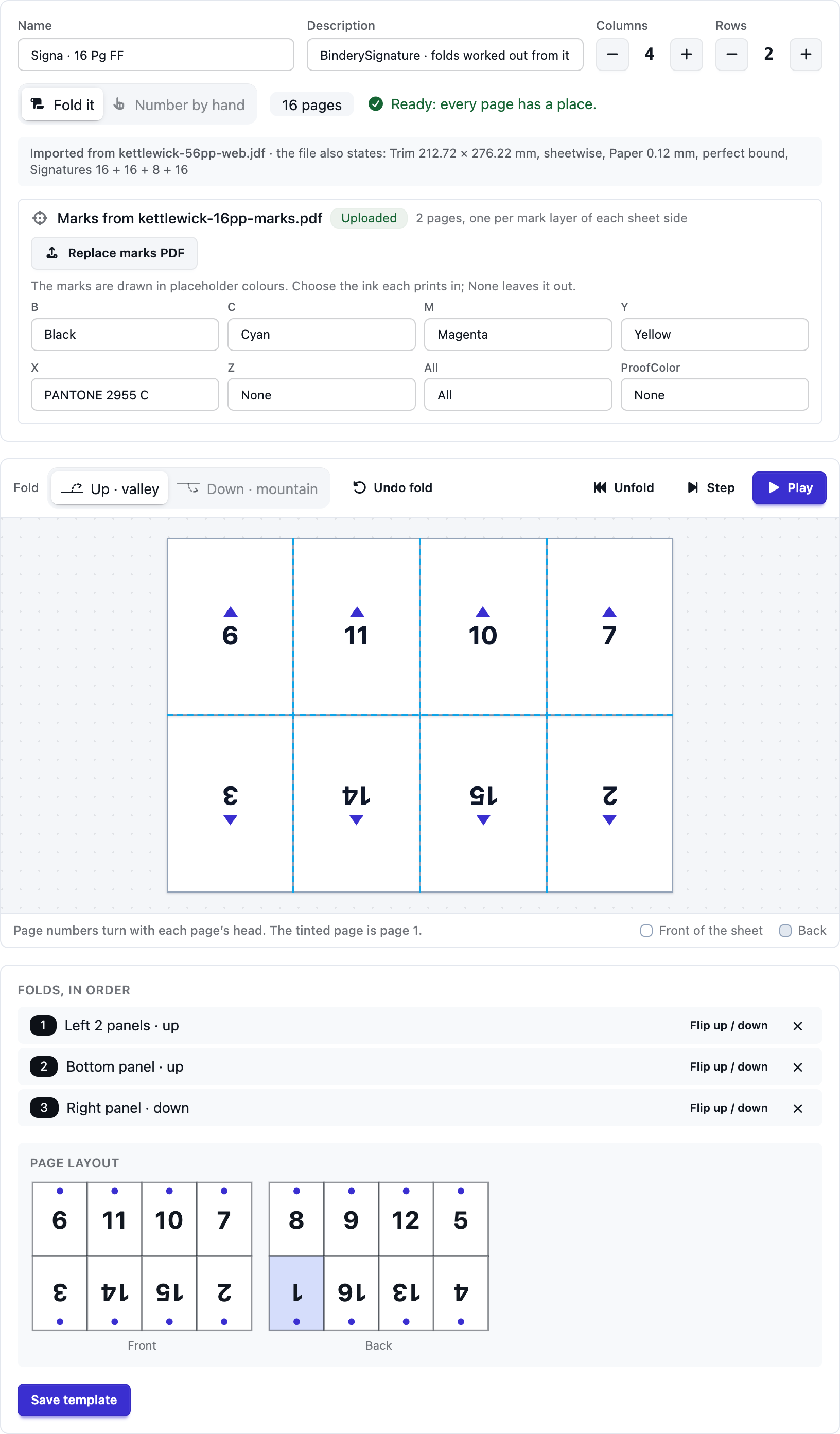
Each signature of the JDF becomes a folding template, its folds worked out from the page layout; the marks PDF it refers to prints in your inks.
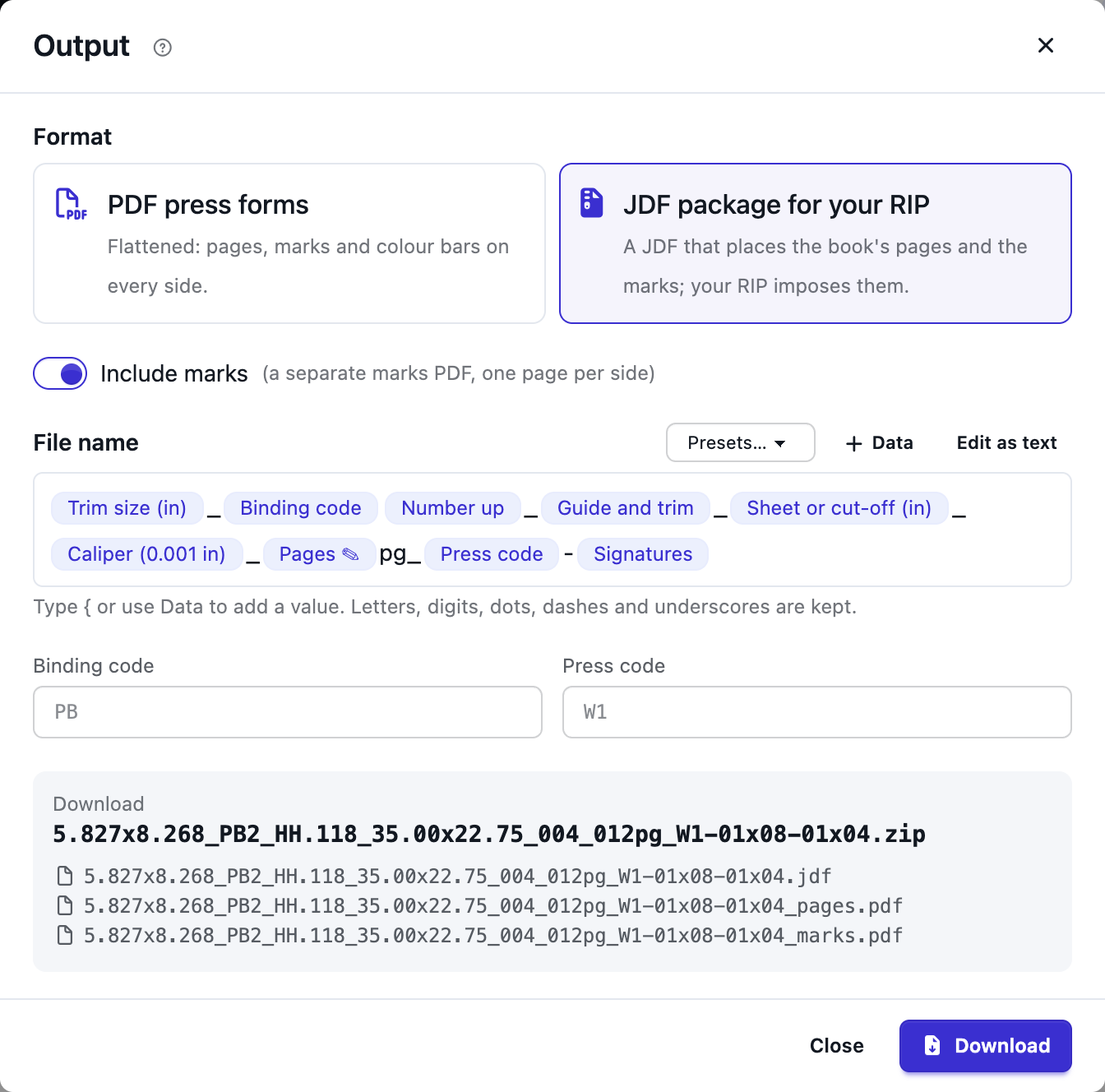
One PDF, a PDF per form or per side, or a JDF package your RIP imposes from, named from the trim, binding, guide, cut-off, caliper, pages, press and signatures.
Turn on Measurements: the sheet, gripper, tail and sides, and one page's trims, grind-off and bleed, labelled in mm or inches.
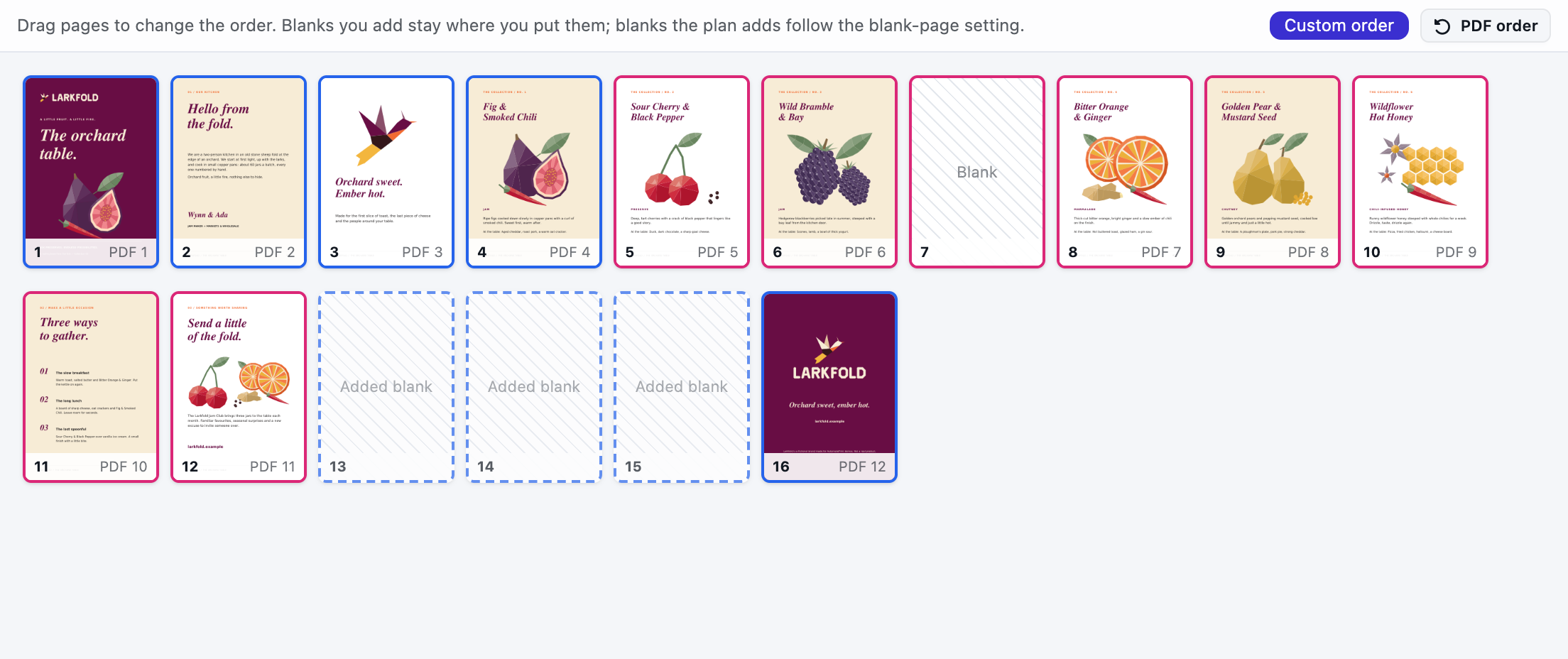
Drag pages into any order and add blanks where you want them; the plan fills around them.
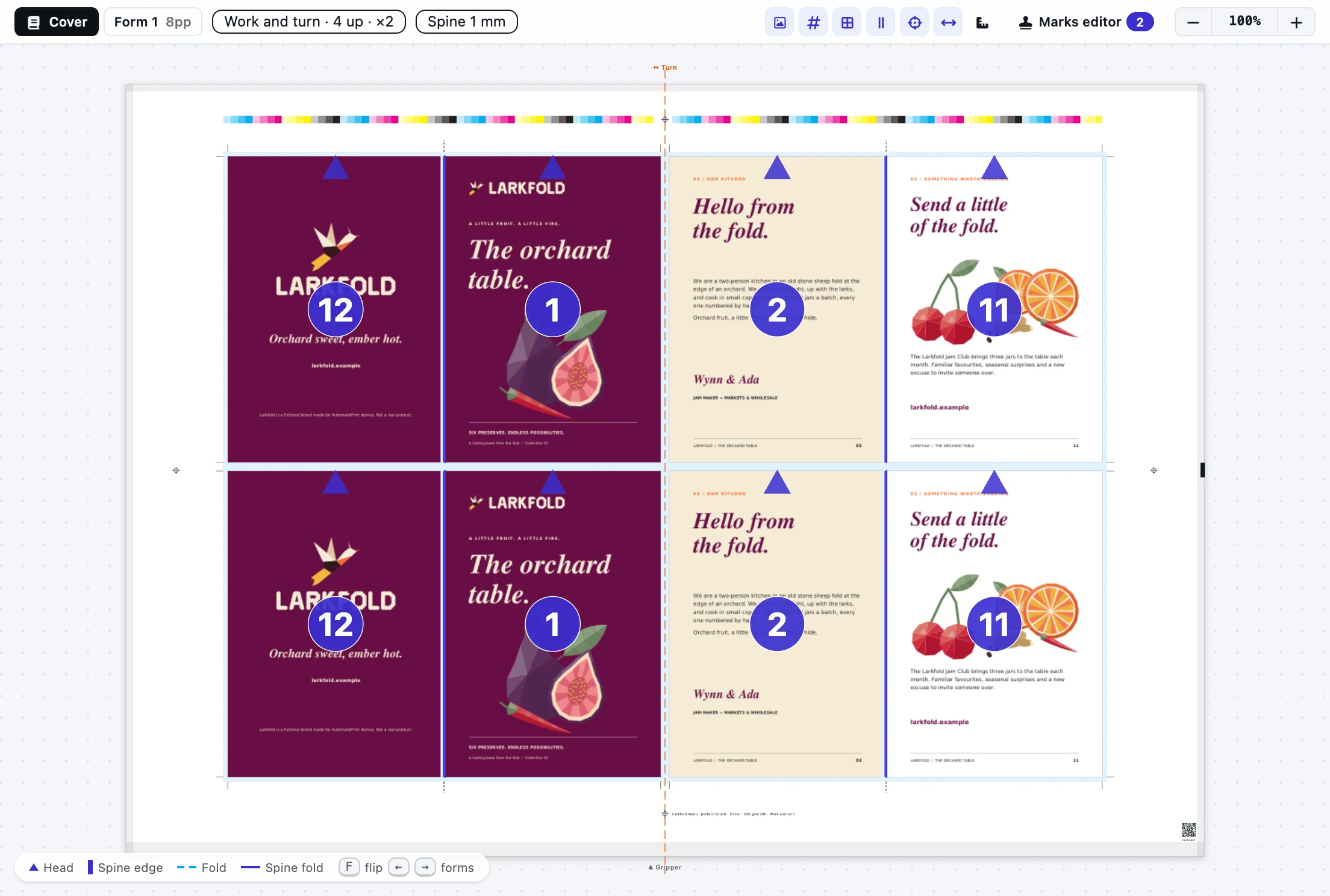
A separate cover prints n-up on its own stock and press, or goes to Imposition to gang with other covers and flats.
Read the docs: BookletsSignature schemes and paginationBindings, trims and creepBooklets API
| Capability | Free | Shop | Production | Production+ |
|---|---|---|---|---|
| Imposition and true-shape nesting runs, fair use | Not included | 500 a month | Unlimited | Unlimited |
Booklets is part of imposition, from Shop.
FAQ
Anything else? Email hello@automateprint.com and a person who knows print will answer.
Every scheme of the JDF fold catalog that has equal panels, from a single leaf (F2-1) to 64 pages (F64-2), and any fold you build yourself.
The rest goes into smaller signatures or blank pages, whichever costs less, and you can set the split yourself. Blanks go before the back cover by default, or where you drag them.
Yes. Import the JDF they export: each signature becomes a folding template with its folds, and the marks PDF it refers to prints on your forms, with its colours mapped to your inks.
Yes. Download a JDF package: the JDF with every page's place on every form, the book's pages and the marks, for a RIP that imposes itself. Or download flattened PDFs, one file or one per form or side.
Yes. Set the roll width, the cut-off and the folder (or pick your web press) and the plan lays the pages along the web, foot to foot or head to head, with ribbons and the plate gap.
Yes. Digital booklets use single folds, two pages a side, cut and stacked when several fit a sheet, with no lip by default.
Start free, with 14 days of every Production feature. No card, and your customers review for free.
Allow Google Analytics cookies to measure visits to our public website? Your team workspace and private proofs are excluded. Essential cookies always stay on. Privacy policy