



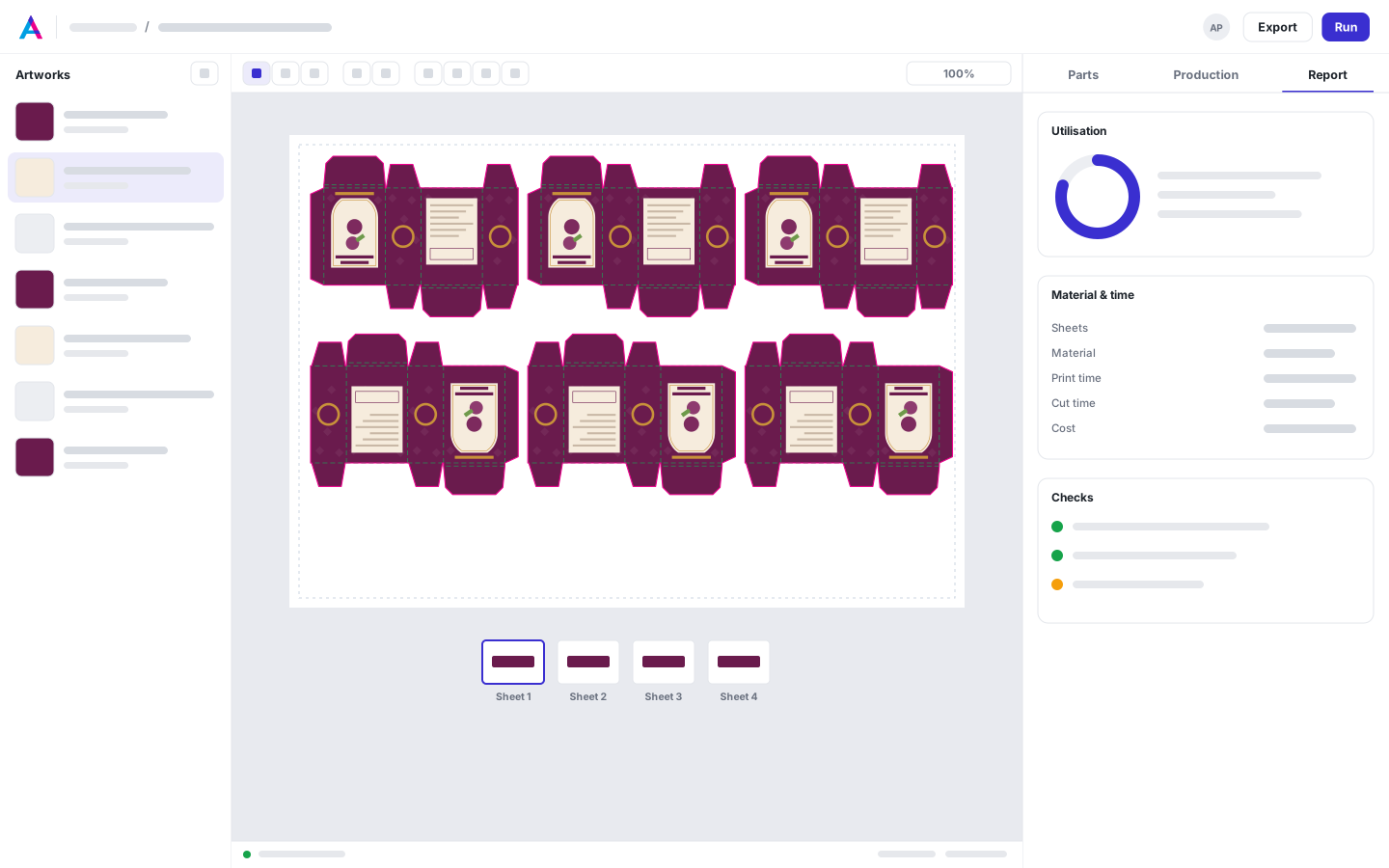
The lower bound, shown
When a layout's sheets equal the lower bound in the Report, no layout can use fewer.
Impose, mark & cut
Run Auto, True shape, N-up or Strips, for digital or offset. Layouts stream into the Solutions drawer best first; pin two to compare, then use one. Offset plans count plates, passes and overruns against your press's units.
From Shop

Today
With AutomatePrint
Today: Imposition lives in a plug-in on one designer's computer.
With AutomatePrint: Anyone on the team imposes in the browser, from the same files.
Today: Gang runs are worked out on paper.
With AutomatePrint: Ganging rules keep work apart by stock, coating or due date, and Try it explains why two items didn't gang.
Today: Overruns are discovered at the press.
With AutomatePrint: Every offset plan shows ordered against produced for each artwork, within your caps.
Pull artwork from Files or upload it, then set quantities, the media and the press.
Choose a method and how long the run may search. Layouts arrive best first, and each one is checked before it's shown.
Compare the best two, use one, and export the imposed PDF, plates and cut files from that layout.
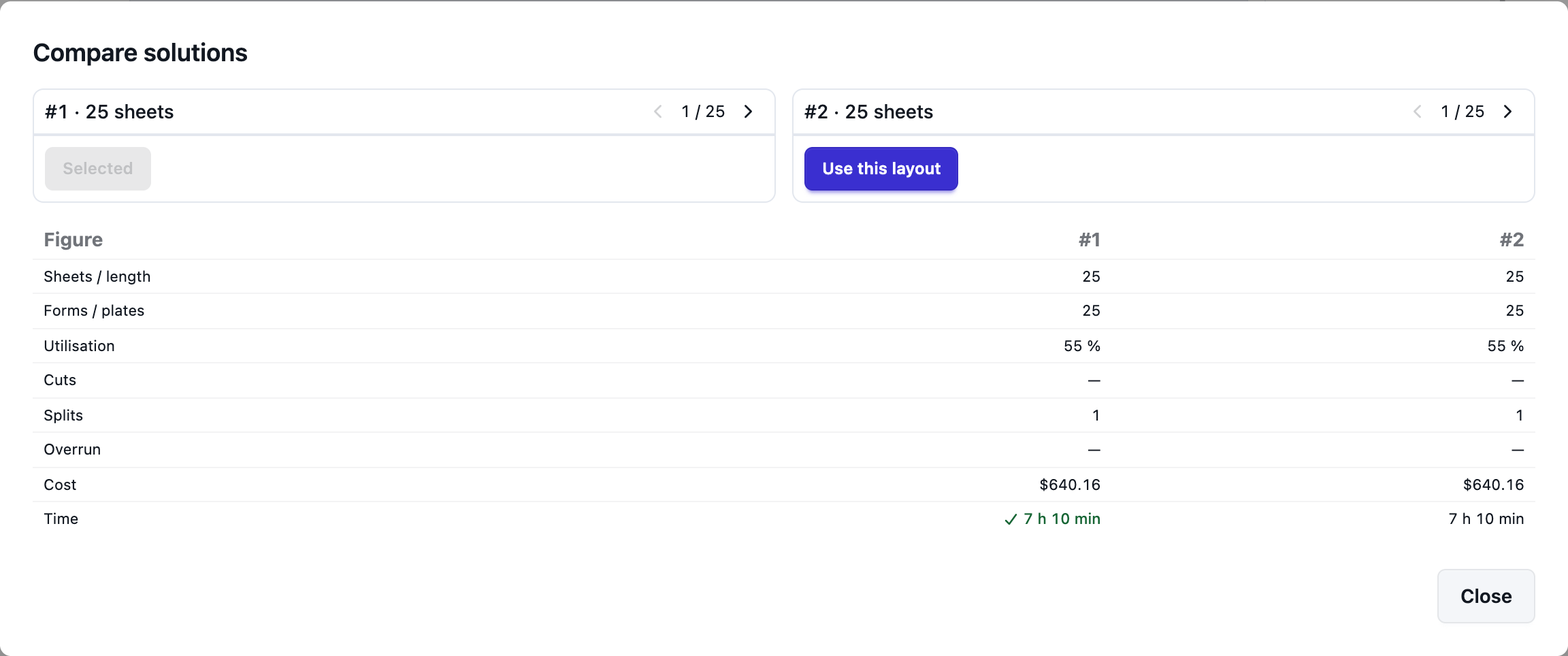
Pin two layouts to see them side by side at the same zoom, with the better values ticked. A better layout found later shows Use best — nothing switches by itself.
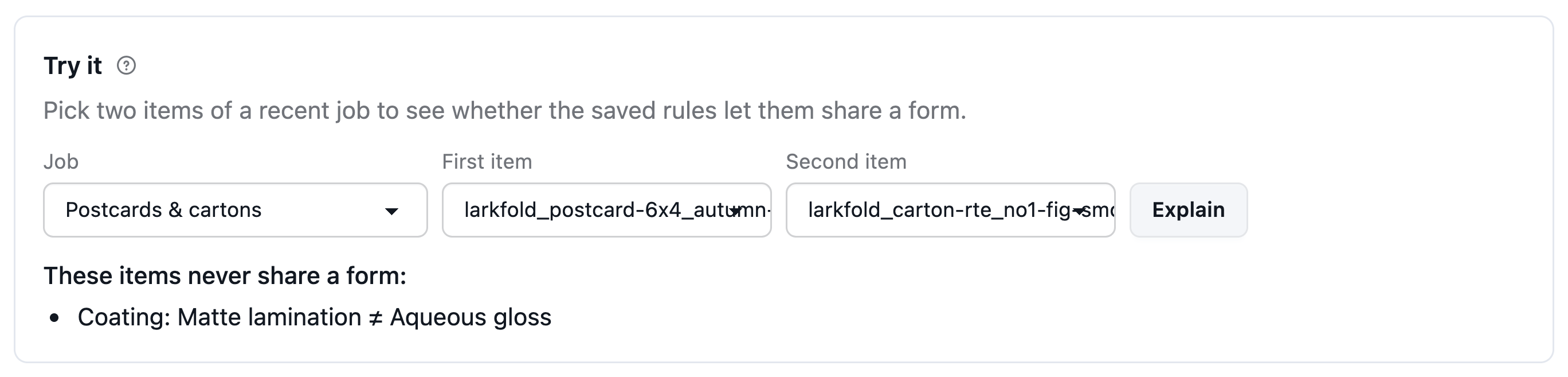
Match items on stock and coating, keep work apart, and allow a due-date window. Color the viewer by group to see the forms, and Try it explains every reason two items weren't ganged.
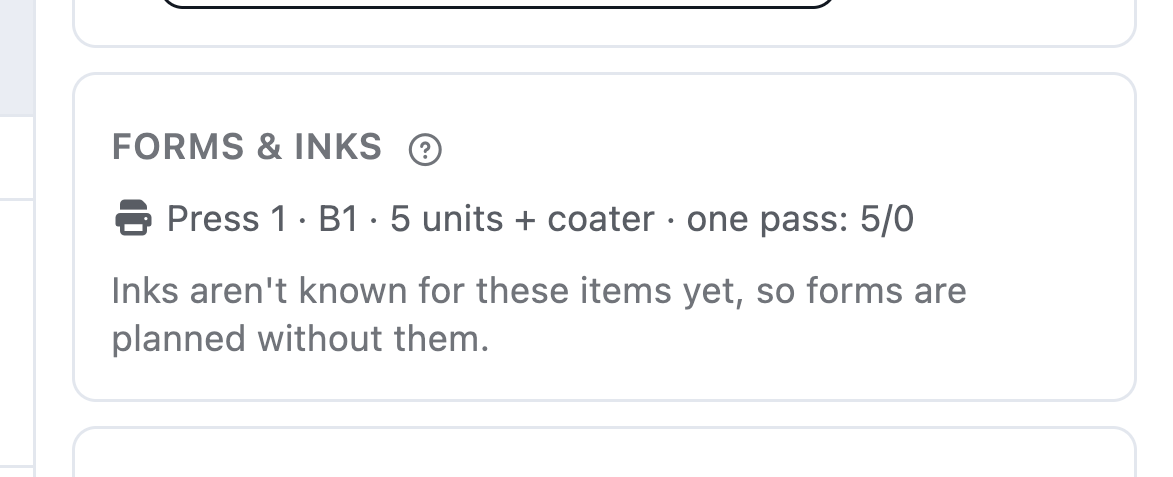
Plates, run lengths and overrun caps, the passes your press's units allow, perfecting and wash-ups — and plate PDFs labeled with their run.
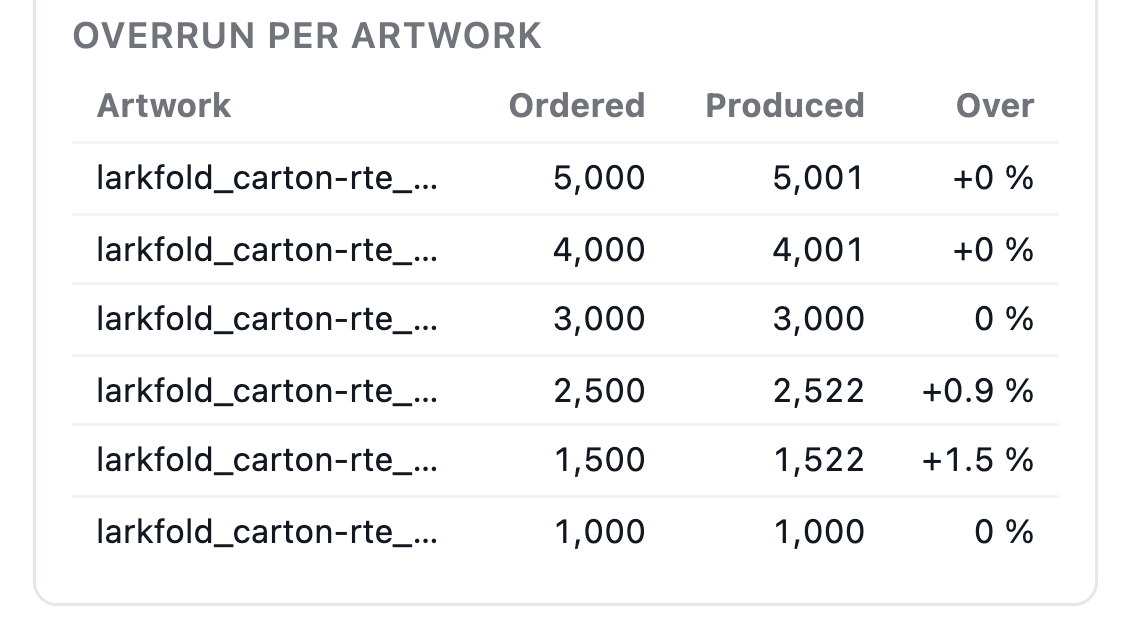
When a layout's sheets equal the lower bound in the Report, no layout can use fewer.
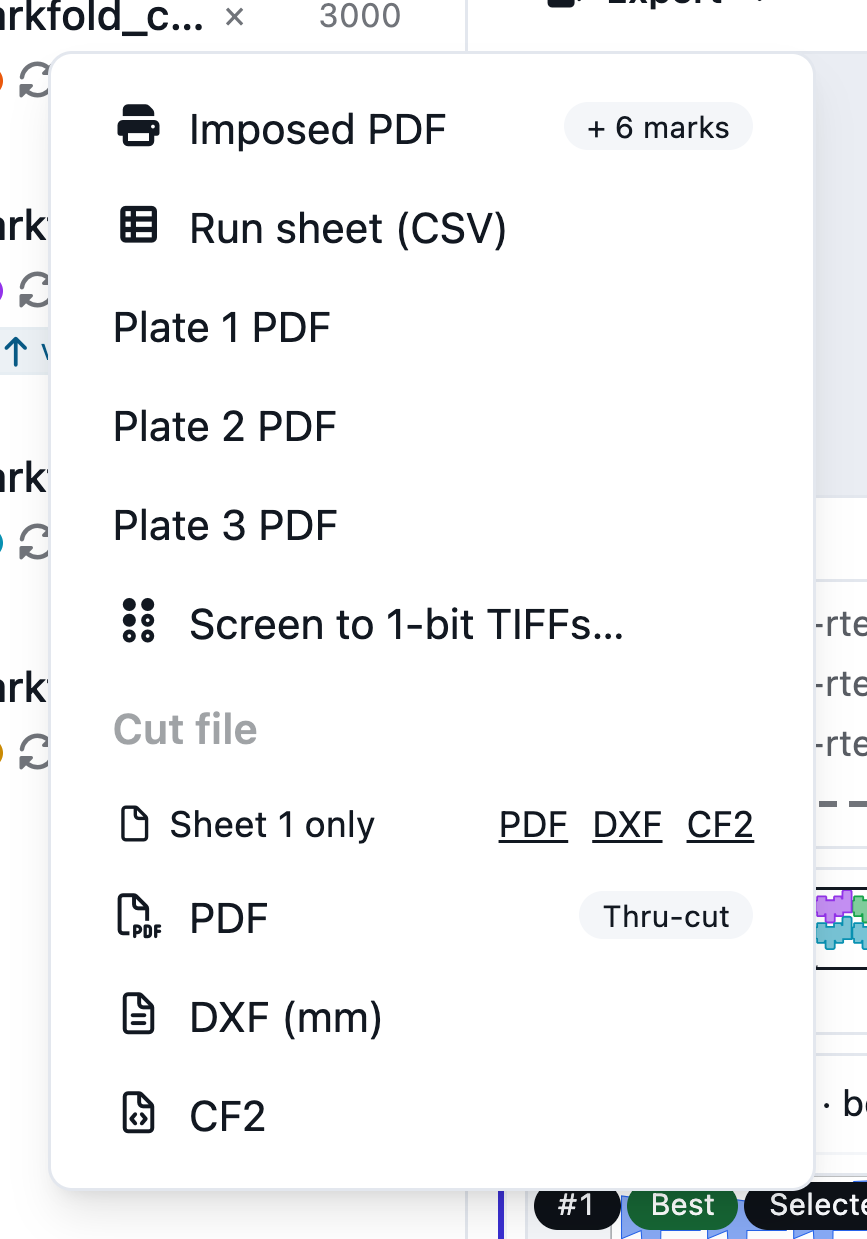
The imposed PDF, plate PDFs, run sheet, plate list and cut files come from the same layout.
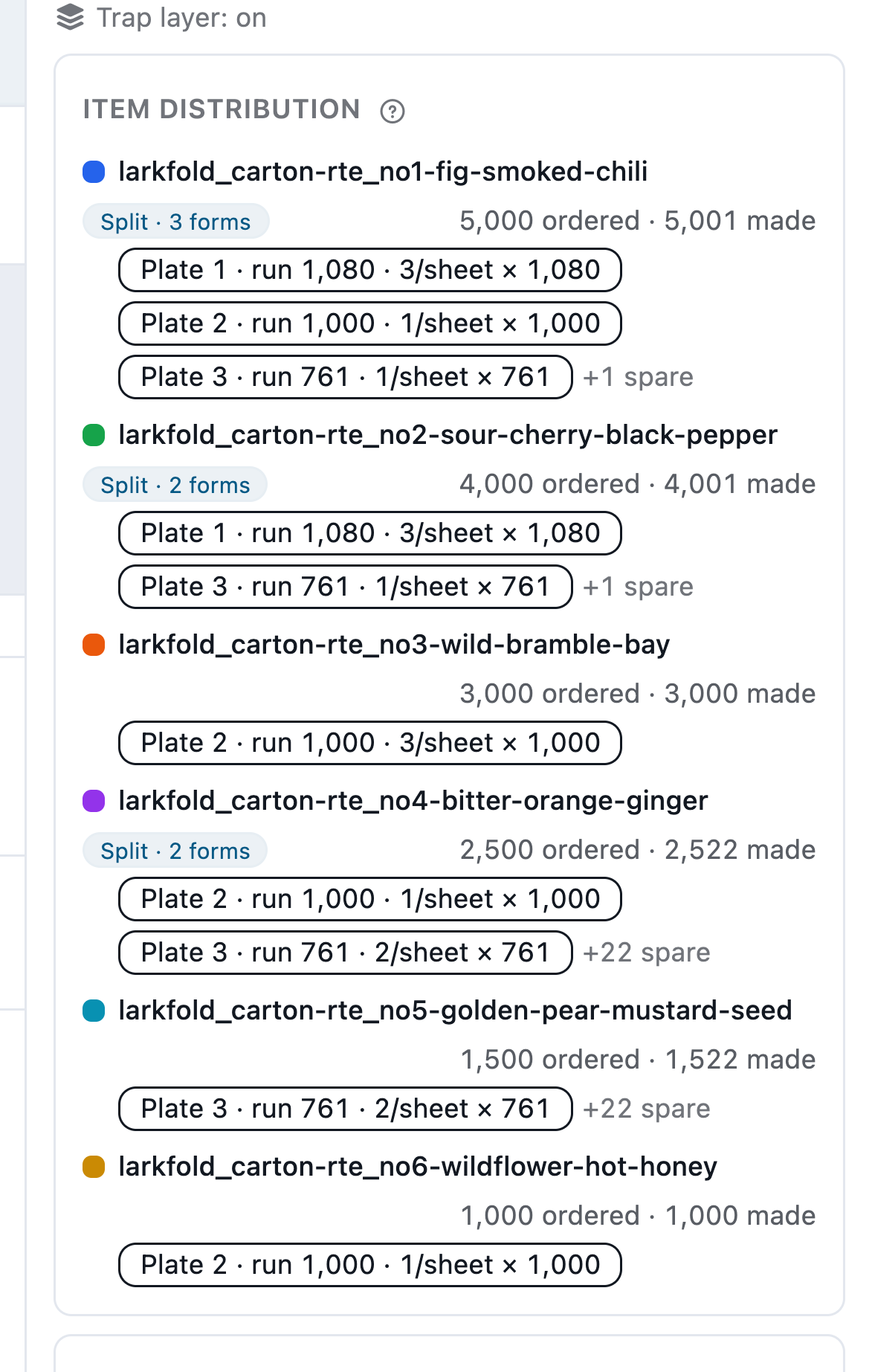
Item distribution shows the forms each item is on, including an item split across two.
Read the docs: How imposition worksThe live Solutions listOffset press runs
| Capability | Free | Shop | Production | Plant |
|---|---|---|---|---|
| Imposition and true-shape nesting runs, fair use | Not included | 500 a month | Unlimited | Unlimited |
| Offset plans: plates, passes, perfecting, overrun caps | Not included | Included | Included | Included |
Imposition runs and offset planning from Shop.
FAQ
Anything else? Email hello@automateprint.com and a person who knows print will answer.
Digital prints exact quantities on the fewest sheets; offset plans plates and run lengths within your overrun caps. Switching keeps both results, so you can run a job both ways and compare.
No. A better layout found later shows Use best, and nothing switches by itself.
Yes — move, turn or unplace pieces. Saved edits are checked like a run's layouts, for overlaps, spacing, the printable area and bed keep-outs.
For N-up and offset runs, the fewest sheets any layout of the job could use. When a layout equals it, nothing better exists.
No. Parts are nested by their outer outline, and holes inside a part are left empty.
Start free, with 14 days of every Production feature. No card, and your customers review for free.
Allow Google Analytics cookies to measure visits to our public website? Your team workspace and private proofs are excluded. Essential cookies always stay on. Privacy policy