

Features
Everything between the customer's PDF and the finished job
14 tools that usually live in separate apps, with one login, one set of equipment profiles and one bill.
Quote & design
Quoting & box quotes
Quotes built on real production time
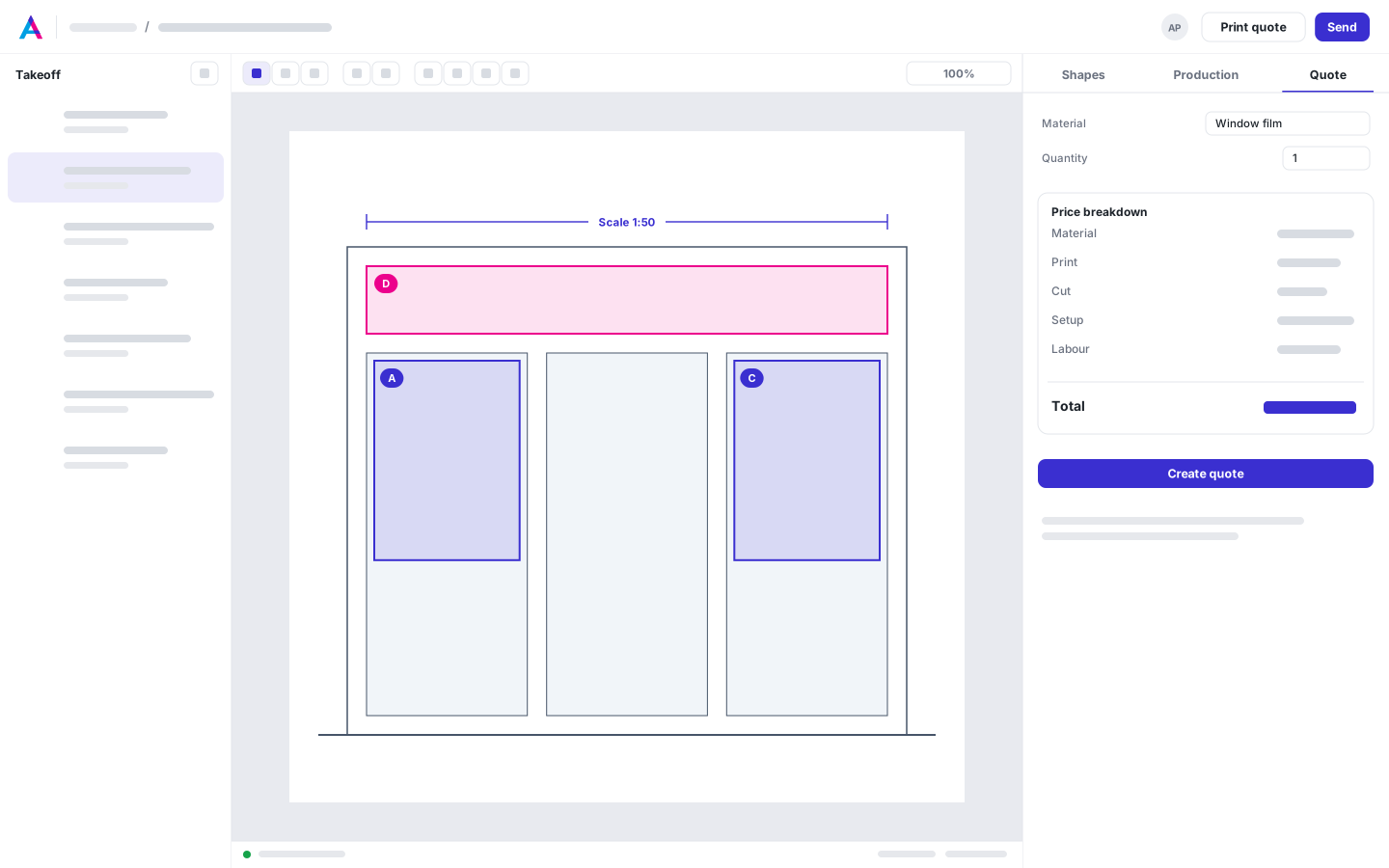
Type a quick quote like a spreadsheet — sizes, quantities and stocks are understood as you type — or measure straight from the customer's drawing. Material, print, cut and finishing time come from the machines you run, and cartons and shipping boxes are priced the way a converter prices them.
- Quick quotes typed the way you say them: 24x36, 5k, 100# gl, 4/4
- Takeoff with scale on any drawing
- Print, cut and finishing time from your equipment
- Sheet and offset pricing with route compare
- Box quotes weigh the die on hand against a new die, each priced all-in under your die policy
- Customer quote pages and designer links
Box designer & dieline generator
Type three sizes. Get a dieline that folds.
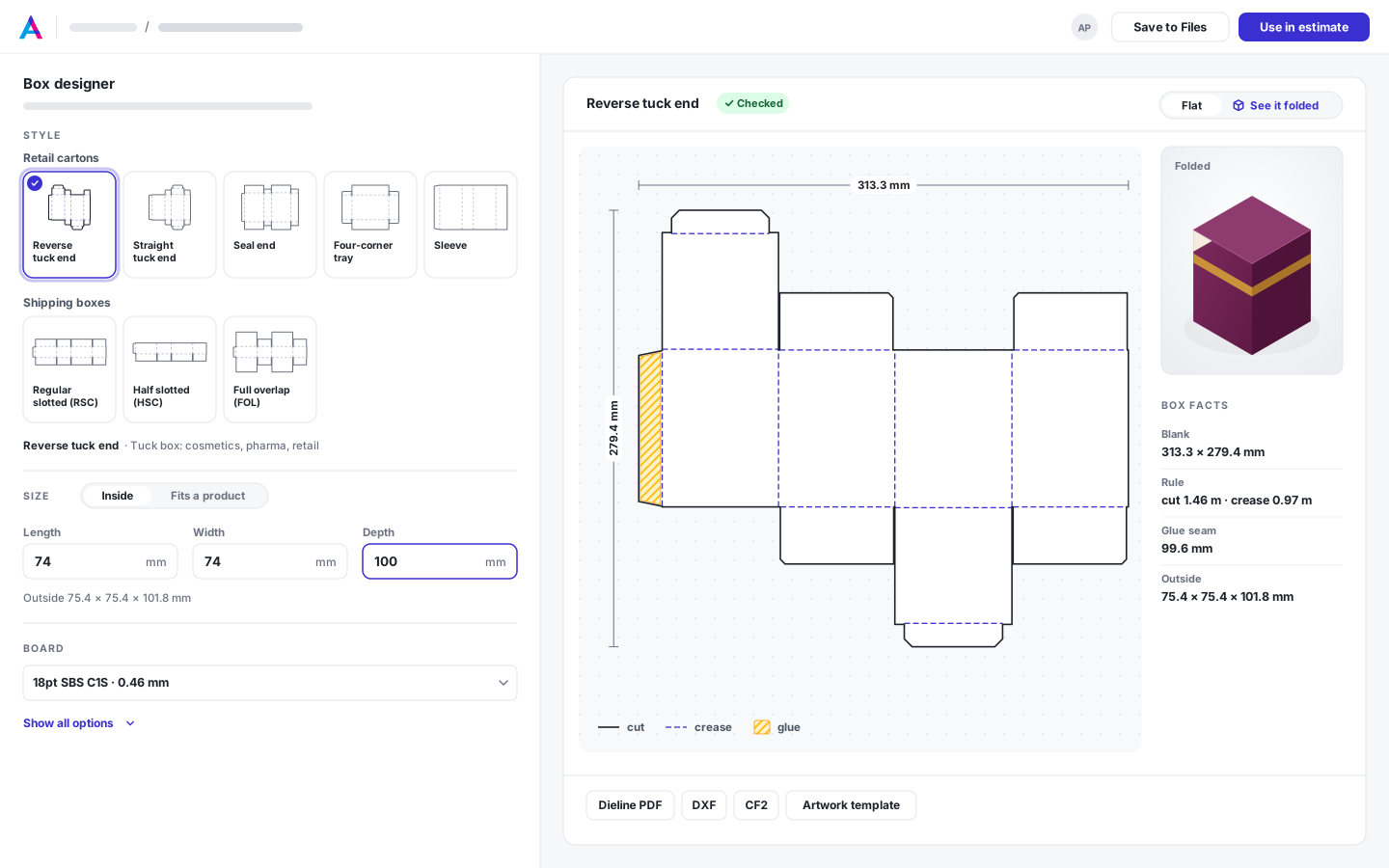
Pick one of 8 ECMA and FEFCO styles, type the inside size and choose the board. The Box designer draws the dieline with the board's real caliper, folds it in software to check that it closes, and shows it folded in 3D — before anyone pays for a die.
- 8 ECMA and FEFCO styles, sized inside, on the crease or outside
- Fold check with the board's real thickness
- 3D fold-up: open flat, folded and flat-glued
- Dieline PDF, artwork template, DXF and CF2
- Box rows in quotes, priced like a converter
Files & artwork
Automated versioning & storage
Every customer file, versioned and ready to print
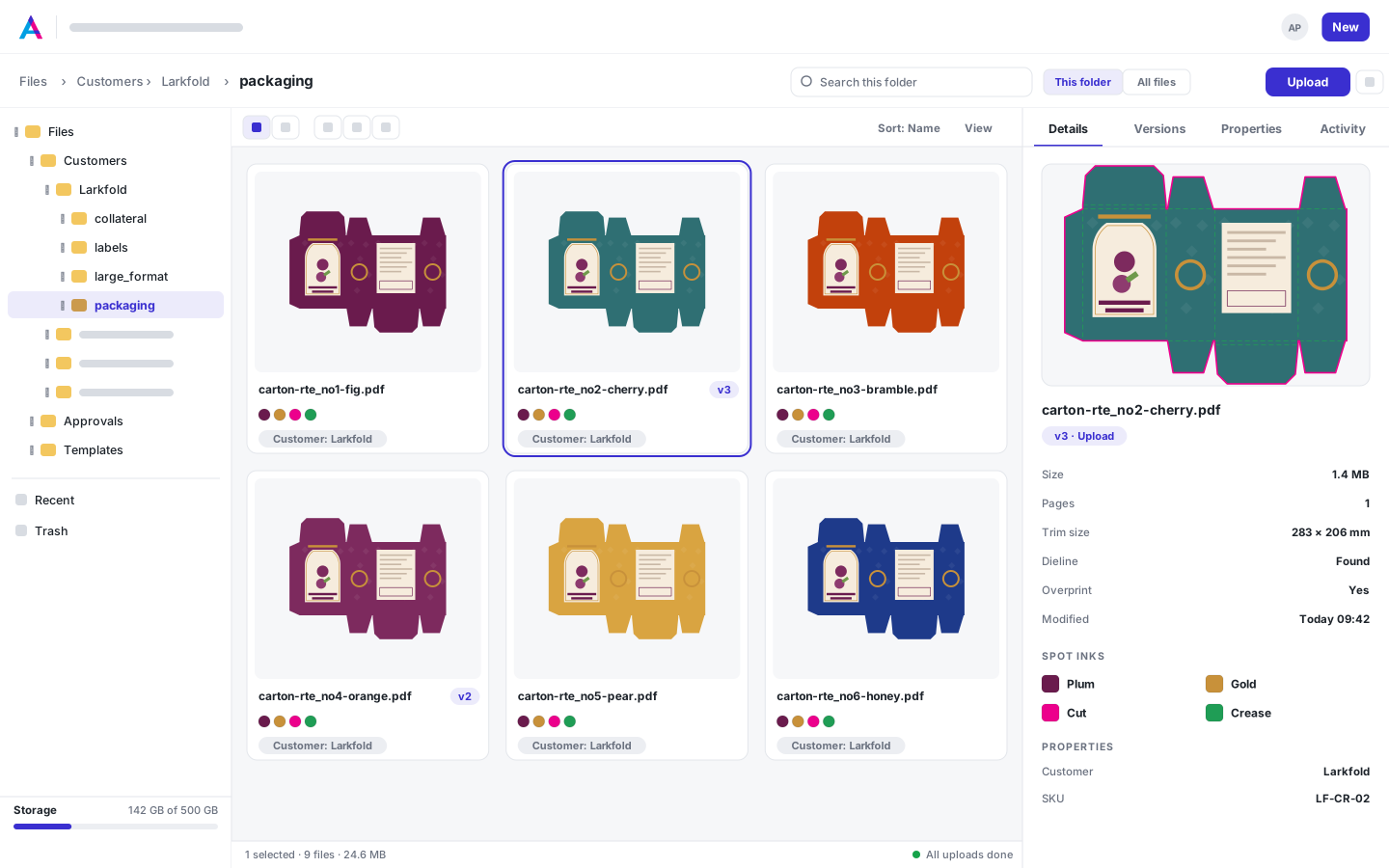
Drag in whole folders from your file server. A re-upload becomes the next version, identical files are stored once, and every file is read on arrival — pages, trim size, spot inks, dieline and resolution — so you know what it is before you open it.
- Folders and subfolders, with whole-folder drag and drop
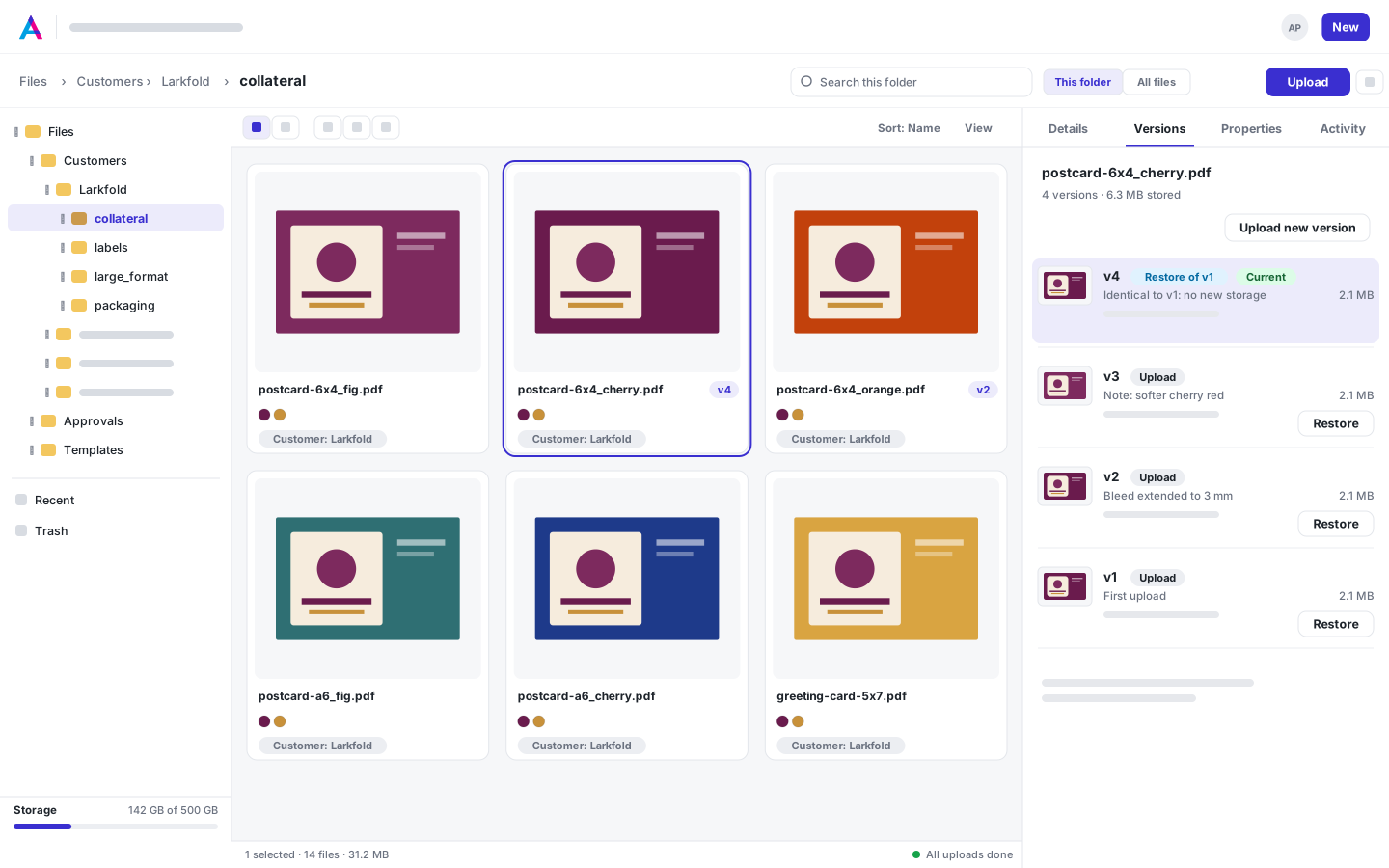
- Upload the same name again and it becomes the next version — restore any version in one click
- Identical files stored once, so copies and restores cost no storage
- Custom properties like customer, SKU and substrate, with folder defaults and filters
- Send a PDF for proof or preflight it straight from the library
- Secure, private storage: 5 GB on Free, 500 GB on Shop, 2 TB on Production, plus 250 GB add-ons on paid plans
- A REST API to move your customer archive into the cloud, on every plan
- New versions arrive prepared: same die, bleed and traps, print-ready file rebuilt
- Open any PDF or image in the 1-up editor
- Properties that flow into every app: pick a file for a job, a quote or a mark, and print its customer or SKU in data-bound marks
- Request-files links for your customers Coming soon
Automatic preflight
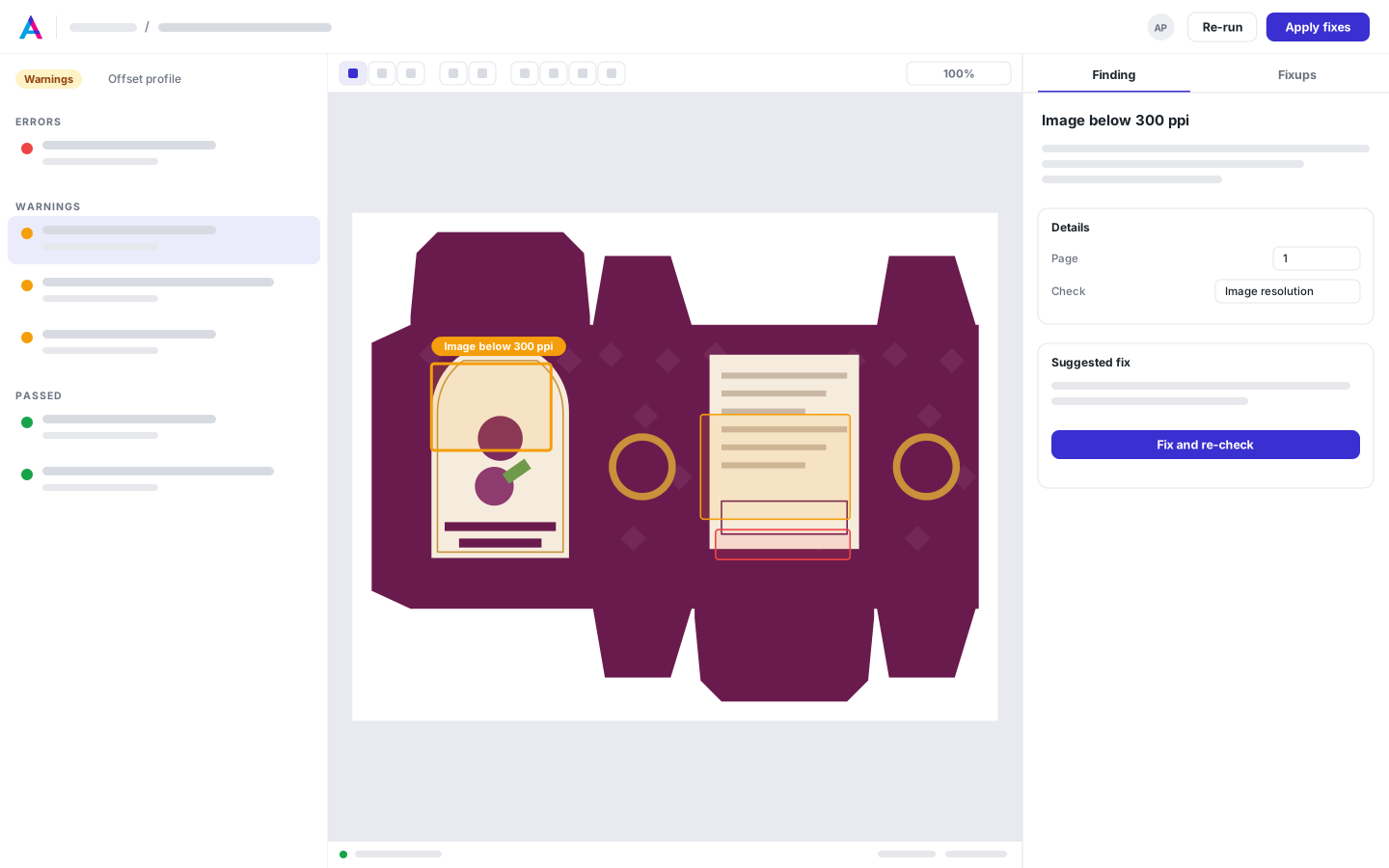
Every file checked on arrival. Every finding drawn on the page.
23 checks in 6 categories run on every proof, every PDF that lands in Files and every print-ready file, against the preset for the process. Findings are outlined on the page, and 4 one-click fixes save the next version and check it again.
- 23 checks in 6 categories, from 5 presets
- Findings drawn on the page
- Bleed and safety measured from the die
- Fixes that save the next version
- Custom profiles per press
1-up prepress editor
From supplied file to print-ready in one browser tab
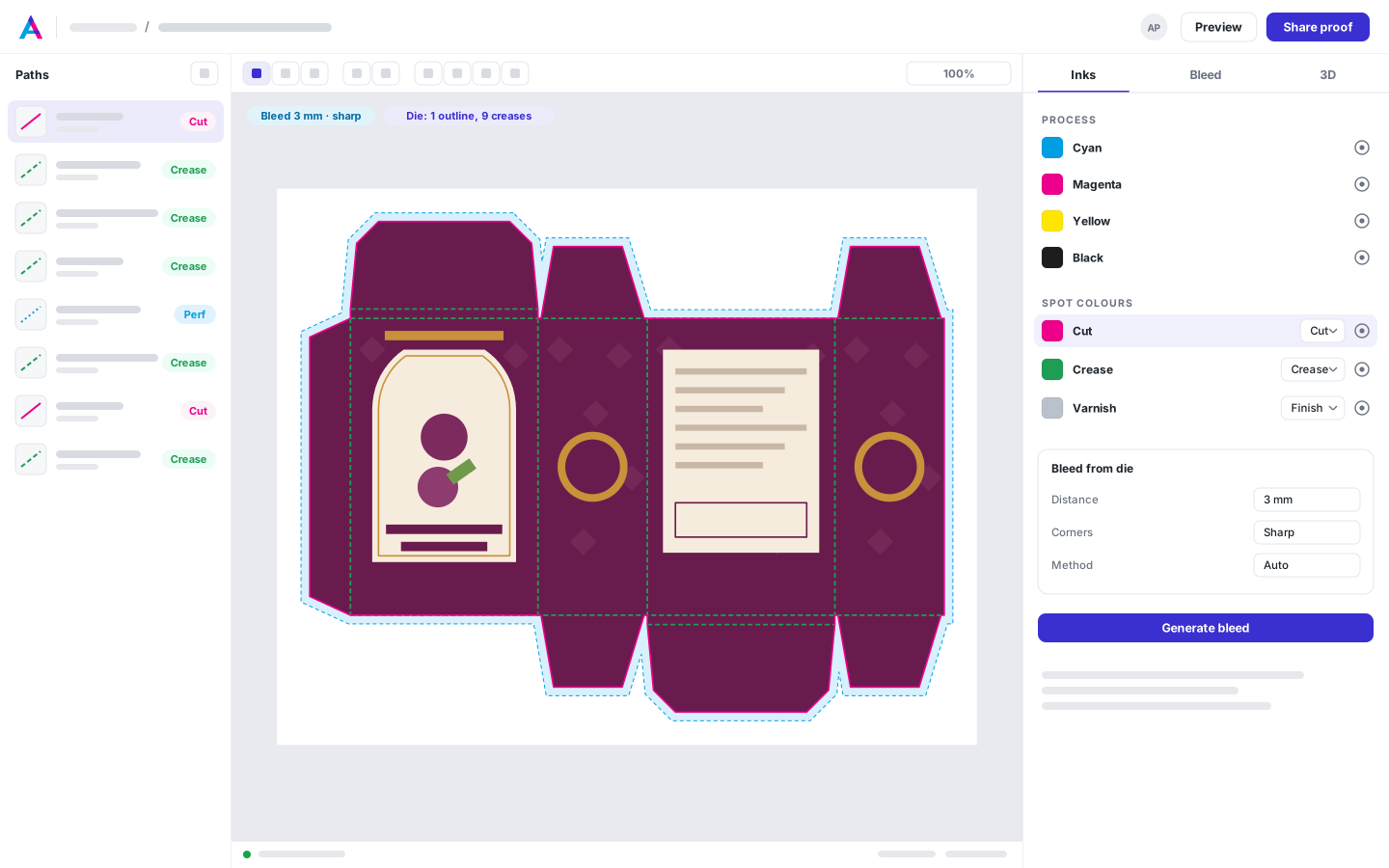
Map the spot colors that carry the die, build bleed that follows any shape, trap it for offset or flexo and check every plate as it will print. Save the result as a print-ready version — the customer's file is never touched.
- Spot color and layer dieline mapping, with Auto
- Create a die: shape, contour from a PNG, or drawn
- Bleed from the die: automatic, mirror, stretch or extend background; sharp, round or flat corners
- Separations as printed
- Trapping layer with a misregistration check
- On Plant, scan a label PDF, keep the copy you want, and send it with the proof
Proof & approve
Proofing & e-approvals
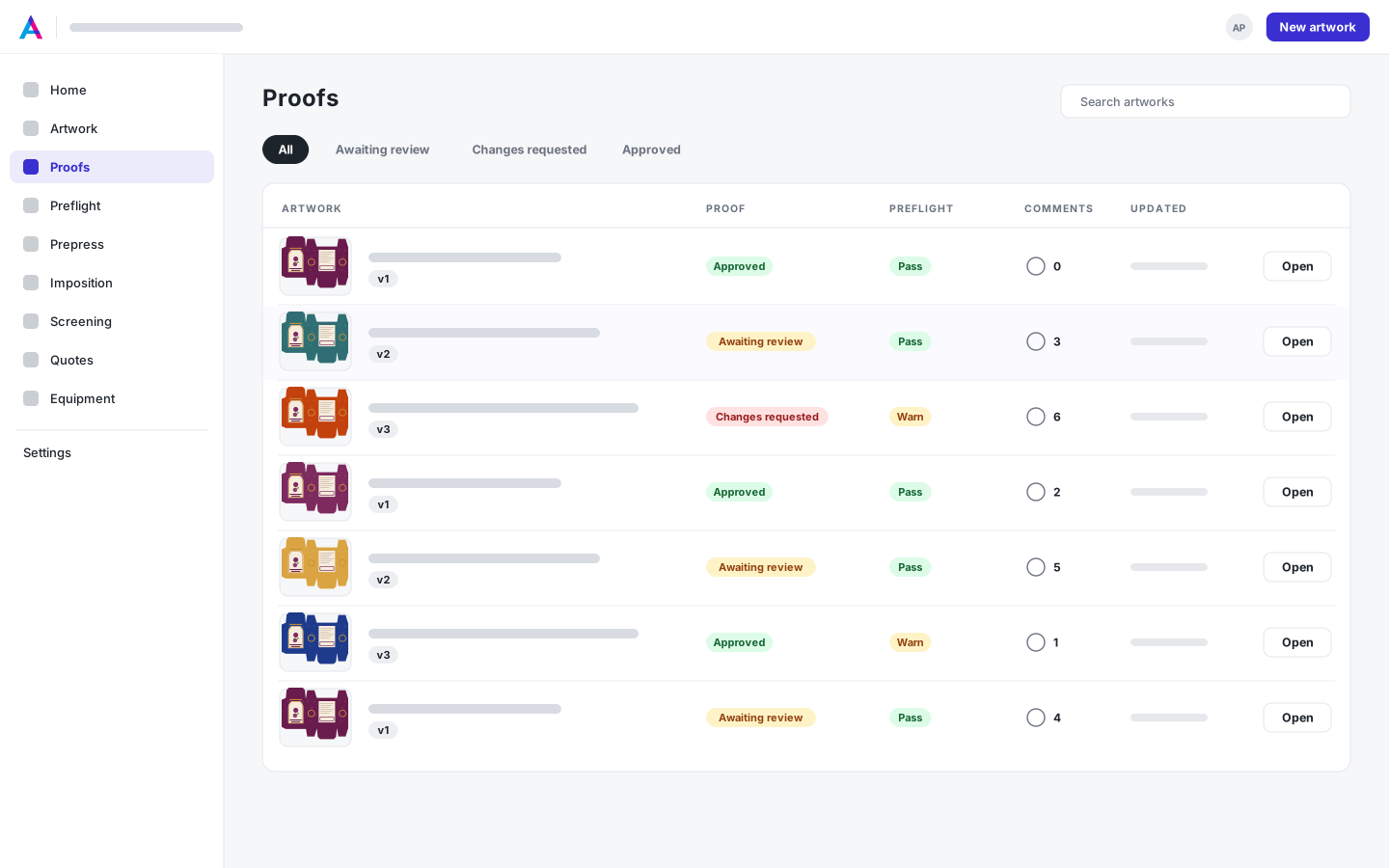
Proofs your customers approve in one visit
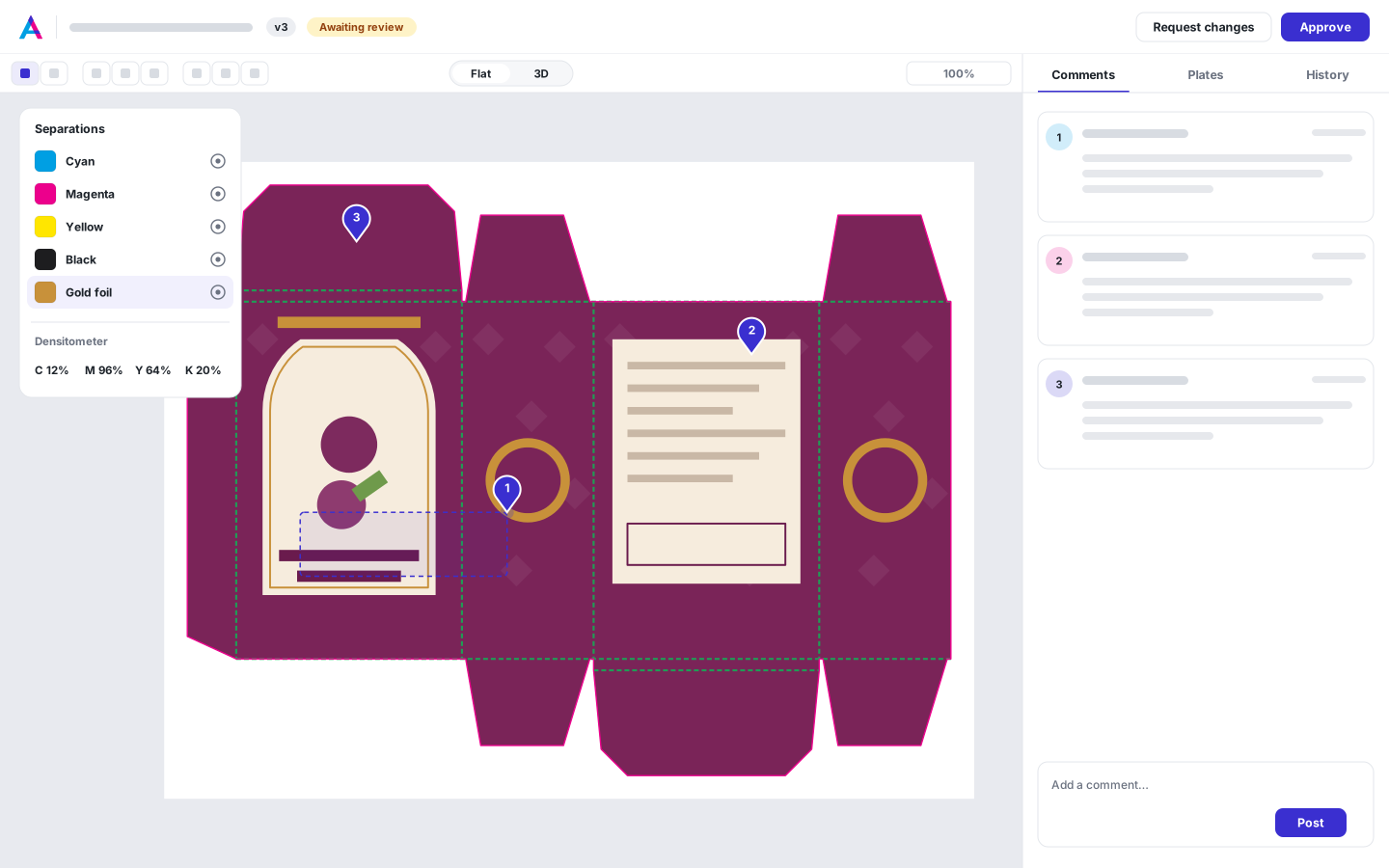
Send a private link — no account, no seat. Reviewers pin comments to the exact spot, check separations, barcodes and ink with the densitometer, or turn the folded carton in 3D, and approve the version you'll print. Every decision is recorded against the exact file.
- Unlimited customer reviewers on every plan
- Point and area comments pinned to the artwork
- Separations viewer with plate toggles and ink coverage
- Barcode reader and densitometer on Advanced links
- Flat and 3D proofs behind the same link
- Decision record with the file's SHA-256
- Version history with a full approval audit trail
- Step through versions and wipe the previous one over this one
- On Plant, scan the label, keep the copy you want, and the customer approves it with the proof
3D mockups with finishes
Show the finished box — foil, spot UV and all
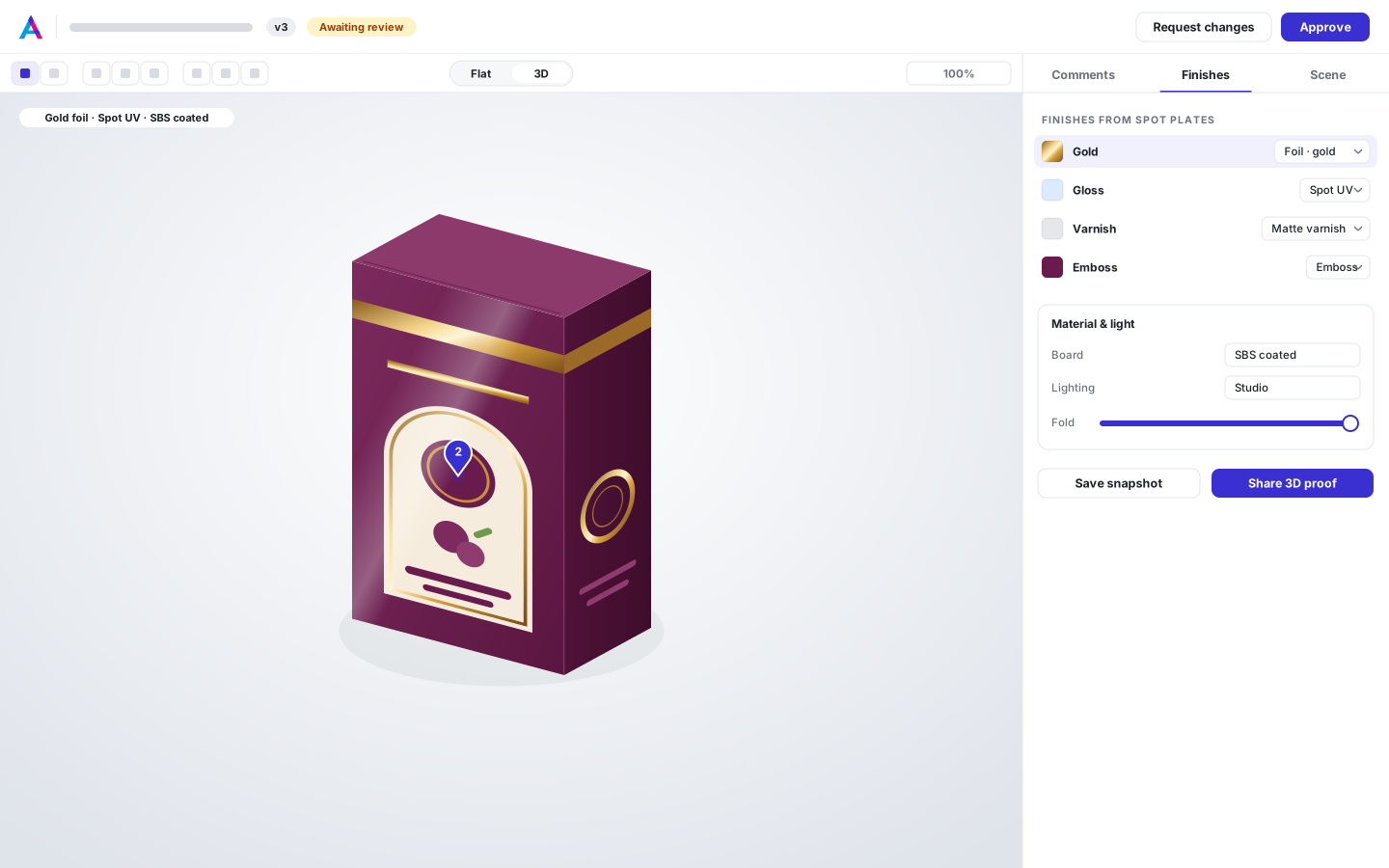
The carton folds from its own dieline and creases, on the board you print on. Map spot plates to finishes and the foil catches the light, spot UV glints on matte stock and the emboss casts a shadow — then share it as a 3D proof your customer can turn and approve.
- 13 boards, from SBS and kraft to clear film and corrugated
- Gloss and matte varnish, soft touch, spot UV, white ink
- Gold, silver, holographic and colored foils; emboss and deboss
- 3D proofs in the customer's link, with comments pinned to the carton
- PNG snapshots and GLB export
Impose, mark & cut
Imposition & offset planning
Every layout compared, the best one chosen with you
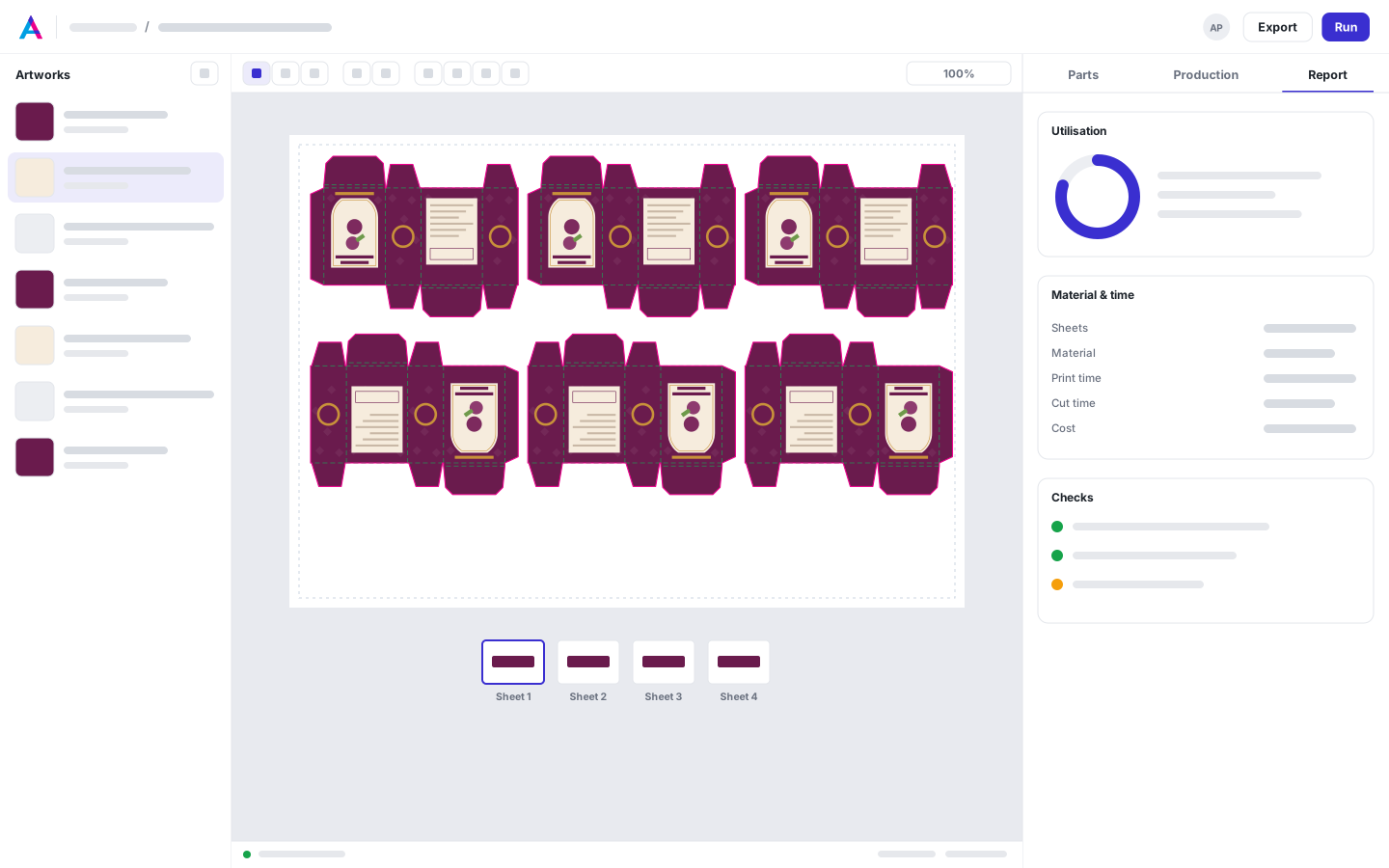
Run Auto, True shape, N-up or Strips on sheets and rolls, for digital or offset. Layouts stream into the Solutions drawer best first; pin two to compare, then use one. Offset plans count plates, passes and overruns against your press's units.
- True shape, N-up (guillotine) and strip layouts
- Digital and offset runs, including gang runs across quantities
- Offset plans: plates, run lengths and overrun caps, fitted to your press's units
- Ganging rules and split items
- Saved and hand-edited layouts with a production report
Nesting engine
Tighter nests, checked before you see them
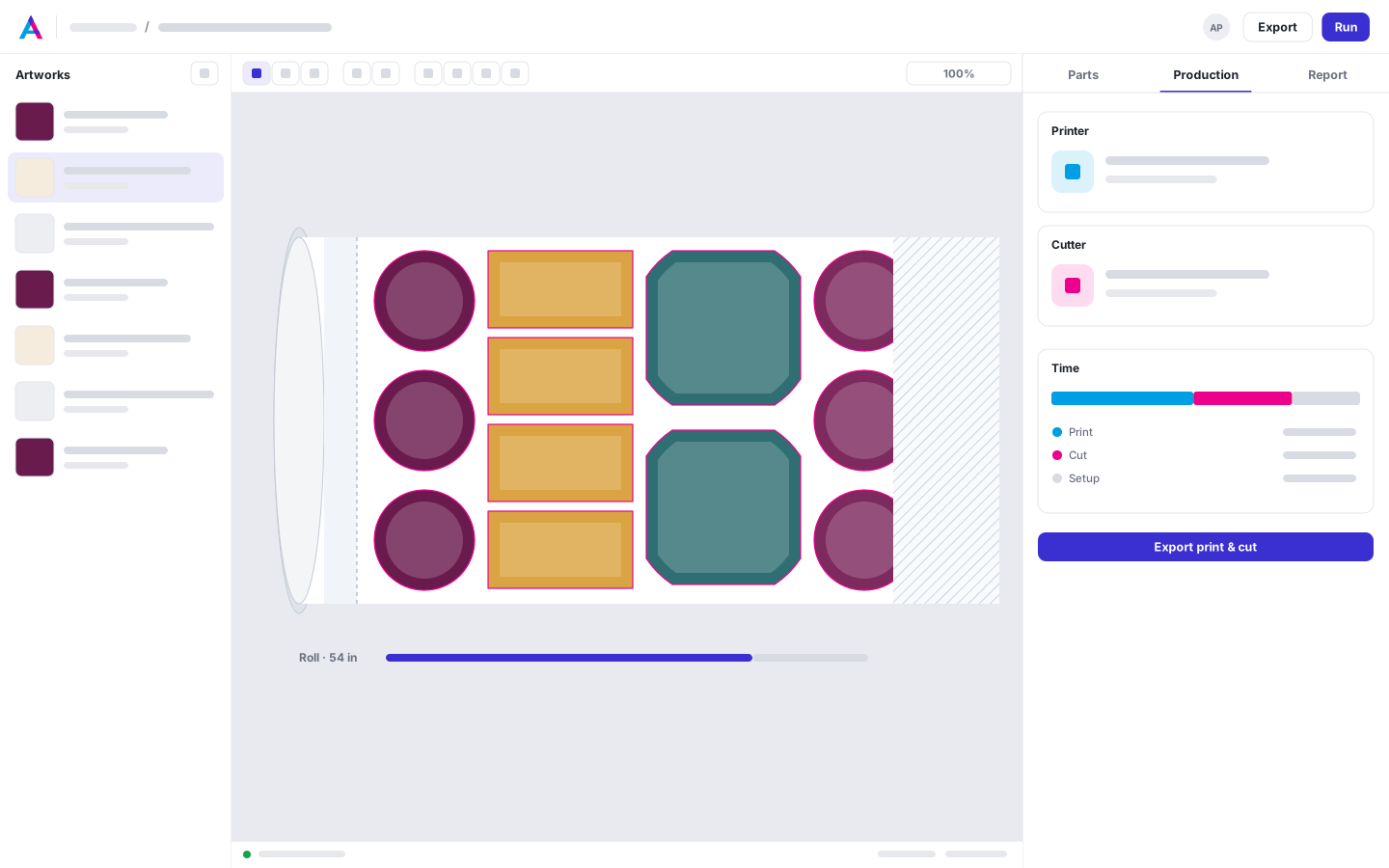
True shapes pack on sheets, rolls and conveyor beds. You choose the angles, and every layout is checked for overlaps, spacing, beds and keep-outs before it's shown.
- Any angle, or your own list; grain respected
- Rolls with lead-in, lead-out and margins
- Conveyor beds and keep-outs
- Space reserved for marks
- Oversize panels in quotes
Marks & registration
Marks your cutter reads, data your floor can scan
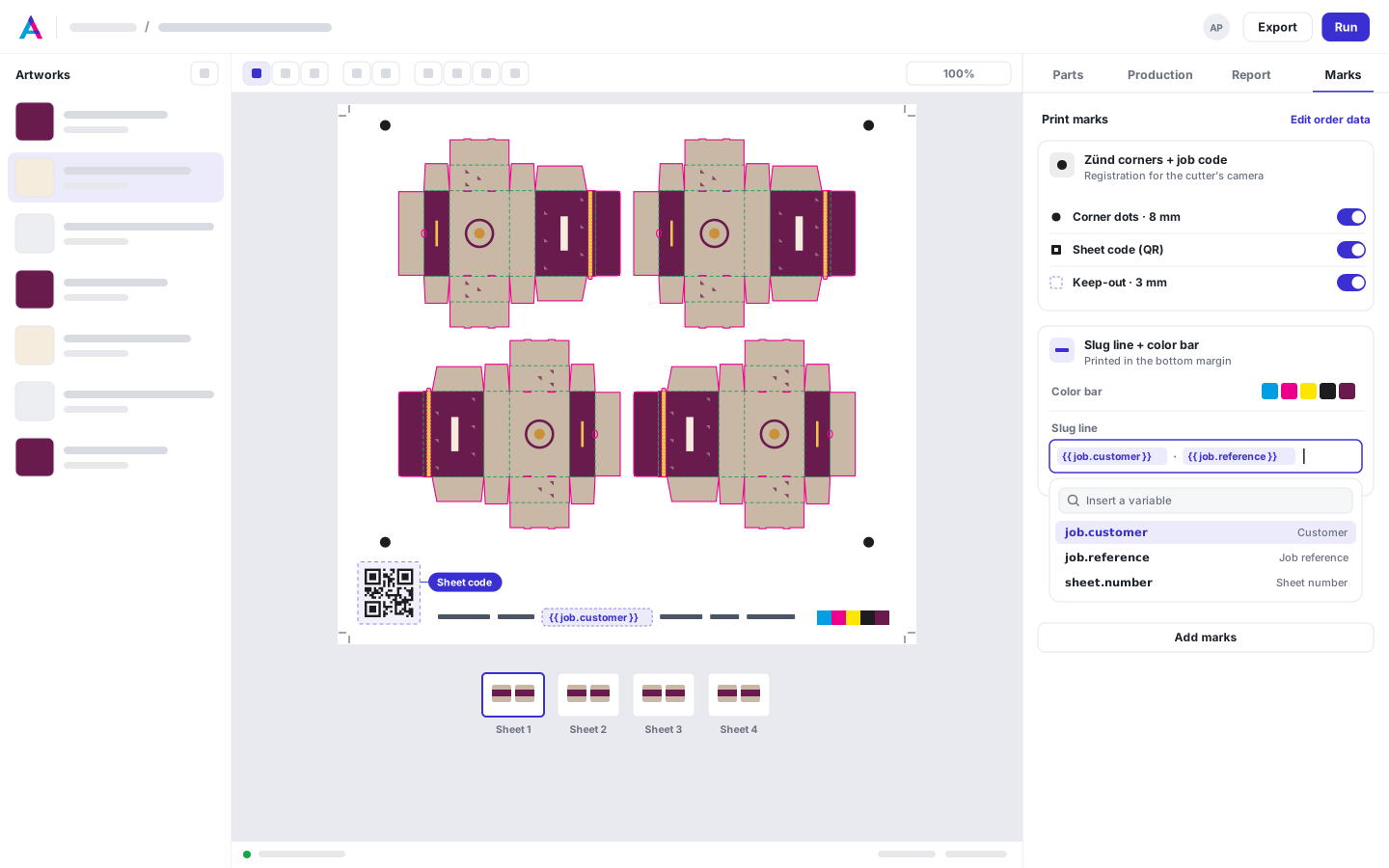
Build mark sets from 14 presets or from scratch. Registration marks follow your cutter's system, sheet codes load the right cut file when scanned, and slug lines print the job, the customer and the copy numbers — on their own layer, checked before export.
- 14 mark presets and 13 barcode types
- Registration for Zünd, Kongsberg, Summa and camera cutters
- Slug lines with job, customer, PO and sheet numbers
- Checked before export; never over artwork
Print & cut file export
One layout, every file the press and cutter need
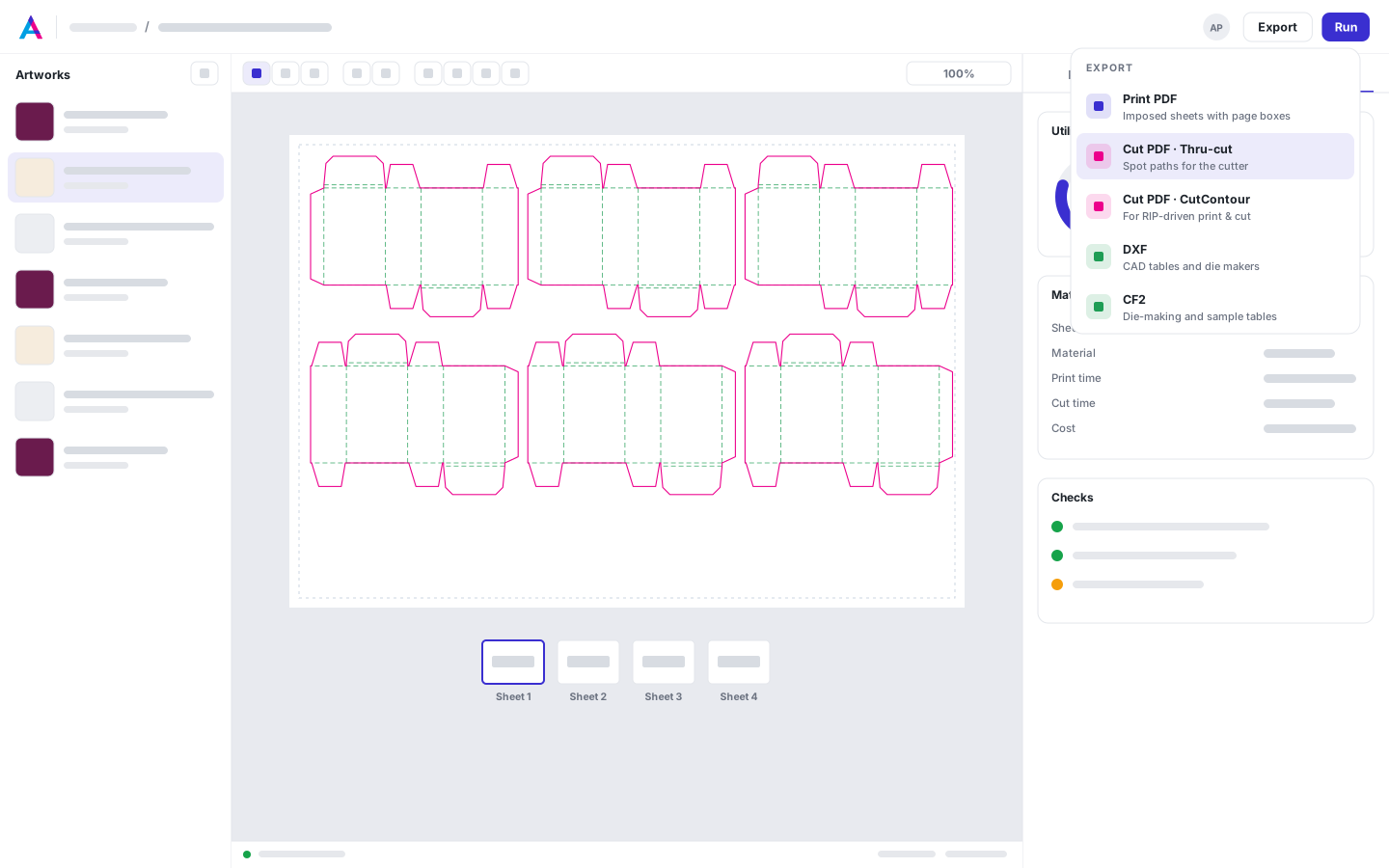
Export the imposed print PDF and its cut file from the same layout, so they always line up. Line types mapped on the artwork travel with the job — Thru-cut, Kiss-cut, Crease, Score and V-cut arrive on separate spot colors and layers — and shared edges are cut once.
- Imposed print PDF for every sheet or roll length
- Thru-cut PDFs your RIP maps to CutContour, plus DXF and CF2
- A knife program for the guillotine
- Cut, crease and perforation kept as separate line types
- Profiles for 57 cutting tables and 51 printers
Screening to 1-bit TIFF
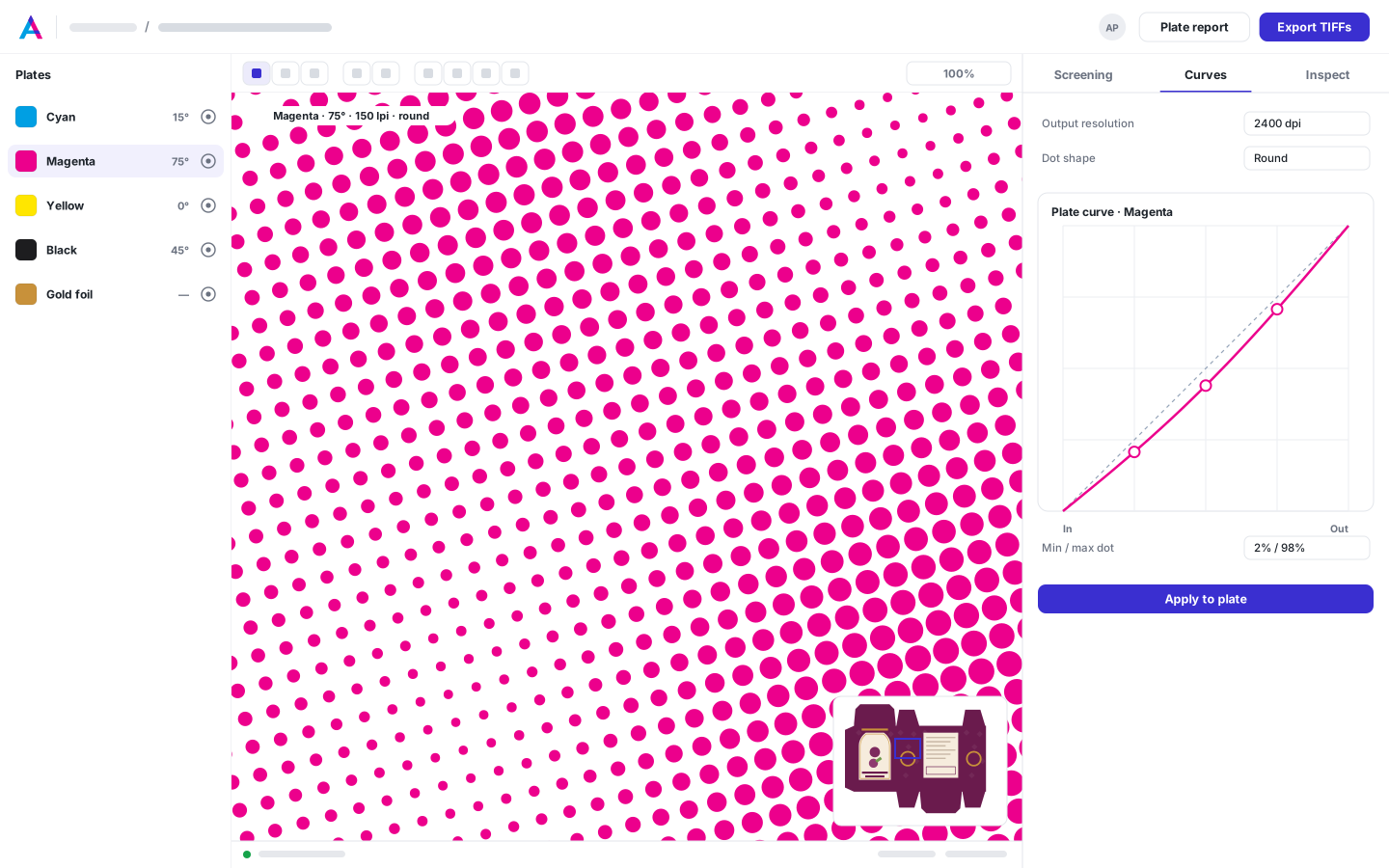
1-bit TIFFs for your platesetter, checked dot by dot
Screen imposed sheets or single files to one 1-bit TIFF per separation. Choose AM dot shapes or FM, set the ruling and angle for every process and spot plate and apply your plate curves — then inspect the actual plate pixels, the rosette and the traps under misregistration before anything goes to plate.
- Round, euclidean, elliptical, square, line and diamond dots, or FM
- Ruling and angle per separation, with offset, newspaper and flexo presets
- Plate curves with min and max dot, to compensate dot gain and hit your press targets
- G4 and LZW TIFFs named for your TIFF catcher, with coverage and ink-zone figures
- Plate viewer with loupe, densitometer, screen analyzer, misregistration and moiré checks
Run the floor
Schedule Coming soon
Every job on every machine, timed from its layout
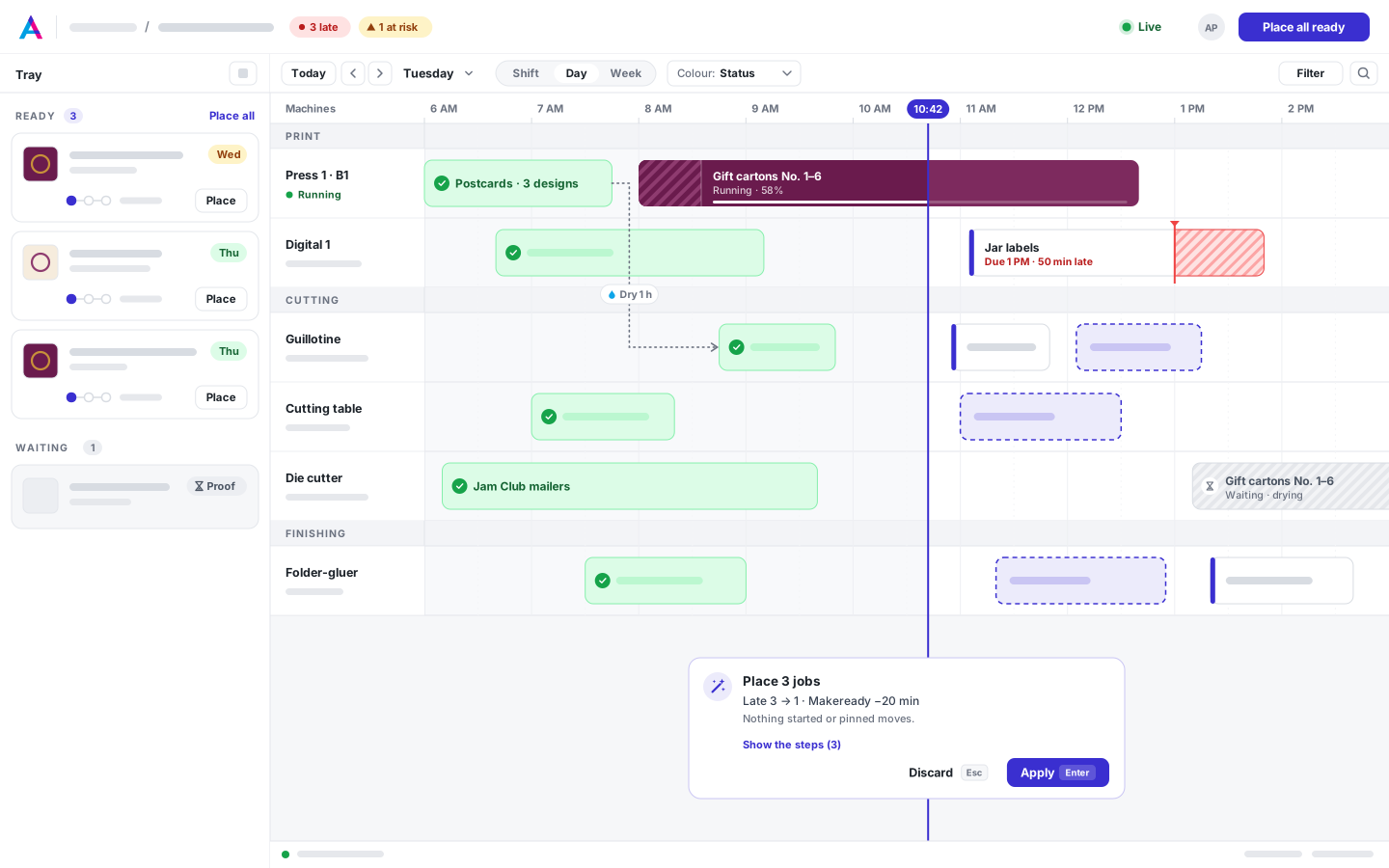
Jobs you impose land in the tray with their press, cutting and finishing steps already timed from your own equipment. Place all ready puts them on the board in one click, never on top of each other, and your operators keep it true from a tablet at the machine.
In development — not available to customers yet.
- Imposed jobs arrive in the tray, already timed
- Place all ready with a before/after preview
- Ready checks from proofs, preflight, plates, stock and die
- Station tablets and a phone Today view; operators need no seat
- Drag and drop and Re-plan Coming soon
Equipment library
Your machines, set up in minutes
Start from 128 built-in profiles for wide-format printers, cutting tables and sheetfed presses, add die-cutters, folder-gluers and laminators, then tune speeds, makeready and rates. The same profiles time your quotes and your layouts — and rates start at zero, so no price is ever guessed.
- 51 printers, 57 cutting tables, 20 sheetfed presses
- Die-cutters, folder-gluers and laminators
- Tools & dies: import CF2, DXF and PDF dies, and price new ones from rate cards
- Die matching: boxes and CAD dielines find the dies you own; a near match is used once you confirm it
- Cutter times calibrated from a timed job
- Never billed per machine
- Printers
- 51
- Cutting tables
- 57
- Sheetfed presses
- 20
- Finishing machines
- 15
Connect
REST API
Connect your MIS and web-to-print
Push artwork in, request approvals, run nests and screening, and pull cut files and quotes out. The OpenAPI 3 schema is public, with Swagger and ReDoc, and API keys are per user.
- Files API on every plan
- Custom integration APIs on Production and Plant
- OpenAPI 3 schema with Swagger and ReDoc
- API keys per user
- Polling by external_id and changed-since
curl -sS -X POST https://automateprint.com/a/your-team/estimating/api/v1/estimates/ \
  -H "Authorization: Api-Key $API_KEY" \
  -F "file=@window-decal.pdf;type=application/pdf" \
  -F "external_id=order-1001" \
  -F "customer_name=Larkfold Studio" \
  -F 'designer_link={"role": "customer", "expires_in_days": 14,
                 "return_url": "https://shop.example.com/orders/1001/done"}'
Returns the estimate with its designer_url: your customer traces and submits the parts, and Finish brings them back to your shop. The same external_id twice gets 409 with the existing id. Estimating API docs
import os, pathlib, requests

API = "https://automateprint.com/a/your-team/files/api/v1"
api = requests.Session()
api.headers["Authorization"] = f"Api-Key {os.environ['API_KEY']}"

files = [p for p in pathlib.Path("Larkfold").rglob("*") if p.is_file()]
paths = sorted({p.parent.as_posix() for p in files})
folders = api.post(f"{API}/folders/ensure/", json={"paths": paths}).json()["folders"]

for path in files:
    with path.open("rb") as handle:
        data = {"folder": folders[path.parent.as_posix()], "on_conflict": "version"}
        answer = api.post(f"{API}/files/", files={"file": handle}, data=data).json()
    print(path, answer["status"])  # new, version, unchanged or skipped
Missing folders are created, and a file sent again becomes its next version. Files up to 100 MiB go in one request; larger ones use an upload session. Files API docs
Put every job on one platform
Start free, with 14 days of every Production feature. No card, and your customers review for free.