

Impose, mark & cut
Marks your cutter reads, data your floor can scan
Build mark sets from 14 presets or from scratch. Registration marks follow your cutter's system, sheet codes name the cut file the cutter finds when it scans them, and slug lines print the job, the customer and the copy numbers — on their own layer, checked before export.
From Shop
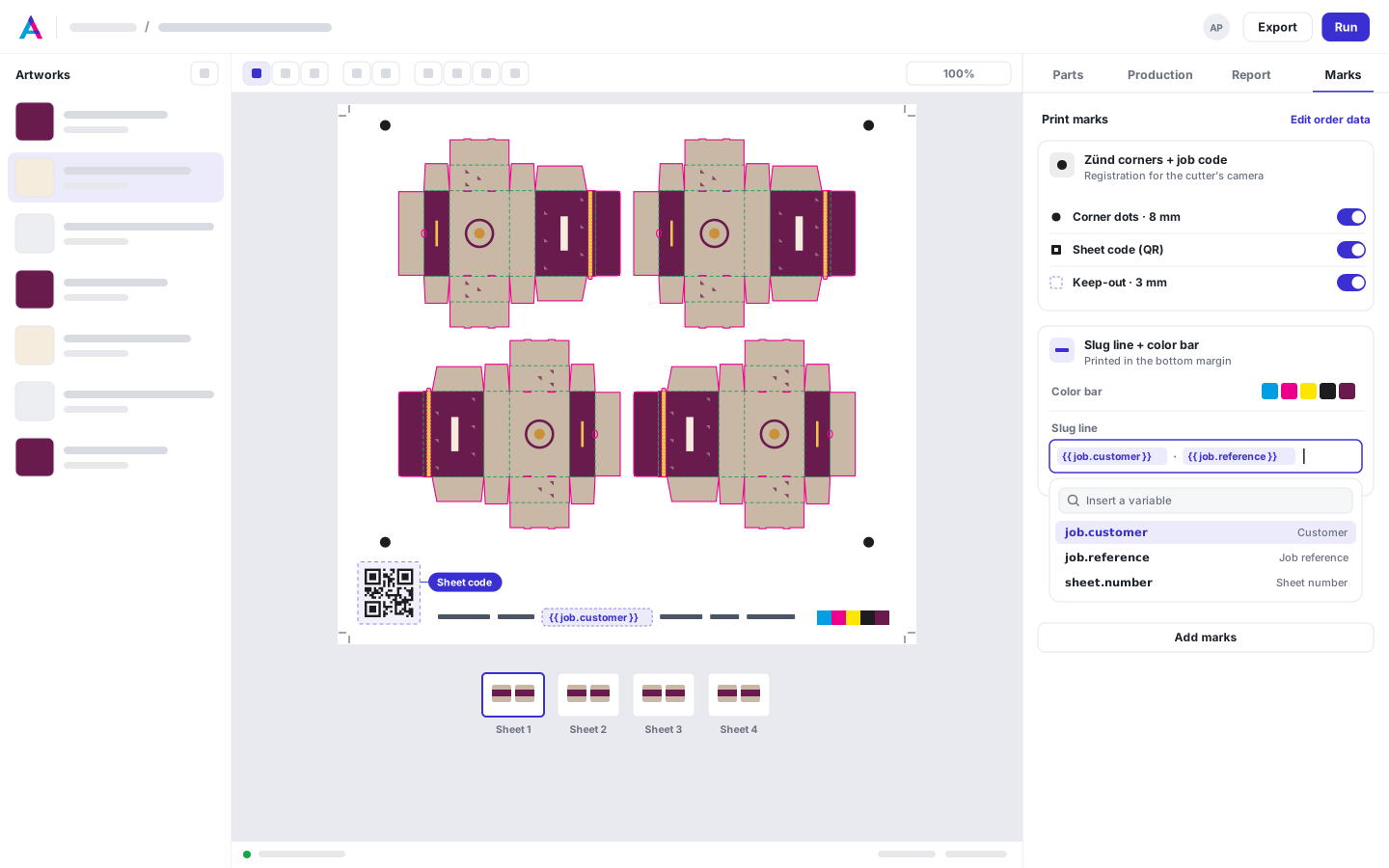
Output · print PDF · 800 dpi
- RegistrationZünd corner registration, where the camera looks
- Sheet codeThe sheet code the cutter scans to find this sheet's cut file
- Slug lineThe customer, the PO and the sheet number, from the job's data
- Color barA color bar for the pressroom
Today, and with AutomatePrint
Today
With AutomatePrint
Today: Registration marks are placed by hand for each cutter.
With AutomatePrint: Choose the cutter; its marks, spacing and code come out in its pattern.
Today: The operator loads the wrong cut file.
With AutomatePrint: A sheet code prints on every sheet and names its cut file, so the cutter's scan finds the right one.
Today: Which batch is this label from?
With AutomatePrint: Item labels print the batch and copy range next to every piece.
In numbers
- mark presets
- 14
- Registration, codes, slug lines, bars and labels
- barcode types
- 13
- From QR and Data Matrix to Code 39 and ITF-14
- every code, before export
- Decoded
- A code that doesn't read back, is too small or has no quiet zone stops the export
How it works
-
Pick a preset
Start from one of the 14 presets, or build a set from scratch in the designer.
-
Attach it
Add the set to a cutter or a printer, and every new job on that machine gets it, or add it to one job.
-
Export, checked
Every mark is checked before a file is written, and the cut file gets the registration marks too.
Registration for your cutter
Choose the cutter's registration system: the marks, their spacing, the layer name and the job code follow its rules. Every mark with Cut turned on is written into the cut file, where it was printed.
| Registration system | Who draws the marks | Registration layer | Job code |
|---|---|---|---|
| Zünd (ICC camera or OCC overview camera, Zünd Cut Center) | We do | Register | QR |
| Kongsberg (Esko i-cut nested layout, i-cut Vision Pro) | We do | Regmark | Code 39 |
| Kongsberg (underside camera) | We do | Regmark | QR |
| Summa F-series flatbed | We do | Register | Code 39 |
| Colex, iECHO, other camera cutters | We do | Register | QR |
| Summa S-series (OPOS), Roland VersaWorks, Mimaki FineCut, Graphtec ARMS | Your RIP | None | None |
Job data on every sheet
Type { to insert the job, the customer, the PO, the sheet number or any file property. A per-copy CSV numbers each piece, such as “No. 1 · Batch 0142 · copies 13–16”.
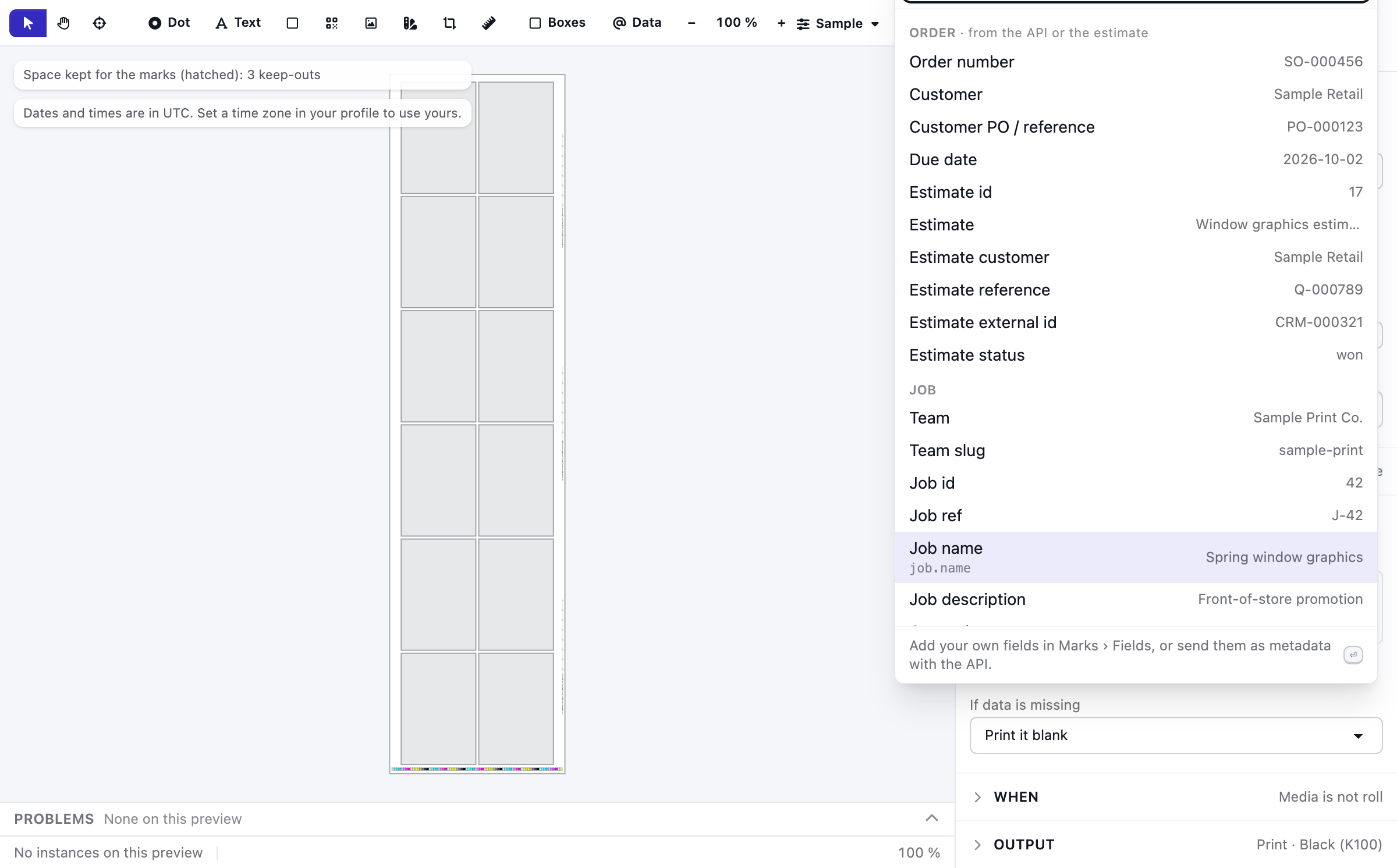
- Variables from the job, item and file
Output · print PDF · 1,000 dpi
Checked before anything is written
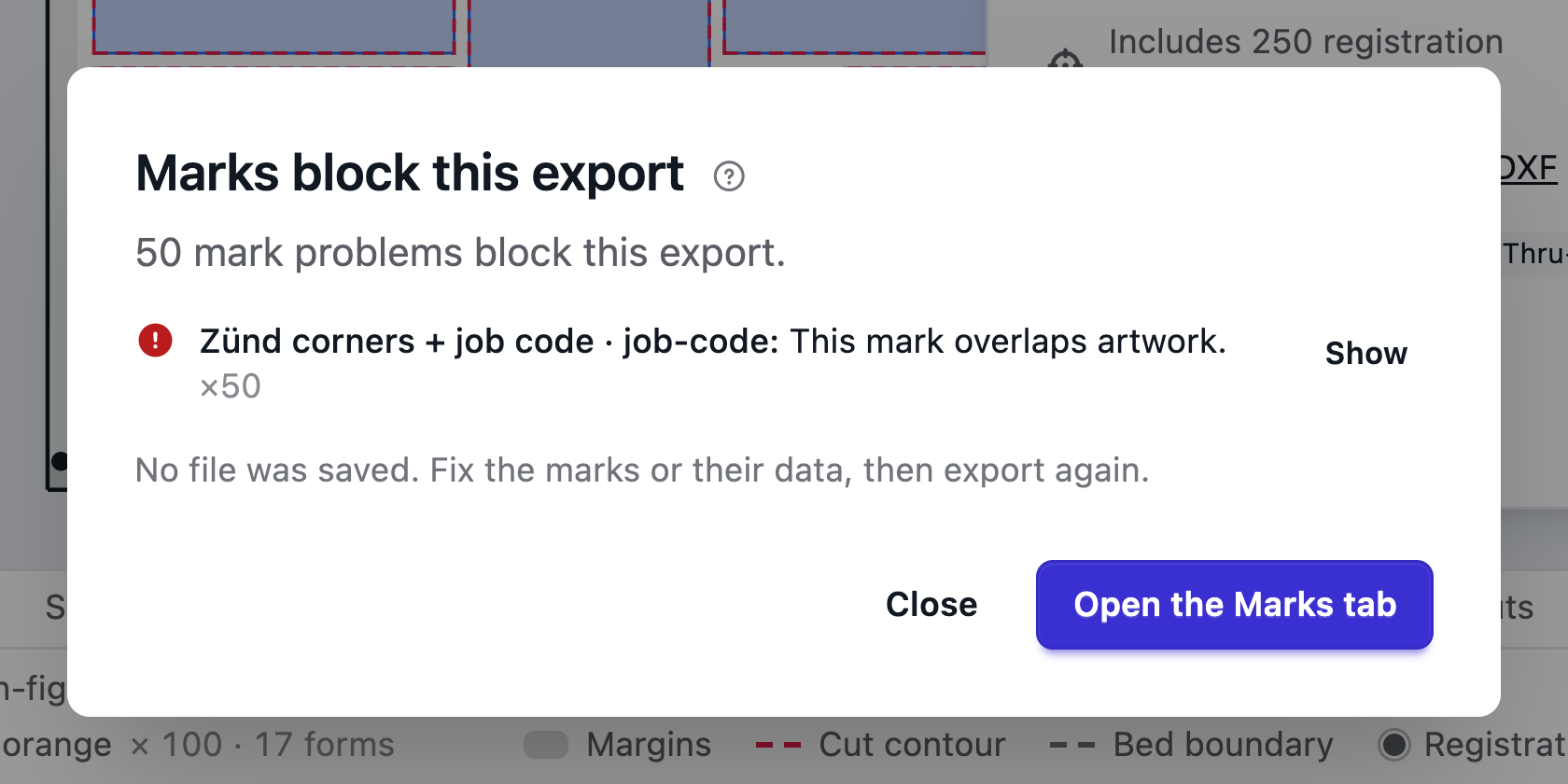
Marks that must never be covered reserve their space before nesting. The export stops if a mark is off the media, a registration mark or code sits on a piece, a code doesn't decode, or a set needs a cutter the job doesn't have.
What's in it
- Crop marks, color bars, roll rulers and sheet counters
- Anchor to the media, the printable area or each copy
- Repeat at corners, along edges, per bed or beside each copy
- Variables from the job, items, a per-copy CSV and Files properties
- Marks on their own PDF layer
- Images from Files
- Default sets per cutter and printer
Specs
- Presets
- Zünd corners, Zünd roll: sides every bed, Zünd rigid: outside every 5 ft, Kongsberg nested, Zünd flexible: through the layout, Underside QR (Kongsberg USC), Cutter job barcode, Scan-to-open QR, Slug line, Item labels, Crop marks, Colour bar, Roll ruler, Sheet counter
- Barcodes
- QR code, Data Matrix, GS1 DataMatrix, Code 128, GS1-128, Code 39, EAN-13, EAN-8, UPC-A, ITF, ITF-14, PDF417, Aztec
- Cut file
- Registration marks on the cutter's registration layer, in PDF, DXF and CF2
Works with
- Cut files Print PDFs plus Thru-cut PDF, DXF and CF2 cut files from the same layout.
- Nesting engine True shapes on sheets, rolls and beds, every layout verified.
- Files One library for every customer file: folders, automatic versions, properties and private storage.
Read the docs: How print marks workCutter registration and job codesOrder data in marks
On which plan
Compare every plan| Capability | Free | Shop | Production | Plant |
|---|---|---|---|---|
| Marks: registration, sheet codes, 13 barcode types, job data | Not included | Included | Included | Included |
From Shop.
FAQ
Questions, answered
Anything else? Email hello@automateprint.com and a person who knows print will answer.
Which cutters?
The systems in the table above, and any cutter whose RIP draws its own marks: we keep its margin clear.
Can marks cover artwork?
Registration marks and codes can't: they reserve space before nesting, and the export stops if one lands on a piece. Other marks on a piece are a warning.
Where does the data come from?
Job and order fields, the items, a per-copy CSV and any Files property.
Are barcodes checked?
Every code is decoded back before the file is written.
Put every job on one platform
Start free, with 14 days of every Production feature. No card, and your customers review for free.